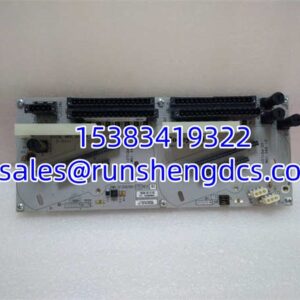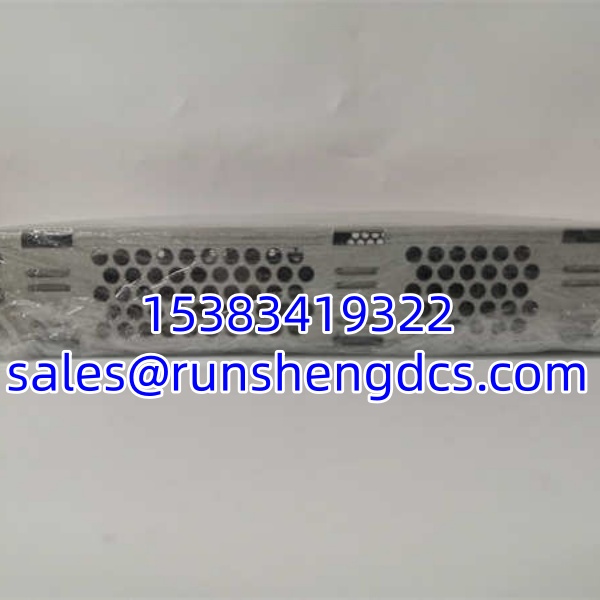

Description
Key Technical Specifications
| Parameter | Value |
|---|---|
| Product Model | 3BSE001552R1 / SC610 |
| Manufacturer | ABB |
| Product Category | Programmable Control Module |
| Structural Form | Modular |
| Installation Method | Module Mounting |
| Compatibility | ABB DCS/PLC Systems |
| Operating Environment | Industrial Grade |
| Warranty | 1 Year |
| Availability | In Stock |
| Origin | Imported / Domestic (Verify specific batch) |
Product Introduction
Legacy control modules often fail when you least expect it, leaving critical processes in limbo. The ABB 3BSE001552R1 SC610 fills that gap as a dedicated programmable control unit within ABB’s automation ecosystem. It handles logic execution, data tracking, and signal interfacing for DCS or PLC architectures. Think of it as the workhorse for auxiliary loops or standalone control tasks where a full CPU isn’t necessary.
Why keep this in inventory? Because lead times for obsolete ABB modules can stretch to 20+ weeks. The ABB 3BSE001552R1 SC610 integrates with standard programming environments (verify CX-Programmer compatibility for your specific revision) and supports functional block libraries to reduce ladder logic complexity. Bottom line — it’s a proven, modular component that keeps aging plants running without a full migration project. Just don’t expect it to handle high-speed motion control; check the datasheet for cycle time limits.
QA/QC Transparency SOP
- Intake & Origin Verification: We trace every ABB 3BSE001552R1 SC610 to authorized surplus or decommissioned industrial sites. Counterfeit ABB modules exist; we verify PCB revision stamps, component date codes, and solder quality against OEM manufacturing records.
- Live Functional Testing: Each module is installed in a compatible ABB test rack. We verify backplane communication, I/O point registration, and logic execution under load. No “blind” testing.
- Electrical Parameter Tests: Backplane connector pins are checked for continuity and shorts using a Fluke 115. We verify voltage regulation on the module’s internal DC-DC converters to ensure stable operation under varying load conditions.
- Firmware/Config Verification: We boot the ABB 3BSE001552R1 SC610 to confirm it accepts standard firmware images. Configuration files are wiped, and factory defaults are restored. Firmware version is logged and reported.
- Final QC & Anti-Static Packaging: Ports and connectors are cleaned with contact-safe solvent. Modules are sealed in ESD-shielding bags with desiccant. A test report card is included, showing actual functional test results and firmware revision.
Field Engineer Gotchas
- Firmware Rev Mismatch: Don’t assume your existing ABB system will auto-negotiate with a new ABB 3BSE001552R1 SC610. If the system is running an older firmware revision and the module ships with a newer one, you’ll get communication timeouts or “Module Incompatible” errors. Fix: Flash the module to match the system before inserting it, or upgrade the entire system first. I’ve seen 4-hour outages because someone skipped this step.
- DIP Switch/Jumper Configuration: The often has hardware jumpers for addressing or termination. Leaving them in factory default is a common mistake. Fix: Photograph the old module’s jumper settings before removal. I’ve replaced perfectly good modules because someone assumed “new = correct configuration.”
- Wiring/Terminal Block Incompatibility: Terminal blocks for ABB modules can vary by revision. A block from a 1990s might not mate with a 2000s revision. Fix: Verify the terminal block part number on the module faceplate. Don’t force it. Bent pins = dead module.
- Power Draw/ESD Risks: This module draws power from the backplane. If you’re already running multiple I/O modules, you might be over-subscribed. Fix: Calculate total wattage before adding modules. I once saw a power supply fail catastrophically because someone added a fifth control module without checking the power budget spreadsheet. Also, always use ESD protection. These boards are sensitive.
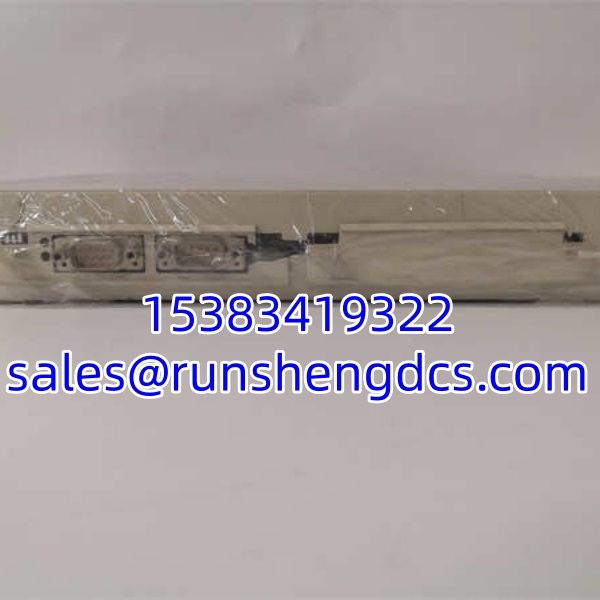
ABB 3BSE001552R1 SC610
Application Scenarios
- Auxiliary Process Control: Water treatment plants use the to manage pump stations, valve sequencing, and level control loops. It handles the local logic while the main DCS focuses on optimization.
- Legacy System Support: Manufacturing facilities with 20-year-old ABB systems rely on this module for spare parts. When the original fails, the drops in (after firmware matching) to restore function without a full system rewrite.
- Standalone Control Tasks: Packaging lines or conveyor systems often use the as a dedicated controller for specific machine sections. It reduces load on the main PLC and isolates faults.
FAQ
Generally, no. The handles control logic and I/O. Always verify with the system manual before attempting a hot-swap. I’ve seen backplane damage when someone yanked a module without checking redundancy status.
Can I use this module in a newer ABB system?
Maybe, but verify first. The is designed for specific ABB DCS/PLC platforms. Newer systems may require different firmware or hardware revisions. Don’t assume backward compatibility.
What’s the cycle time for this module?
Depends on the logic complexity and firmware revision. Typical scan times range from 10ms to 100ms for standard ladder logic. For high-speed applications, verify the exact spec with the OEM datasheet. Don’t guess.
Do you provide a warranty on discontinued ABB gear?
Yes. 12 months functional warranty. If the fails under normal use, we replace it. We don’t cover ESD damage, water ingress, or improper installation. Read the fine print.
Is this the same as the SC611 or SC612?
No. The is a specific revision. SC611/SC612 may have different I/O counts, memory, or communication protocols. Don’t mix them up in your BOM. Verify the exact model number on the nameplate.
Can I downgrade the firmware on this module?
Generally yes, but check the release notes. Some revisions have hardware changes that prevent rollback to very old firmware. Verify with our tech team before attempting a downgrade.
Do you have the programming manual for this module?
Yes. We can provide the PDF manual and functional block library for the . Just ask. Don’t try to program it blind.