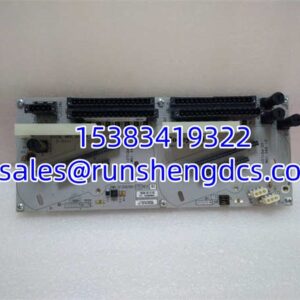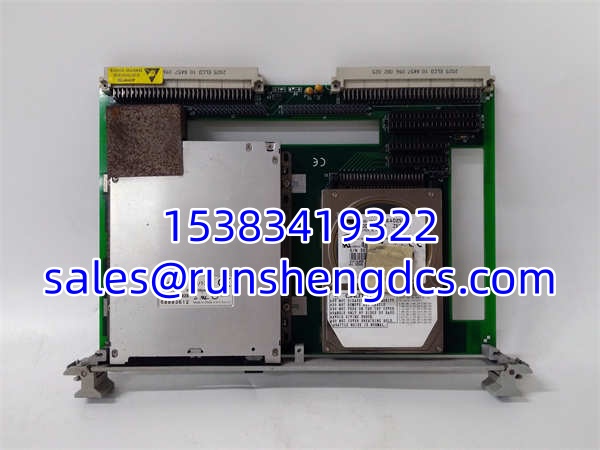

Description
Key Technical Specifications
- Form Factor: 6U VMEbus, Single Slot (Eurocard)
- Dimensions: 160mm x 233.25mm x 20.32mm
- Supported Drives: 3.5″ Floppy (1.44MB) / 2.5″ IDE HDD
- Connectors: 34-pin Floppy, 40-pin IDE Header
- Bus Interface: VMEbus P1/P2 (Passive)
- Power Draw: +5V @ 2.5A Max (Spin-up), <1.0A Typ
- Operating Temp: 5°C to 50°C
- Storage Temp: -25°C to 60°C
- Humidity: 20-80% Non-condensing
- Compatibility: VMIVME-7591, 7698, 7740, 7750 SBCs
Product Introduction
Legacy VME systems don’t die; they just run out of moving parts. The VMIC VMIVME-7452 is the mechanical and electrical bridge that keeps those 20-year-old Motorola or GE Fanuc SBCs alive. It’s a passive board—no logic, just routing. You plug a 3.5″ floppy or 2.5″ IDE drive into it, slide it into the VME rack, and connect it to your CPU’s onboard controller.
Don’t overthink the specs. The VMIC VMIVME-7452 doesn’t process data; it carries it. Its value is purely physical: maintaining the correct pinout and form factor for obsolete drive geometries. With a 2.5A spin-up rating, it handles the inrush current of aging mechanical drives without dropping the VME +5V rail. Bottom line: if your SBC has a floppy/IDE header but no drive, this is the missing link.
Troubleshooting Quick Reference
| Fault | Cause | Relevancy | Quick Check | Fix |
|---|---|---|---|---|
| Drive Not Detected | Ribbon Cable Reversed | 90% | Check red stripe alignment on 34/40-pin headers. | Flip cable. Pin 1 must match Pin 1. |
| Spin-up Failure | Insufficient Power | 80% | Measure +5V at drive connector during boot. | Check VME P1/P2 supply. Replace VMIVME-7452 if voltage sags <4.75V. |
| Intermittent Errors | Oxidized Connectors | 70% | Reseat module. Clean VME fingers with IPA. | Reseat. If persistent, replace VMIVME-7452. |
| BIOS Hangs | Bad Drive Jumper | 60% | Verify Master/Slave/Cable Select jumpers. | Set to Master (usually). Check drive health. |
| No Power LED | Backplane Fuse | 50% | Measure +5V at VME connector pins A12/A13. | Check backplane fuse. Replace VMIVME-7452 if input is good but output is dead. |
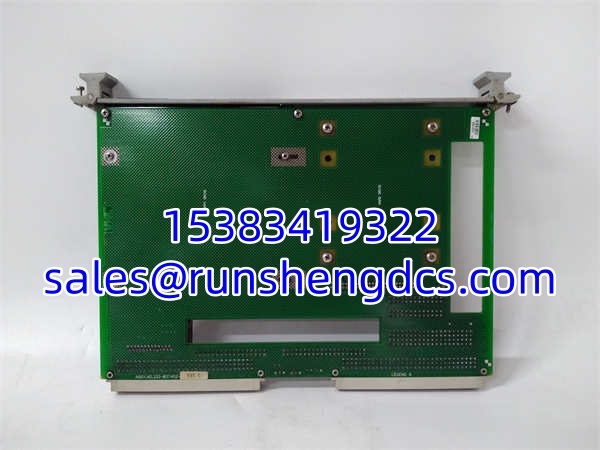
VMIC VMIVME-7452
Application Scenarios & Pain Points
- Military Avionics Test Benches: 30-year-old ATE racks. Pain point: Original floppy drives are dead, and USB adapters don’t fit VME. The VMIC VMIVME-7452 lets you use modern 2.5″ IDE SSDs in the legacy form factor.
- Nuclear I&C Systems: Safety-critical data logging. Pain point: Regulatory approval for new hardware takes 2 years. The is a “like-for-like” mechanical swap, bypassing re-qualification.
- Telecom Switching: Old Lucent/Nortel nodes. Pain point: No spare parts. The is often the only carrier left that fits the original spec.