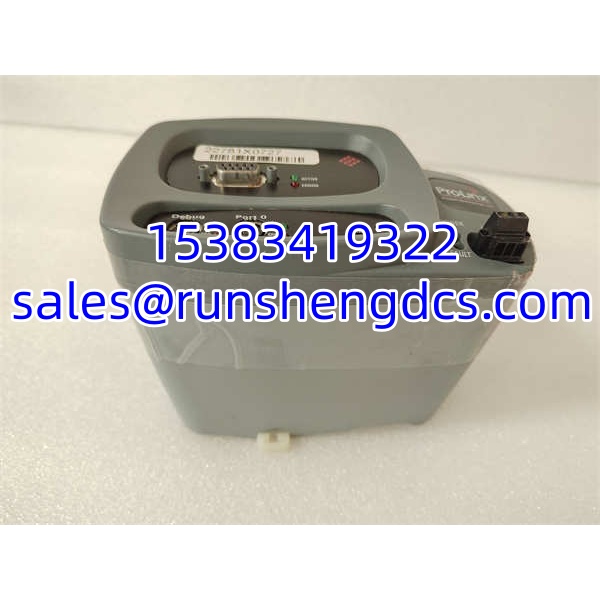

Description
Key Technical Specifications
| Parameter | Specification |
|---|---|
| Part Number | 4301-MBP-DFCM |
| Manufacturer | ProSoft Technology |
| Product Family | ProLinx protocol gateway |
| Gateway Type | Modbus Plus (MBP) to DF1 master/slave |
| Modbus Plus Port | 1 × configurable DB-9F, master or slave |
| DF1 Ports | Up to 4 configurable DF1 serial ports, master or slave per port |
| Mounting | Stand-alone DIN-rail |
| Typical Use | Integrating DF1 serial devices into a Modbus Plus network |
| Compatible Ecosystem | Rockwell Automation / Allen-Bradley PLC environments |
| Documentation | ProSoft product manual and configuration software required for setup |
Product Introduction
The 4301-MBP-DFCM is a ProSoft ProLinx stand-alone gateway that connects a Modbus Plus network to DF1 serial devices. On the Modbus Plus side, it presents itself as a configurable MBP node; on the serial side, it communicates with DF1 masters or slaves over RS-232/RS-485-style serial links. This makes it useful when legacy DF1 instruments, drives, barcode readers, flow computers, or small controllers must participate in a Modbus Plus system without being replaced.
From an integration standpoint, the important design point is that MBP and DF1 are not the same protocol layer. The gateway does not simply convert RS-485 electrical levels; it maps application-layer transactions between Modbus Plus and DF1. That means register addresses, node numbers, message lengths, and timing must be validated during commissioning. Because this is a ProLinx-era part number, public documentation is limited compared with current ProSoft gateways, so the configuration file and node map should be preserved before any module replacement.
Troubleshooting Quick Reference
| Fault | Probable Cause | Relevancy | Quick Check | Fix |
|---|---|---|---|---|
| No MBP communication | Wrong node address or token-ring issue | High | Verify MBP node number and cabling | Confirm MBP address, terminators, and token status |
| DF1 devices not responding | Baud rate, parity, or station mismatch | High | Compare DF1 settings on gateway and device | Align baud, parity, stop bits, and station number |
| Intermittent DF1 errors | Noise on RS-485 or long cable runs | Medium | Check shielding and ground reference | Use shielded twisted pair; verify termination |
| Data reads return wrong values | Address mapping mismatch | Medium | Compare gateway map with device register list | Rebuild register mapping in configuration |
| Gateway appears online but no data | Master/slave role misconfiguration | High | Review MBP and DF1 role settings | Correct master/slave assignment per port |
| Replacement unit fails to communicate | Firmware or configuration mismatch | Medium | Compare firmware and config file | Reload saved configuration; confirm firmware compatibility |
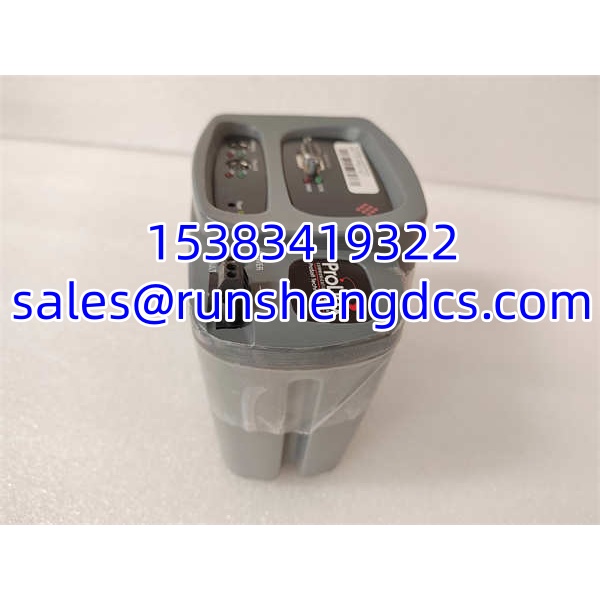
ProSoft 4301-MBP-DFCM
Application Scenarios & Pain Points
Legacy Modbus Plus process lines. Many older Rockwell/Allen-Bradley installations still use Modbus Plus for controller-to-controller communication. The 4301-MBP-DFCM allows DF1 serial devices to be added without migrating the entire network.
Instrument and analyzer integration. Flow computers, batch controllers, and serial analyzers often support DF1 but not Modbus Plus. The gateway bridges them into the MBP network for HMI and PLC visibility.
Brownfield retrofits. When replacing a failed MBP I/O block is impractical, a stand-alone gateway can keep existing DF1 field devices online while higher-level systems are upgraded.
Pain point. The biggest risk is losing the original configuration file. Without it, every node address, serial parameter, and data map must be reconstructed from drawings or device manuals.