
Description
Key Technical Specifications
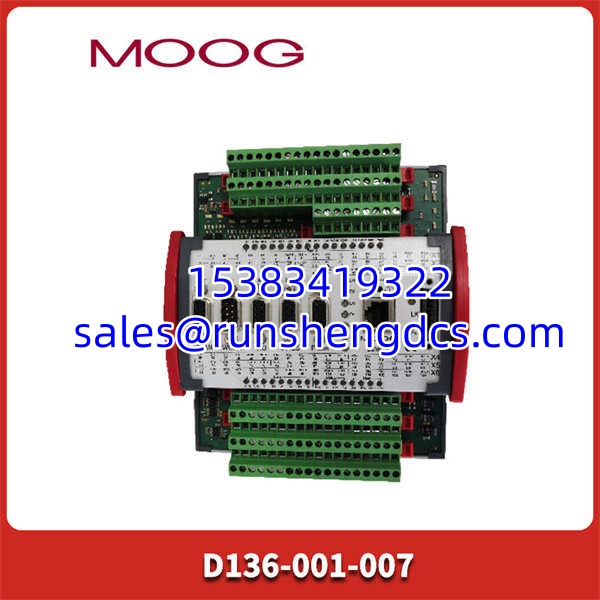
- Product Model: D136-001-007
- Manufacturer: MOOG
- Product Type: MSC I Servo Controller
- Control Axes: Up to 2 (Hydraulic or Electric)
- Cycle Time: As fast as 400 μs
- Programming: IEC 61131-3 (MACS / CoDeSys)
- Communication: Ethernet, CAN/CANopen, Profibus DP (Option)
- I/O: 8 Analog Inputs, 2 Analog Outputs, 8 Digital I/O
- Processor: PowerPC-based
- Memory: 4 MB RAM, 4 MB Flash EEPROM
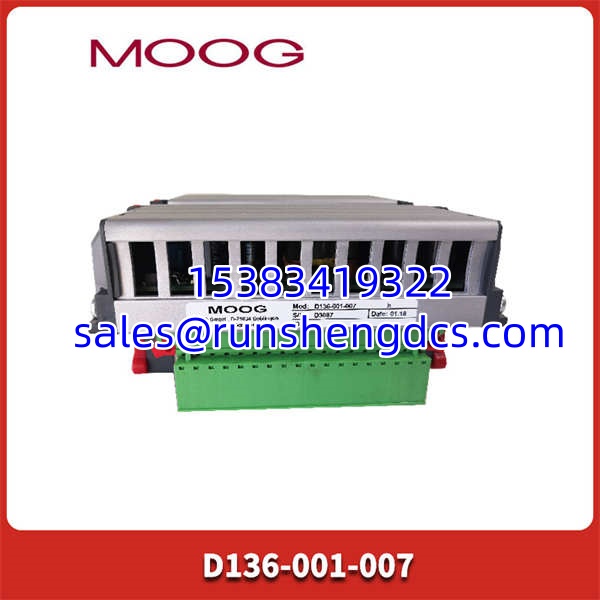
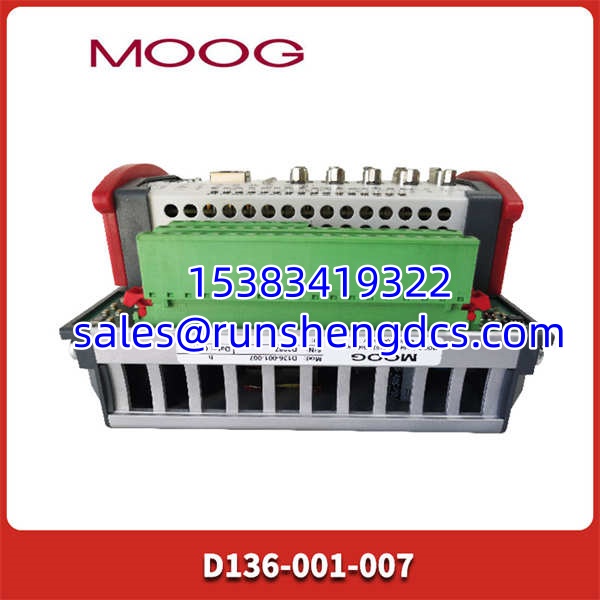
- Mounting: DIN Top-Hat Rail
Product Introduction
Legacy motion controllers are the silent killers of production uptime, and finding a direct replacement that doesn’t require a full system rewrite is a massive headache. The MOOG D136-001-007 is built to solve this exact problem. As part of the MSC I series, this controller integrates PLC functionality with high-speed servo control, allowing you to manage complex hydraulic or electric actuator logic in a single, compact unit. It’s not just a drive; it’s a dedicated motion computer.
Engineers specify the MOOG D136-001-007 because it delivers deterministic performance where standard PLCs fail. With a base tick time of 400 μs, it handles position, speed, and force loops with microsecond-level precision. The integrated MACS software (based on IEC 61131-3) means your control logic lives right on the controller, reducing network latency and eliminating the need for a separate PLC to handle motion profiles. Bottom line — it’s a self-contained motion brain that keeps legacy test stands and industrial presses running.
QA/QC Transparency SOP
- Intake & Origin Verification: We verify the D136-001-007 serial number and hardware revision against MOOG’s production records. We inspect the DIN rail clips and terminal blocks for physical stress or corrosion.
- Live Functional Testing: The controller is racked and powered up. We load a test MACS project, verify the 400 μs cycle time, and force I/O to confirm all 8 analog and 8 digital channels respond correctly.
- Electrical Parameter Tests: Using a Fluke 115, we verify the 24VDC input regulation and check for internal power rail ripple. We also test the analog output linearity to ensure ±10V signals are accurate within spec.
- Firmware/Config Verification: We read the firmware version and verify it matches the expected release for the D136-001-007. We back up the flash memory to ensure no corrupted sectors exist.
- Final QC & Anti-Static Packaging: After passing all tests, the controller is sealed in an ESD-safe bag with a serialized QC tag. We don’t ship anything that hasn’t been physically racked and tested under load.
Field Engineer Gotchas
- Firmware Rev Mismatch: The MOOG D136-001-007 is picky about firmware. Swapping in a unit with a different MACS version can cause project compilation errors or runtime faults. Always check the firmware tag on the side of the module before ordering.
- CAN Bus Termination: If you’re using the QEBUS-CAN module, verify the termination resistors are set correctly via the jumpers. I’ve seen techs spend hours chasing “ghost” communication errors when it was just a missing 120Ω terminator.
- Power Supply Noise: This controller demands clean 24VDC. Don’t share the power rail with solenoid valves or contactor coils. Use a dedicated, regulated supply. Voltage sags during actuator movement will cause the to brownout and reset.
- MACS Project Compatibility: Ensure your engineering laptop has the exact MACS version that matches the controller. A version mismatch will prevent you from going online or downloading changes. Always document your software revision.
Application Scenarios
- Hydraulic Test Stands: Material testing and fatigue rigs require the for its sub-millisecond loop times and precise force control.
- Industrial Presses: Metal forming and stamping presses rely on the integrated PLC logic to coordinate valve timing with press position.
- Flight Simulation: Motion platforms demand the deterministic performance and multi-axis synchronization this controller provides.
- Rolling Mills: Steel and aluminum processing uses the for gap control and tension regulation.
Real-World Case Study: An aerospace test lab in Ohio had a critical fatigue test rig down. The original failed during a 72-hour endurance test, and the OEM lead time was 16 weeks. They sourced a verified unit from our stock. The engineer downloaded the existing MACS project, verified the CAN bus termination, and cleared the faults. The test rig was back online in under 4 hours, saving the lab a $250,000 contract penalty.
FAQ
Yes. is the specific ordering code for the MSC I controller with this exact I/O and communication configuration. Always match the full suffix.
Can I use this with standard Ethernet/IP?
No. The uses MOOG’s proprietary Ethernet protocol or TCP/IP for data exchange. It does not natively support EtherNet/IP or PROFINET. Check the communication options carefully.
Does this support hydraulic servo valves?
Yes. The is specifically designed for hydraulic applications. It includes analog outputs for driving MOOG servo valves and inputs for LVDT or pressure transducer feedback.
What happens if I lose power during a motion profile?
The controller has zero-voltage protection. It will stop the actuators safely and require a manual restart. It will not auto-restart on power return, preventing unexpected machine movement.
Is MACS software included?
No. MACS (Moog Axis Control Software) is licensed separately. Ensure you have a valid license and the correct version before attempting to configure the .
Can I expand the I/O?
Yes. The supports M3000 expansion modules via the E-bus. You can add additional digital or analog I/O without replacing the main controller.
Need me to pull up the MACS software version compatibility matrix? Getting that wrong is the #1 reason for “new controller won’t connect” tickets.