
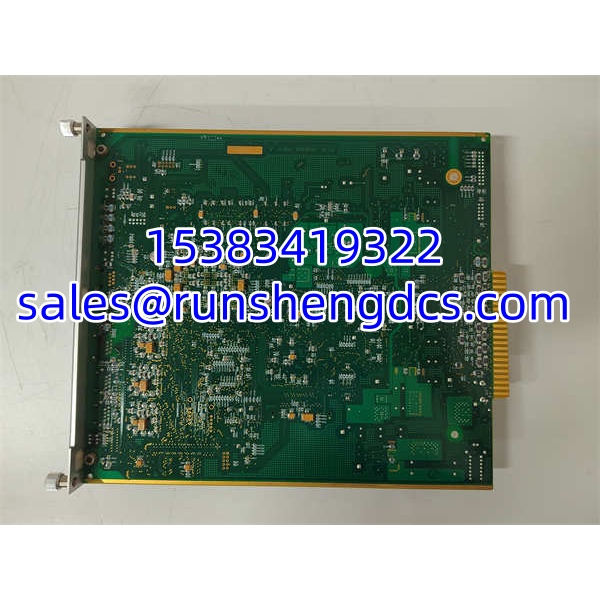

Description
Key Technical Specifications
| Parameter | Typical Value / Note |
|---|---|
| Manufacturer | METSO (now Valmet) |
| Model | PDP401 |
| Product Type | Distributed Processing Unit |
| Processor | 32-bit RISC, 100 MHz |
| Memory | 128 MB RAM, 256 MB Flash |
| Communication Interfaces | RS-232/485, Ethernet; Profibus, Modbus support |
| Programming Languages | IEC 61131-3 — LD, ST, FBD |
| I/O Capability | Analog and digital input/output (channel count varies by configuration) |
| Operating Temperature | -25°C to +60°C |
| Storage Temperature | -40°C to +85°C |
| Relative Humidity | 5% to 95% (non-condensing) |
| Enclosure Rating | IP65 (configuration-dependent) |
| Dimensions | ~300 mm x 200 mm x 100 mm (configuration-dependent) |
| Power Supply | Reported 110–380 VAC input range in some sources; verify from nameplate |
| Data Storage | Local data logging with upload to higher-level system |
| Certifications | Not publicly confirmed — verify markings on the nameplate |
| Status | Legacy/discontinued |
Product Introduction
The METSO PDP401 is a distributed processing unit designed to push control logic and data acquisition closer to the field. Built around a 32-bit RISC processor running at 100 MHz with 128 MB RAM and 256 MB Flash, it handles real-time analog and digital signal acquisition, local control logic execution, alarm management, and data logging — all while communicating back to a central controller or HMI over Profibus, Modbus, or Ethernet.
Unlike a simple I/O module, the PDP401 supports full IEC 61131-3 programming (LD, ST, FBD), making it capable of standalone control tasks in mining, aggregates, power generation, water treatment, and manufacturing applications where Metso/Valmet systems are deployed. The IP65-rated enclosure option and -25 to 60°C operating range make it suitable for harsh industrial environments. Important caveat: this is a legacy product with limited official documentation. The exact I/O configuration, communication protocol stack, and firmware variant must be verified from the physical unit before integration.
QA/QC Transparency SOP
- Intake & Origin Verification: Record model PDP401, serial number, hardware revision, and firmware version from the nameplate. Inspect for physical damage, connector corrosion, moisture ingress, and signs of prior rework.
- Live Functional Testing: Power the unit from a verified supply matching the nameplate rating. Confirm boot sequence, LED status indicators, and communication link establishment over Ethernet and/or serial.
- I/O Channel Verification: Apply known analog and digital signals to available input channels. Verify accurate reading and scaling. Actuate output channels and confirm switching. Test all accessible channels.
- Communication & Programming Test: Establish communication over the available protocol (Profibus, Modbus, or Ethernet). Verify register/tag readback, diagnostic access, and ability to download/upload IEC 61131-3 programs.
- Final QC & Packaging: Complete a full power-cycle test with I/O and communication verified. Seal in ESD packaging with desiccant. Label with model, serial, hardware revision, firmware readout, I/O configuration, and test date.
Field Engineer Gotchas
- Limited OEM Documentation: The PDP401 is a legacy product with scarce official datasheets. Specifications can vary by hardware revision. Always rely on the physical nameplate and any available OEM manual.
- Firmware/Protocol Mismatch: A surplus PDP401 may have been configured for a specific protocol (Profibus vs. Modbus vs. Ethernet) at its original site. It may not communicate on your preferred protocol without reconfiguration or firmware loading.
- I/O Configuration Variability: The analog/digital I/O channel count and signal types are configuration-dependent. Do not assume a fixed I/O count — verify from the unit itself.
- Power Supply Range Uncertainty: Some sources list a wide 110–380 VAC input range. This should be treated as unverified until confirmed from the physical nameplate. Applying the wrong supply voltage can destroy the unit.
- Valmet Transition: Since Metso merged with Valmet in 2020, support for legacy units may be limited. For new installations, consider migrating to the current Valmet DNA or Valmet ACN M80/M120 I/O platform.
- Site-Specific Configuration Locks: Used units may retain previous site configurations, tag databases, communication parameters, or password locks. A factory reset and full reconfiguration may be required before commissioning.
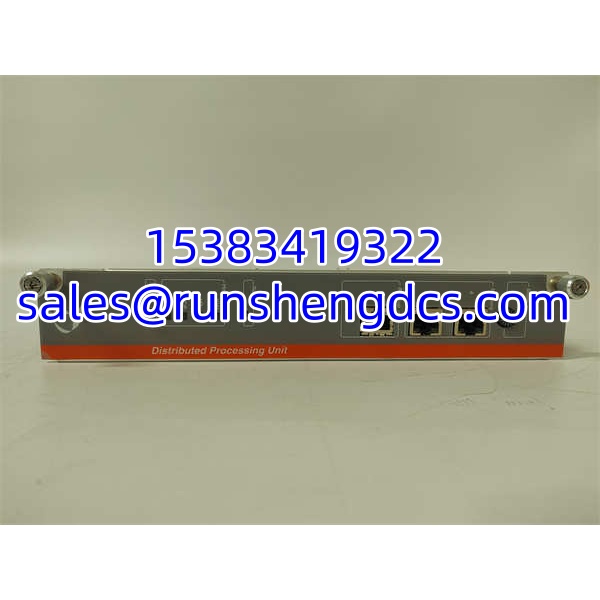
METSO PDP401
Application Scenarios
- Mining and aggregates process control: Distributed control for crusher interlocks, conveyor monitoring, and slurry density regulation with local logic execution and Ethernet/Profibus backhaul.
- Water and wastewater treatment: Standalone pumping station controller with local data logging, alarm management, and Modbus communication to a central SCADA system.
- Power generation auxiliary systems: Monitoring and controlling auxiliary equipment — fans, dampers, lube oil systems — with local IEC 61131-3 logic and Ethernet integration.
- Manufacturing line integration: Serving as a distributed controller on a packaging or material handling line, executing local sequencing and communicating over Profibus or Modbus to a master PLC.
FAQ
It is a METSO/Valmet distributed processing unit that acquires analog/digital field data, executes local IEC 61131-3 control logic, and communicates over Profibus, Modbus, or Ethernet.
2. What processor and memory does it have?
32-bit RISC processor at 100 MHz, with 128 MB RAM and 256 MB Flash.
3. What communication protocols does it support?
Profibus, Modbus, and Ethernet via RS-232/485 and Ethernet interfaces.
4. What programming languages does it support?
IEC 61131-3 standard languages: Ladder Diagram (LD), Structured Text (ST), and Function Block Diagram (FBD).
5. What is the operating temperature range?
-25°C to +60°C, with storage from -40°C to +85°C.
6. Is it still available new?
The is a legacy product. Most available stock is surplus or refurbished. For new installations, consider the current Valmet DNA or Valmet ACN I/O platform.
7. What should I verify before buying a surplus unit?
Confirm the hardware revision, firmware version, I/O configuration, communication protocol stack, power supply rating from the nameplate, and whether any site-specific locks or configurations are present.




