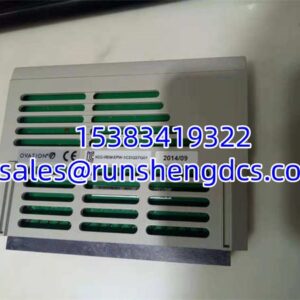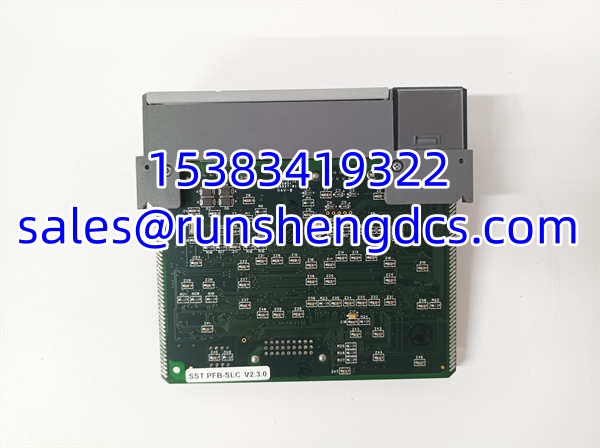

Description
Key Technical Specifications
| Parameter | Value |
|---|---|
| Protocol | PROFIBUS-DP (Master/Scanner) |
| Host Compatibility | Allen-Bradley SLC 500 (SLC 5/03 or higher) |
| Max Slaves Scanned | 96 |
| Max Input Data per Slave | 244 bytes |
| Max Output Data per Slave | 244 bytes |
| Baud Rates | 9.6 Kbps to 12 Mbps (auto-detect capable) |
| Physical Interface | 9-pin D-Sub, female (PROFIBUS port) |
| Data Mapping | SLC I, O, M0, and M1 files |
| Dual Role | Can also act as DP slave on a second network (122 words in / 122 words out) |
| Configuration Tools | SST PROFIBUS Config Tool, COM PROFIBUS |
| Status Indicators | Network and I/O error LEDs |
| Backplane | SLC 500 rack backplane (direct insertion) |
Product Introduction
You’ve got an SLC 500 running a legacy process, and now the plant wants it talking PROFIBUS-DP to a set of remote I/O stations. The SST-PFB-SLC plugs straight into the SLC backplane and handles the protocol translation — no external gateway box, no extra rack, no separate power supply. It maps PROFIBUS slave data directly into the SLC’s native I/O and memory files, so your ladder logic reads the remote I/O the same way it reads local cards.
This module earned its place in hundreds of water/wastewater, materials handling, and small-process installations where SLC 500 systems needed PROFIBUS connectivity without migrating to a ControlLogix platform. It handles the full PROFIBUS-DP scan cycle autonomously, freeing the SLC processor from bit-banging the bus. With 96-slave capacity and 244 bytes per slave, it covers most distributed I/O topologies without needing a second scanner. The auto-baud feature also saves time during commissioning — plug it in, set the slave addresses, and the module negotiates bus speed on its own.
QA/QC Transparency SOP
For surplus or pulled SST-PFB-SLC modules, here is the validation sequence:
- Intake & Origin Verification — Confirm the label reads SST-PFB-SLC with the SST/Woodhead branding. Check the revision level (e.g., V2.3.0) and note the date code. Inspect the SLC backplane edge connector for bent pins or corrosion. Verify the 9-pin D-Sub connector is intact with no pushed-back contacts.
- Live Functional Testing — Seat the module in a powered SLC 500 rack (SLC 5/03 or higher required). Connect a known-good PROFIBUS segment with at least one configured DP slave. Use RSLogix to verify the SLC processor recognizes the module. Confirm data exchange by toggling a slave output and reading it back in the SLC I/O file.
- Electrical Parameter Tests — Measure backplane current draw against spec. Verify the PROFIBUS port outputs correct signal levels (verify with oscilloscope if available — look for clean differential signaling on the A/B lines). Check that the module does not load the PROFIBUS bus excessively.
- Firmware/Config Verification — Connect the 9-pin serial port to a PC running the SST PROFIBUS Config Tool. Read the module firmware revision. Confirm the configuration can be uploaded and saved. If the module has a stored configuration, back it up before clearing.
- Final QC & Anti-Static Packaging — Clear test connections. Place in ESD-safe bag with foam insert. Label with part number, firmware revision, test date, and pass/fail status.
Field Engineer Gotchas
- SLC firmware version matters. The SST-PFB-SLC requires SLC 5/03 or higher. If you try to install it in an SLC 5/01 or 5/02, the processor won’t recognize the module. I’ve seen guys waste a full shift before realizing their SLC was too old. Check your processor catalog number before ordering.
- Data mapping is not automatic. The module maps PROFIBUS I/O into SLC I, O, M0, and M1 files — but you have to configure exactly which slave data goes where using the SST config tool. If you skip this step, your ladder logic will read zeros. Always export the configuration file and keep a copy on your engineering laptop.
- PROFIBUS termination is your problem, not the module’s. The SST-PFB-SLC does not provide bus termination. If your PROFIBUS segment is missing the terminating resistors at both ends, you’ll get intermittent communication faults that look like a bad module. Check your terminators first before blaming the scanner.
- Dual-role confusion (master vs. slave). This module can act as a DP scanner on one side and a DP slave on another network simultaneously. If you don’t need the slave function, disable it in the config tool. Leaving it enabled with no second network connected can cause timeout errors in your ladder logic.
- Baud rate mismatch will silently fail. While the module supports auto-baud, if the PROFIBUS network is already running at a fixed rate and the module boots before the bus is active, it may latch onto the wrong speed. Power up the PROFIBUS master/network first, then rack the SLC.
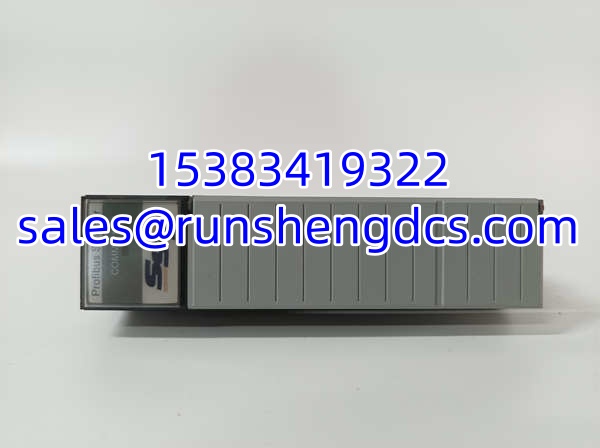
SST SST-PFB-SLC
Application Scenarios
- Water/wastewater lift stations — SLC 500 controllers at remote pump stations need to exchange data with PROFIBUS-connected VFDs and distributed I/O panels over long cable runs.
- Materials handling conveyor systems — Multiple PROFIBUS motor starters and sensor clusters daisy-chained on a single bus, all scanned by one SLC 500 with the SST-PFB-SLC as the DP master.
- Packaging machine integration — An SLC-based packaging line needs to communicate with a PROFIBUS-connected HMI panel and remote I/O blocks for safety interlocks.
- Retrofit projects — Existing SLC 500 installations being expanded with new PROFIBUS field devices, where migrating to ControlLogix is not budget-approved.
FAQ
Will this work with an SLC 5/01 or 5/02?
No. The SST-PFB-SLC requires an SLC 5/03 or higher processor. The earlier SLC models do not support the backplane communication protocol this module uses.
Can I use this as a PROFIBUS slave only (no scanning)?
Yes. The module supports dual-role operation — it can act as a DP slave on a second PROFIBUS network while simultaneously scanning slaves on the primary network. Configure this through the SST PROFIBUS Config Tool.
Do I need the SST configuration software to set this up?
Yes. The module requires configuration via the SST PROFIBUS Config Tool or COM PROFIBUS. You cannot configure slave mappings through RSLogix alone. The config tool writes the slave address table and data mapping into the module’s onboard memory.
Is this module still manufactured?
No. SST/Woodhead (now part of Molex) has discontinued this product line. Available units are surplus, pulled, or new-old-stock from third-party distributors. Lead times and pricing vary significantly by supplier.
What PROFIBUS baud rates does it support?
All standard PROFIBUS rates from 9.6 Kbps up to 12 Mbps. The module can auto-detect the bus speed, though manual configuration through the config tool is recommended for deterministic commissioning.
How many PROFIBUS slaves can one module handle?
Up to 96 slaves, with up to 244 bytes of input data and 244 bytes of output data per slave. In practice, the limiting factor is usually the PROFIBUS segment length and cycle time, not the module’s slave count.
Can I hot-swap this module in a live SLC rack?
No. Power down the SLC rack before inserting or removing the SST-PFB-SLC. The SLC 500 backplane does not support hot-swap for communication modules.