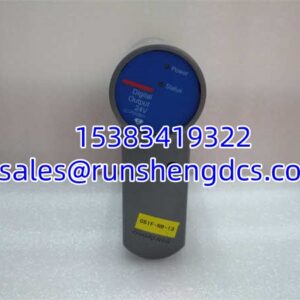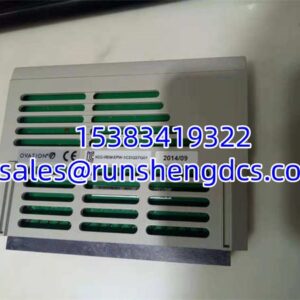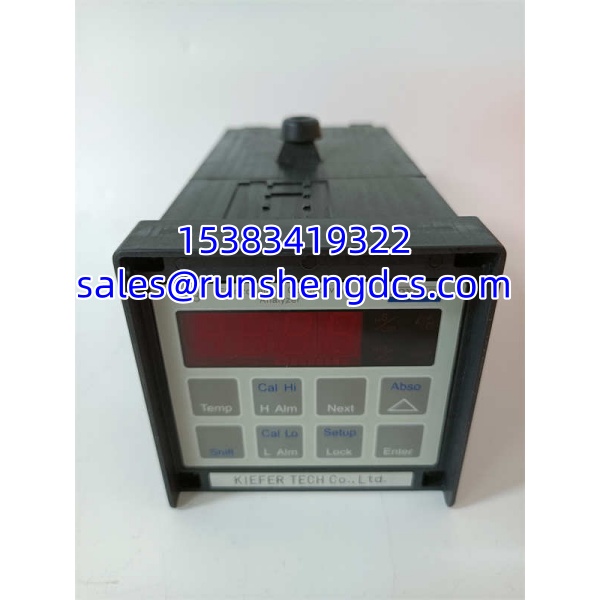

Description
Key Technical Specifications
| Parameter | Value / Notes |
|---|---|
| Product Model | 873EC-JIPFGZ |
| Brand | Foxboro / FOXBORO |
| Product Family | 873EC electrochemical analyzer series |
| Measurement Type | Conductivity of aqueous solutions |
| Display Units | μS/cm, mS/cm, or % |
| Temperature Measurement | Yes, used for automatic temperature compensation |
| Output | Isolated output signal proportional to measured value |
| Typical Application | Process water, wastewater, chemical, food/beverage, pharmaceutical water systems |
Product Introduction
Conductivity analyzers are easy to mis-specify because the model number alone rarely tells you whether the unit matches the installed probe, output wiring, or enclosure environment. The FOXBORO 873EC-JIPFGZ is part of the 873EC conductivity analyzer family, intended for measuring the conductivity of water-based process liquids and providing a proportional isolated output to a DCS, PLC, recorder, or other receiving device.
In practice, this analyzer is used where dissolved ionic content matters: process water, rinse water, wastewater, cooling water, chemical dilution, and pharmaceutical or food/beverage water systems. It also measures solution temperature for automatic temperature compensation, which is important because conductivity changes with temperature. Bottom line — it is an analytical instrument, not a controller card, so its value depends on matching the correct sensor, mounting arrangement, and output configuration.
QA/QC Transparency SOP
- Intake & Origin Verification
Confirm the full part number 873EC-JIPFGZ. Record the nameplate data: serial number, firmware/software version if visible, enclosure type, input/output markings, and any sensor model references. Inspect the housing for cracks, corrosion, moisture ingress, damaged connectors, or broken display segments. - Visual & Mechanical Inspection
Check mounting hardware, cable glands, terminal blocks, and display window. For panel-mounted or pipe-mounted versions, verify that mounting brackets and cutout dimensions match the installation. A damaged enclosure can ruin an otherwise functional analyzer in a wet or corrosive area. - Power-Up Test
Apply the correct supply voltage only after confirming the power rating from the nameplate. Verify that the display powers up, menus are accessible, and no permanent fault or error state is latched. Do not assume the unit is good just because the backlight turns on. - Sensor Simulation / Loop Check
If the analyzer accepts a conductivity sensor, check whether it can read a known reference condition or simulate input according to the OEM procedure. Verify that the isolated output changes proportionally with conductivity or temperature. Confirm output type before wiring it into a 4–20 mA loop, DCS analog input, or PLC card. - Final QC & Packaging
Clean the exterior, protect the display and connectors, and pack in anti-static or shock-protected material as appropriate. Include a test note covering power-up status, display condition, output behavior, sensor pairing information, and any observed faults. For surplus analyzers, a photo of the nameplate is more useful than a generic “tested good” label.
Field Engineer Gotchas
Wrong sensor pairing
Risk: The analyzer powers up but shows incorrect readings, open-circuit faults, or unstable conductivity values.
Fix: Match the analyzer to the correct Foxboro conductivity probe family and verify cell constant settings.
Blunt warning: A conductivity analyzer will not work properly with a random probe just because the cable fits.
Temperature compensation errors
Risk: Conductivity readings drift with process temperature changes.
Fix: Confirm that the temperature input is connected, the temperature sensor is healthy, and automatic temperature compensation is enabled.
Bottom line — if conductivity looks wrong but the probe seems fine, check the temperature channel first.
Output wiring mismatch
Risk: The DCS or PLC sees no signal, wrong signal, or a saturated reading.
Fix: Confirm whether the installed unit provides one output or two outputs, and verify whether it is 4–20 mA, percentage, or another configured signal.
War story: A replacement 873EC-type analyzer was wired as a single-output unit, but the field loop expected a second output. The system came up, but half the data was missing. Always check output count before pulling cable.
Enclosure and mounting mismatch
Risk: The unit fits electrically but cannot be mounted in the existing panel, cabinet, or pipe bracket.
Fix: Compare the physical enclosure, mounting style, and cutout requirements before ordering a surplus replacement.
Do not assume all 873EC units share the same mechanical footprint.
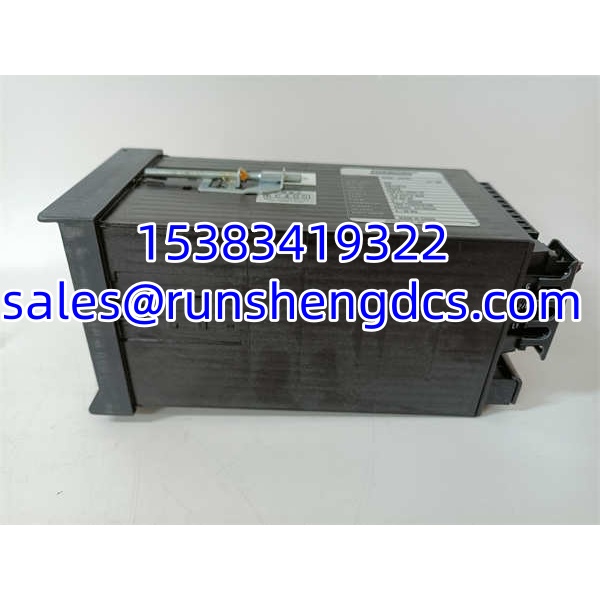
FOXBORO 873EC-JIPFGZ
Application Scenarios
- Wastewater and process water monitoring
Used to track dissolved ionic content in treatment streams, rinse water, and discharge monitoring points where conductivity indicates contamination or dilution changes. - Chemical process dilution control
Applied where conductivity correlates with chemical concentration, helping operators detect over-dilution, under-dilution, or feed-line problems. - Food and beverage rinse water verification
Used to confirm that product-contact rinse water is properly cleared before the next production run. - Pharmaceutical water systems
Applied in water purification, RO permeate, or clean-water loops where conductivity indicates ionic purity. - Cooling water and utility water systems
Used to monitor cycles of concentration, makeup water quality, or leak detection in closed-loop cooling systems.
Case study — anonymized
A chemical plant replaced a failed conductivity analyzer with a surplus 873EC-type unit. After installation, the DCS showed a stable but incorrect conductivity value. Maintenance assumed the analyzer was bad. The real issue was that the replacement unit had a different temperature compensation setting than the original configuration, and the process temperature was higher than expected. Once the temperature compensation was verified and the probe cell constant was checked against the installed sensor, the reading matched the lab sample. Lesson: in conductivity measurement, the probe, temperature input, and compensation settings matter as much as the analyzer itself.
FAQ
Is the 873EC-JIPFGZ a controller or I/O module?
No. It is a Foxboro 873EC conductivity analyzer, not a DCS controller or I/O card.
What does it measure?
It measures the conductivity of aqueous solutions, typically displayed in μS/cm, mS/cm, or %.
Does it measure temperature?
Yes. It measures solution temperature and uses it for automatic temperature compensation.
Is it compatible with any conductivity probe?
Not automatically. It must be paired with a compatible Foxboro conductivity sensor. Verify the probe family, cell constant, cable, and connector before installation.
Does it provide analog output?
Typically yes. The 873EC family provides an isolated output signal proportional to the measured value. The exact output type and number of outputs depend on the configured model.
Can I use this for pH or ORP measurement?
No. The 873EC designation indicates conductivity. pH and ORP would normally use different Foxboro analyzer/probe families.
What should I check before buying a surplus 873EC-JIPFGZ?
Ask for nameplate photos, sensor compatibility, output configuration, enclosure type, power-up test results, and any calibration or configuration records. If the supplier cannot confirm those details, do not install it directly into a live process loop.