
Description
Key Technical Specifications
| Parameter | Value |
|---|---|
| Product Model | XV-442-57CQB-1-10 |
| Manufacturer | EATON |
| Product Type | 5.7″ Industrial HMI / Touch Panel |
| Display Size | 5.7 inch (Compact Footprint) |
| Front Protection | IP65 (Panel Mounted) |
| Power Supply | 24 VDC |
| Connectivity | Ethernet + Serial (RS-232/485) |
| Runtime Environment | EATON Visualization / CODESYS-based |
| Processor | ARM Cortex A9 (Typical for Series) |
| Mounting | Panel Cutout with Gasket |
| Operating Temp | 0°C to +50°C (Verify Datasheet) |
| Weight | ~0.5 – 0.8 kg |
Product Introduction
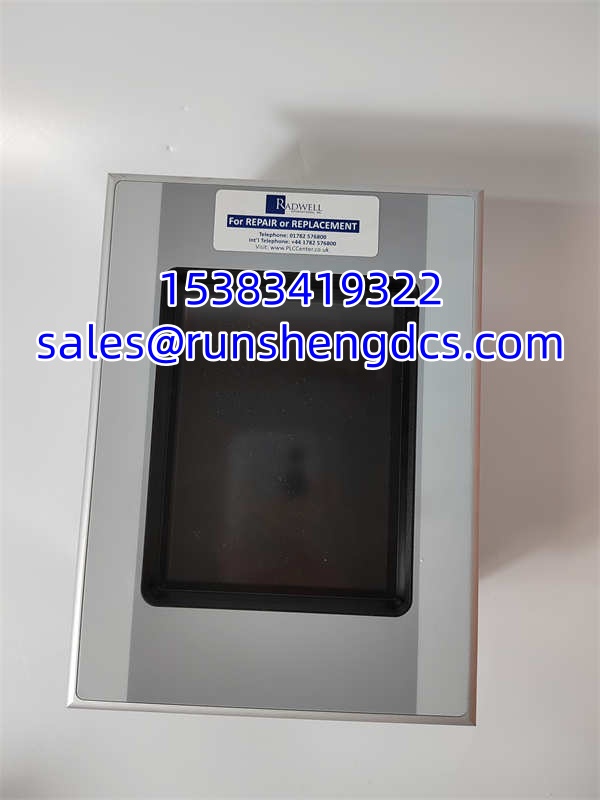
Panel space is real estate you can’t afford to waste, especially when retrofitting legacy control cabinets. The EATON XV-442-57CQB-1-10 solves this by packing a 5.7-inch visualization interface into a compact footprint that slips into tight cutouts without requiring major panel modifications. It’s not just a screen; it’s a local operator station that handles alarm pages, trending, and recipe management right at the machine skid, keeping your main SCADA traffic clean and focused.
Built for continuous industrial duty, the XV-442-57CQB-1-10 features an IP65-rated front bezel that shrugs off dust and washdown jets on the operator side. It runs on standard 24 VDC power and integrates via Ethernet or serial drivers, meaning you can connect it to non-EATON PLCs without rewriting your entire network architecture. Bottom line — it’s a workhorse for small packaging machines, pump skids, and conveyor stations where you need reliable local visibility without the bulk of a 10-inch panel.
QA/QC Transparency SOP
- Intake & Origin Verification: Confirm the rear label reads exactly XV-442-57CQB-1-10. Inspect the front bezel for cracks or seal degradation (critical for IP65). Check the 24 VDC terminal block for stripped threads or corrosion. Verify no moisture ingress behind the display glass.
- Live Functional Testing: Apply 24 VDC. Verify boot sequence and backlight uniformity (no dark corners = healthy inverter). Test touchscreen responsiveness at all four corners and center. Connect via Ethernet/Serial; confirm COMMS LED activity and successful handshake with test PLC.
- Electrical Parameter Tests: Measure idle current draw (typically <15W). Verify 24 VDC input tolerance under load. Check continuity on serial port pins (RX/TX/GND). Ensure front panel ground stud has <0.5Ω resistance to chassis.
- Firmware/Config Verification: Access system menu or web interface. Read firmware version and runtime license status. Backup current project if accessible. Verify no “License Missing” or “Runtime Expired” errors on boot.
- Final QC & Anti-Static Packaging: Clean screen with approved solvent (no ammonia). Verify gasket is seated correctly in the channel. Bag in ESD-safe packaging with desiccant. Attach QC tag with “Screen Test Pass,” firmware version, and IP65 seal inspection result.
Field Engineer Gotchas
Gasket Installation Failure
The XV-442-57CQB-1-10 relies entirely on the front gasket for its IP65 rating. If you pinch it, reuse a compressed one, or forget it, you will get moisture ingress behind the glass.
Solution: Always use a new gasket if the old one is flattened. Clean the panel cutout edge thoroughly. Tighten mounting clips evenly in a star pattern.
War Story: Food plant had intermittent touchscreen failures after washdown. Opened the panel, found water pooling behind the display. Root cause: tech reused the old gasket during a swap. Don’t be that tech.
Ethernet vs. Serial Driver Confusion
The XV-442-57CQB-1-10 supports both, but the driver selection in the visualization software must match the physical connection. Plugging in Ethernet but selecting “Serial Driver” = no comms.
Solution: Verify physical layer first. Check IP settings if using Ethernet. Confirm baud rate/parity if using Serial.
Blunt Warning: Don’t assume “Auto-Detect” works. It doesn’t. Manually select the driver.
24 VDC Ground Loops
Running the XV-442-57CQB-1-10 power cable in the same conduit as VFD output lines is a recipe for screen flicker or comms dropouts.
Solution: Separate power and signal cables by at least 6 inches. Use shielded Ethernet cables grounded at the panel end only.
Reality: If your screen flickers when the pump starts, it’s not a bad screen. It’s your wiring. Fix the grounding.
Runtime License Limits
The -1-10 suffix typically indicates a specific runtime tag count or feature set. Loading a 500-tag project into a 250-tag runtime = boot failure or locked screen.
Solution: Check the license limit in the system info menu before downloading.
Blunt: You can’t hack this. If you need more tags, buy the bigger panel or reduce your tag count.
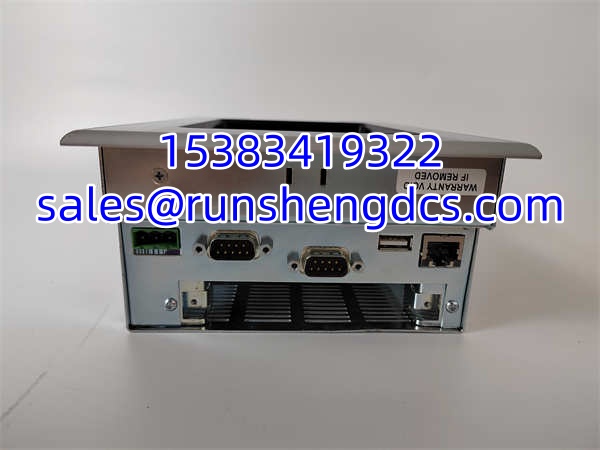
EATON XV-442-57CQB-1-10
Application Scenarios
Small Packaging Machines: Space is tight on the operator side. The XV-442-57CQB-1-10 fits in the existing 5.7″ cutout, providing local speed setpoints and jam clearing without adding a separate pendant. IP65 front handles occasional product spillage.
Pump & Compressor Skids: Local visibility for maintenance techs. XV-442-57CQB-1-10 displays pressure trends, run hours, and alarm history right at the skid. Ethernet backhaul sends data to central SCADA, keeping the control room uncluttered.
HVAC & Building Subsystems: Booster pumps, air handlers, and heat exchangers need simple local control. XV-442-57CQB-1-10 provides temperature setpoints and fan status. 24 VDC power matches standard BMS supplies, simplifying wiring.
FAQ
Is the XV-442-57CQB-1-10 compatible with Siemens S7 PLCs?
Yes, via Ethernet (S7-ISO) or Serial (PPI/MPI/Profibus DP). Verify the driver is included in your runtime license. Most Eaton HMI licenses include standard third-party drivers, but always check the license key sheet.
Can I replace a XV-442-57CQB-1-20 with the -1-10?
Mechanically, yes. Functionally, maybe. The suffix often denotes runtime tag count or pre-loaded software. Check the system info on your existing panel. If the -1-10 has fewer tags, your project won’t load.
Does this panel support USB for project transfer?
Yes, typically via the front USB port. Use a FAT32-formatted drive. Avoid USB 3.0 sticks; older HMIs can be picky. Always backup before updating.
What is the cutout size for XV-442-57CQB-1-10?
Verify with the official Eaton drawing (typically ~192mm x 138mm for 5.7″ XV-442). Do not guess. A 2mm error means the gasket won’t seal.
Can I use this panel for recipe management?
Yes, the XV-442-57CQB-1-10 supports recipe storage in internal memory or on USB. Limit depends on runtime license and variable count. Keep recipes under 100 for best performance on 5.7″ screens.
Is the XV-442-57CQB-1-10 UL listed?
Yes, typically UL 508 / CSA C22.2 No. 14. Verify the specific label on your unit. If the label is missing or faded, treat it as unlisted for inspection purposes.
What causes the screen to go white?
Usually a failing backlight inverter or loose internal ribbon cable. If it happens after a power surge, the inverter is likely fried. If it happens after vibration, check the ribbon. Don’t open the panel; send it for repair.