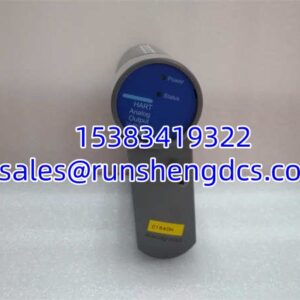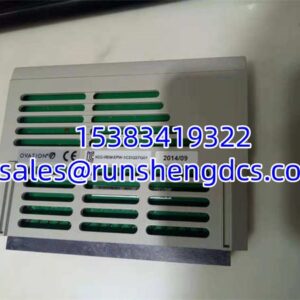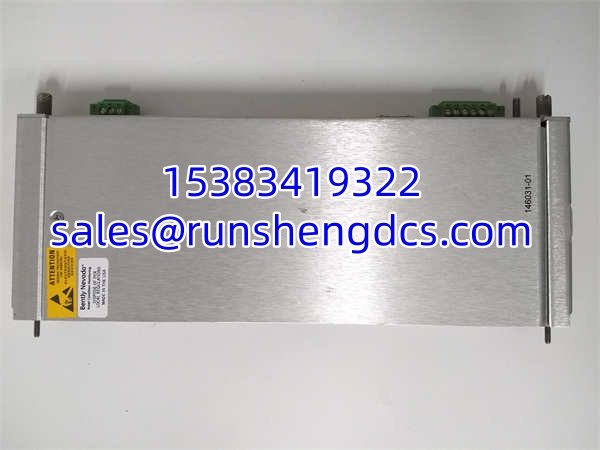
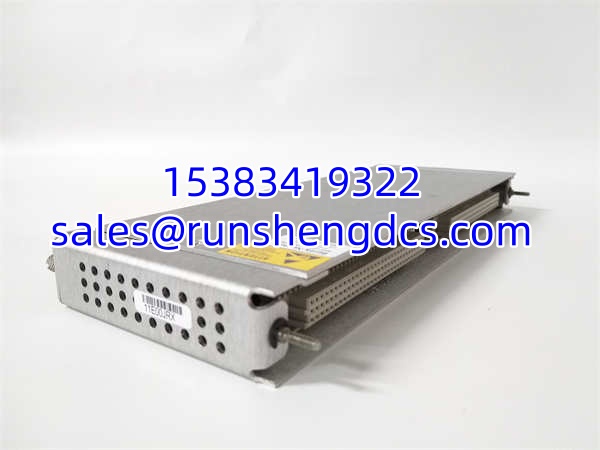

Description
Key Technical Specifications
| Parameter | Value |
|---|---|
| Product Model | BENTLY 146031-01 |
| Manufacturer | Bently Nevada |
| Product Type | 10Base-T/100Base-TX Ethernet I/O Module |
| System Series | 3500/22M Transient Data Interface (TDI) |
| Communication Interface | 10Base-T / 100Base-TX Ethernet (RJ45) |
| Slot Requirement | Must occupy Slot 1 (RIM Position) |
| Data Capability | Steady-State + Transient Waveform Capture |
| Software Compatibility | System 1 State Monitoring, 3500 Config Software |
| Operating Temp | -30°C to +65°C |
| Storage Temp | -40°C to +85°C |
| Humidity | Up to 95% (Non-condensing) |
| Dimensions | 2.5 x 11.2 x 24.2 cm |
Product Introduction
Your 3500 rack is protecting the machine, but your System 1 software is showing a communication fault. The high-speed data link is down, and you can’t capture the transient waveforms needed for your next vibration analysis.
The BENTLY 146031-01 is the specific 10Base-T/100Base-TX Ethernet I/O module that serves as the physical network interface for the 3500/22M Transient Data Interface (TDI). Sitting in Slot 1 of the rack, it combines the functions of the older 3500/20 Rack Interface Module (RIM) and TDXnet communication processor. It continuously captures steady-state and transient waveform data from M-series monitors and transmits it over standard copper Ethernet to your System 1 host.
Why does this specific part number matter? Because the 146031-01 is strictly the copper Ethernet variant. If your plant network requires fiber optics, you need the 146031-02. The 146031-01 is the workhorse for standard copper networks, operating reliably from -30°C to +65°C in harsh industrial environments. Bottom line — without this exact module in Slot 1, your 3500 rack is an isolated island.
QA/QC Transparency SOP
Communication modules are the first line of defense against data loss. Here is how we validate a 146031-01:
- Intake & Origin Verification: We verify the exact part number 146031-01, lot code, and Bently Nevada markings. We inspect the RJ45 connector for bent pins and verify the front panel LEDs are intact.
- Live Functional Testing (Comms, Data, Load): The module is installed in a calibrated 3500 test rack. We establish a 10/100 Base-TX link to a System 1 test server and verify the handshake. We force a transient capture event and confirm the waveform file transfers without corruption.
- Electrical Parameter Tests (Megger, Continuity): Using a Fluke 87V, we verify 24VDC input stability and check for continuity on the backplane data lines. We ensure no shorts exist between the Ethernet isolation transformer and the chassis ground.
- Firmware/Config Verification (Readout & Backup): We read the module’s firmware revision via the 3500 Configuration Software. We verify the TDI is recognized and the “Transient Enable” license is active.
- Final QC & Anti-Static Packaging: Visual inspection checks the RJ45 jack and PCB integrity. The 146031-01 is sealed in an anti-static bag with desiccant, labeled with the verified firmware revision and test date.
Field Engineer Gotchas
Slot 1 Violation: The 146031-01 (as part of the 3500/22M TDI) must be in Slot 1, immediately next to the power supply. If you put it in Slot 2, the system will not boot, and the backplane will not initialize the monitors. Slot 1 is non-negotiable.
Copper vs. Fiber Confusion: The 146031-01 is strictly 10Base-T/100Base-TX copper. If your cabinet is in a high-EMI environment or requires long-distance runs, you may actually need the 146031-02 (100Base-FX fiber). You cannot swap the media type in the field; it is a factory-configured option. Check your suffix before ordering.
Transient Enable Missing: The 146031-01 hardware handles the transport, but the transient capture feature often requires an optional enable disk or software license. If you install the card and System 1 says “No Transient Data,” check your configuration. Verify the option key in the 3500 Config Software before blaming the hardware.
TMR vs. Standard: Check the system configuration. Standard applications use the base 146031-01. If your system requires Triple Modular Redundancy (TMR), you need a TMR-specific TDI that performs real-time monitor comparison. Mixing standard and TMR cards in a redundant pair will cause voting faults.
System 1 Version Mismatch: Older 146031-01 firmware may not talk to newer System 1 releases (e.g., System 1 8.x+). Check the Bently Nevada compatibility matrix. A firmware upgrade on the card might be required before it will handshake with a modern server.
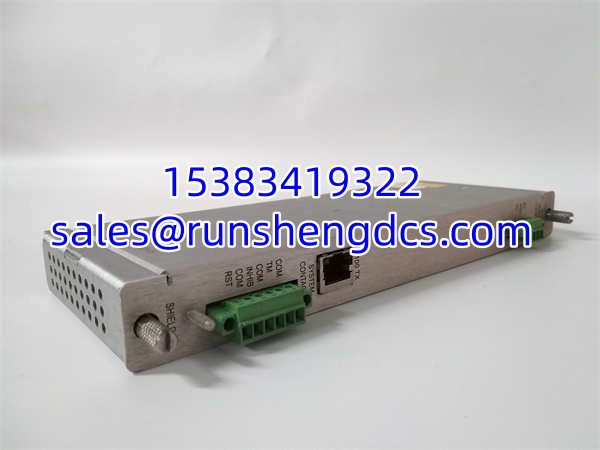
BENTLY 146031-01
Application Scenarios
Compressor Startup Analysis: Reciprocating compressors experience massive torsional vibration during startup. The 146031-01 provides the Ethernet pathway to capture the transient waveform during the critical 30-second ramp-up, allowing engineers to verify if the train passes through critical speeds safely.
Turbine Trip Root Cause: When a steam turbine trips on high vibration, the trend data is useless. You need the orbit and time-base waveform at the exact moment of the trip. The 146031-01 buffers this data and sends it over the 10/100 Base-TX network to System 1 for post-mortem analysis.
Gearbox Mesh Frequency Diagnosis: Gear faults often show up as sidebands in the spectrum. The 146031-01 provides the high-bandwidth connection needed to pull high-resolution time-waveforms for FFT analysis, identifying gear mesh issues before they become catastrophic.
Case Study — Phantom Vibration Spike: A refinery reported random high-vibration trips on a critical pump. The trend data showed a clean signal until the trip. Maintenance replaced the probe and monitor. Trips continued. Root cause: A loose ground strap was causing intermittent ESD spikes that the TDI captured in the transient buffer. The waveform, successfully transferred via the 146031-01, showed a classic “rail-to-rail” ESD signature, not mechanical vibration. Fixed the ground. Lesson: Trust the waveform, not the trend.
FAQ
- What is the difference between 146031-01 and 146031-02?
The 146031-01 is the 10Base-T/100Base-TX copper Ethernet I/O module. The 146031-02 is the 100Base-FX fiber optic version. They are not field-interchangeable. Verify your network cabling before ordering. - Can I use a 3500/20 and a TDXnet instead of a 146031-01?
Technically, yes, but the 146031-01 (as part of the 3500/22M) integrates both functions into one slot. Using two separate cards wastes a slot and adds backplane complexity. Upgrade to the integrated TDI unless you have a legacy chassis limitation. - Does the 146031-01 support hot-swapping?
No. The 146031-01 is the rack interface. Removing it while the rack is powered will sever communication between the rack and the host, and may cause the rack to reset. Always schedule a communication outage for replacement. - How do I verify a 146031-01 is genuine?
Check the front panel label for the exact part number 146031-01. Verify the Bently Nevada logo and the QR code/Data Matrix. Genuine modules have high-quality RJ45 jacks with integrated magnetics. Counterfeits often use cheap, unshielded jacks. Buy from a supplier who tests Ethernet throughput. - What is the operating temperature range for the 146031-01?
The 146031-01 operates from -30°C to +65°C, with a storage temperature range of -40°C to +85°C. It is rated for up to 95% non-condensing humidity, making it suitable for harsh industrial environments. - Does the 146031-01 require a license for steady-state data?
No. Steady-state data (buffered trends) is standard. The optional license/disk is typically only for Transient/Waveform capture and extended history. If you just need trends, the base hardware works. If you need waveforms, check your paperwork. - Can the 146031-01 capture data from all monitors in the rack?
Yes, provided the monitors are M-series (e.g., 3500/40M, 3500/42M) and configured to send data to the TDI. Older non-M series monitors may not support the high-speed transient handshake. Verify your monitor compatibility in the 3500 System Manual.