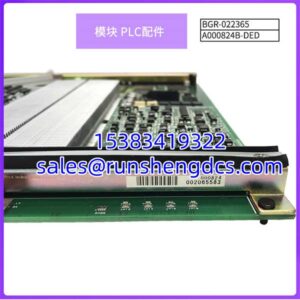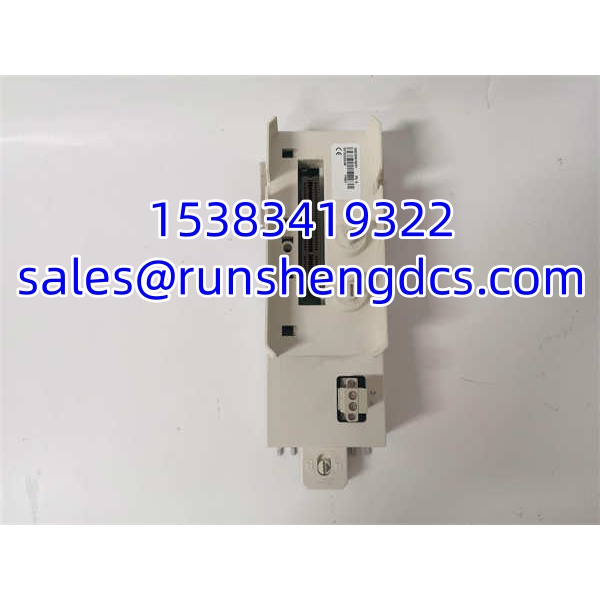

Description
Key Technical Specifications
| Parameter | Typical / Verified Value |
|---|---|
| Manufacturer | ABB |
| Part Number | 3BSE030192R1 |
| Product Name | TP857 |
| Product Type | S800 I/O baseplate |
| Compatible Modules | BC810-series S800 I/O modules |
| Mounting | DIN-rail mount (S800 standard) |
| System Interface | ModuleBus electrical connection |
| Hot-Swap Support | Yes (S800 architecture) |
| Max Modules per Cluster | Up to 12 (electrical ModuleBus) |
| Redundancy Support | Supported at system level |
| Documentation | Verify with ABB S800 I/O hardware manual |
Product Introduction
The most common procurement mistake with S800 spares is ordering the I/O module without confirming the baseplate type. TP857 3BSE030192R1 is the mounting baseplate used in ABB’s I/O system — the distributed, modular I/O platform that connects to AC800M controllers via the electrical or optical ModuleBus. It does not contain I/O circuitry itself; it provides the mechanical mounting, field wiring terminals, and ModuleBus interface that the actual I/O module plugs into.
In practice, baseplates fail less often than the I/O modules they carry. But when terminal blocks corrode, DIN-rail clips break, or ModuleBus contacts degrade, the baseplate becomes the bottleneck. The architecture supports hot-swapping of I/O modules, but the baseplate must remain intact and properly seated for that to work. If you are replacing a TP857, expect to pull field wiring and re-terminate — plan downtime accordingly.
QA/QC Transparency SOP
- Intake & Origin Verification: Record full part number (3BSE030192R1), serial/lot code, and physical condition. Reject units with cracked DIN-rail clips, burnt ModuleBus contacts, or corroded terminal blocks.
- Live Functional Testing: Seat a known-good I/O module onto the baseplate in a live cluster. Verify ModuleBus communication, module recognition by the AC800M controller, and stable I/O operation.
- Electrical Parameter Tests: Check ModuleBus pin continuity, terminal block contact resistance, and isolation between field terminals and backplane. Flag any open circuits or low insulation resistance.
- Firmware/Config Verification: Baseplates do not carry firmware. Verify mechanical revision markings and ensure compatibility with the target module (e.g., BC810 family).
- Final QC & Anti-Static Packaging: Bag in ESD packaging with desiccant. Include a test report documenting the baseplate part number, test date, and compatible module type.
Field Engineer Gotchas
- Baseplate vs. module confusion: TP857 is the baseplate, not the I/O module. Do not order a TP857 expecting it to replace a failed AI/DI/DO card. You need both the correct baseplate and the correct I/O module.
- Module type mismatch: baseplates are not universal across all module types. The TP857 is listed for BC810-type modules. Verify your existing module’s baseplate requirement before ordering.
- Hot-swap is for modules, not baseplates: You cannot hot-swap a baseplate.
- Terminal block wear: After years of service, screw terminals can strip or lose tension. Inspect and torque all field connections after installing a replacement baseplate.
- ModuleBus termination: In longer clusters, improper ModuleBus termination can cause communication faults. Verify the cluster termination module (e.g., TB807) is present and seated.
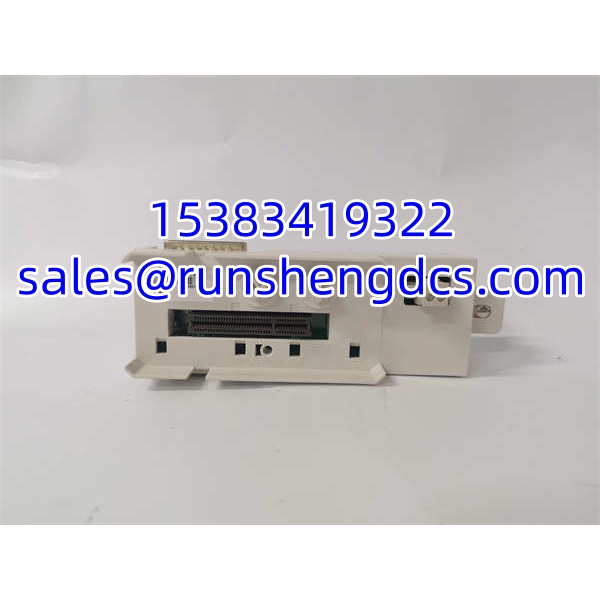
ABB TP857 3BSE030192R1
Application Scenarios
- AC800M I/O cluster expansion: Adding new I/O points to an existing electrical ModuleBus cluster requires the correct baseplate for each module type.
- Corroded terminal replacement: In humid or chemical environments, baseplate terminal blocks can corrode, causing intermittent I/O faults. Replacing the restores reliable field connections.
- Legacy system spare pool: Plants running older AC800M/ installations keep baseplates in stock to reduce turnaround time during unplanned I/O failures.
- Migration holdover: During a phased migration to a newer I/O platform, maintaining tested baseplates avoids unnecessary risk on a stable, running system.
FAQ
No. It is the I/O baseplate. The actual I/O module (AI, DI, DO, etc.) plugs into it.
Available listings associate with BC810-type modules. Confirm compatibility against your specific I/O module’s hardware manual before ordering.
No. hot-swap applies to I/O modules only. Replacing a baseplate requires removing field wiring and de-energizing that segment.
Availability varies. Check directly with ABB or an authorized distributor. Surplus/refurbished stock is common in secondary markets.
baseplates differ by module type, terminal configuration, and ModuleBus interface. Using the wrong baseplate can prevent module recognition or damage contacts.
No — the baseplate is a passive component. However, you must re-seat the I/O module and verify that the controller recognizes it on the ModuleBus.
Match the full part number, inspect ModuleBus contacts and terminal blocks, verify DIN-rail clip integrity, and bench-test with a known-good module if possible.