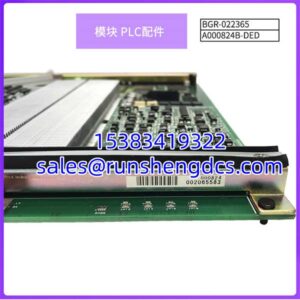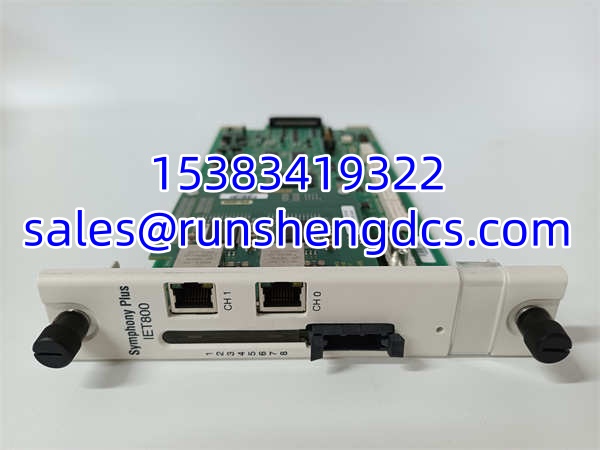

Description
Key Technical Specifications
| Parameter | Detail |
|---|---|
| Part Number | SPIET800 |
| Manufacturer | ABB |
| Product Type | Ethernet Communication Interface Unit (CIU) |
| Network Interface | 10/100Base-TX, RJ45 |
| Power Supply | 24 VDC (industrial power rail) |
| Mounting | DIN-rail (35mm) or panel mount |
| Target Platforms | ABB 800xA, Symphony Plus, S800 I/O |
| Field I/O | None — communication-only module |
| Diagnostics | Status LEDs (power, link, activity) |
| Network Topology | Star or ring (with managed industrial switches) |
| Origin | Reported as USA / Sweden / Switzerland (varies by listing — verify with supplier) |
| Typical Lead Time | 1–4 weeks depending on stock availability |
Product Introduction
You’re standing in a control cabinet, staring at a row of S800 I/O modules that need to talk to the 800xA controller — but the existing fieldbus link is maxed out, flaky, or being retired. The SPIET800 solves that exact problem. It’s a compact Ethernet Communication Interface Unit that plugs into the S800 I/O bus and gives those I/O modules an Ethernet path back to the controller, HMI, or engineering workstation. No field I/O channels on the module itself — it’s purely a data bridge.
The SPIET800 fits into ABB’s broader S800 on Ethernet architecture, which allows existing S800 process I/O modules to integrate onto an industrial Ethernet network rather than relying on legacy serial fieldbus connections. It draws 24 VDC from the cabinet power rail, mounts on a standard DIN rail, and provides diagnostic LEDs for power, link status, and network activity. Third-party listings price it in the 600–700 range, though that fluctuates with availability. Bottom line — if your S800 I/O rack needs an Ethernet upgrade path without ripping out the entire I/O system, this is the module that makes it happen.
QA/QC Transparency SOP
For surplus or replacement SPIET800 units entering the supply chain:
- Intake & Origin Verification — Confirm the module label reads “SPIET800” with legible ABB markings. Photograph the full label including any revision codes, date codes, and serial numbers. Cross-reference the PCB layout and connector types against known Ethernet CIU hardware. Flag any unit where the label appears tampered with or where the revision is unknown.
- Live Functional Testing — Power the module on a 24 VDC supply in a test bench setup. Verify the power LED illuminates and the module completes its boot sequence. Connect an RJ45 cable to a known-good managed industrial switch. Confirm the link LED activates at 10 or 100 Mbps. Ping the module if it has an assignable IP address.
- Electrical Parameter Tests — Measure input current draw with a calibrated multimeter (Fluke 87V or equivalent). Verify it falls within the expected range for a 24 VDC communication module. Perform continuity checks on the RJ45 connector pins. Inspect the bus connector for bent pins, corrosion, or debris.
- Firmware/Config Verification — If the module exposes a web interface or configuration tool, connect and read the firmware version. Compare against the target 800xA system’s expected firmware level. Back up any readable configuration parameters. A firmware mismatch here can cause silent communication failures.
- Final QC & Anti-Static Packaging — Clear any test IP addresses or configurations. Apply a QC pass label with test date, tester ID, firmware version, and measured current draw. Pack in an anti-static shielding bag with foam protection around the RJ45 and bus connectors.
Field Engineer Gotchas
- Risk: The replacement SPIET800 ships with a firmware revision that doesn’t match the existing I/O modules or the 800xA controller’s expected protocol version. The module powers up, link LED is green, but no I/O data flows.
- Solution: Before ordering, check the firmware revision of your existing Ethernet CIU (if replacing) and the target controller’s compatibility matrix. Match the replacement firmware or plan a controlled update.
- Blunt warning: I’ve seen teams spend half a shift chasing a “bad cable” when the real problem was a firmware rev that couldn’t handshake with the rest of the bus. Check the rev first.
Gotcha #2: IP address conflict on the plant network
- Risk: The replacement module either has a static IP from its previous installation or defaults to an address that conflicts with another device on the subnet. You get intermittent connectivity or total lockout.
- Solution: Before connecting to the live plant network, isolate the module on a test switch. Assign or verify the correct IP address, subnet mask, and gateway. Document the address in your network register before going live.
- Risk: The bus connector on the back of the CIU isn’t fully seated. The module powers up fine (it gets 24 VDC from a separate rail), but the I/O bus communication fails intermittently — especially after cabinet vibration.
- Solution: After mounting, physically verify the bus connector is fully engaged and locked. Tug test it gently. If the connector uses a latch or screw-down mechanism, confirm it’s secured.
Gotcha #4: 10 Mbps vs. 100 Mbps auto-negotiation failures
- Risk: The industrial switch port is hard-set to 100 Mbps full-duplex, but the auto-negotiates to 10 Mbps half-duplex (or vice versa). Result: link is up, but packet loss is catastrophic.
- Solution: Set the switch port to auto-negotiate, or manually match both sides to the same speed and duplex. Verify with a packet capture if you’re seeing unexplained timeouts.
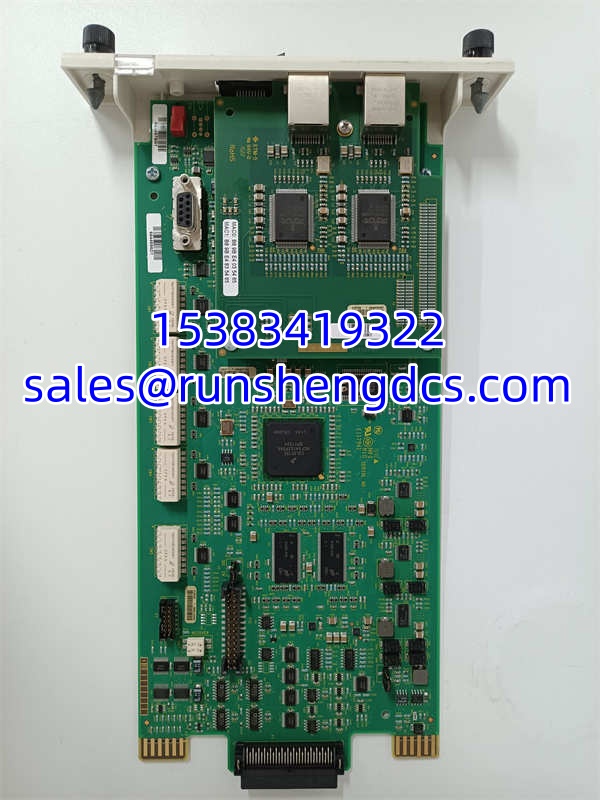
ABB SPIET800
Application Scenarios
- Power generation balance-of-plant I/O networking: A combined-cycle plant upgrades its legacy serial fieldbus I/O links to Ethernet. The modules replace older CIUs in the BOP I/O racks, giving the 800xA controllers a faster, more reliable data path for temperature, pressure, and flow measurements across the steam turbine auxiliary systems.
- Oil & gas compressor station expansion: A pipeline operator adds a new compressor skid with I/O modules. Rather than running a separate fieldbus trunk back to the main controller cabinet, they install an at the skid and connect it to the existing plant Ethernet backbone, reducing cable runs and commissioning time.
- Water treatment SCADA integration: A municipal water authority migrates its distributed pump stations from a legacy DCS to ABB 800xA. The existing I/O modules in each pump station are retained, and CIUs are added to provide the Ethernet bridge to the new 800xA controllers and SCADA servers.
Case Study (Anonymized): A chemical processing facility was expanding a batch reactor control system and needed to add 48 new I/O points across three remote I/O racks. The existing system used serial fieldbus CIUs that were approaching end-of-life. The engineering team specified modules to replace the serial CIUs and migrate the I/O racks to Ethernet. During commissioning, one of the three units failed to establish communication with the 800xA controller despite showing a green link LED. Investigation revealed the module had been shipped with a default IP address that conflicted with an existing HMI workstation on the same subnet. The fix took 15 minutes — reassign the IP, update the 800xA node configuration, and restart the communication driver. The other two modules came up without issues. Total commissioning delay: under 1 hour.
FAQ
Just a communication bridge. It has no analog or digital I/O channels. Its job is to connect I/O modules to an Ethernet network so the 800xA or Symphony Plus controller can read/write process data through them.
Yes — that’s its purpose. The is designed to interface with standard process I/O modules over the I/O bus and expose them on an Ethernet network. However, confirm that your specific module types and firmware levels are compatible with the ‘s firmware revision.
Q: Does it support redundant Ethernet connections?
The on Ethernet architecture supports redundant network configurations when paired with managed industrial switches and redundant controller connections. Whether the itself supports dual-homed redundancy depends on the specific hardware revision. Verify with ABB documentation for your unit’s revision level.
Q: What network protocols does it use?
The communicates over standard industrial Ethernet (10/100Base-TX TCP/IP). The specific ABB proprietary protocol it uses to talk to the 800xA controller is part of the on Ethernet protocol stack. It is not a generic Modbus TCP or EtherNet/IP device — it’s purpose-built for ABB’s control ecosystem.
Q: Can I use this with non-ABB controllers?
Not directly. The is designed for ABB 800xA and Symphony Plus systems. While the physical Ethernet layer is standard, the upper-layer protocol is ABB-specific. Using it with a third-party controller would require that controller to implement ABB’s on Ethernet protocol — which is uncommon.
Q: What’s the typical lead time for a replacement unit?
Third-party distributors report lead times ranging from 3 days (if in stock) to 4 weeks. ABB’s own lead time depends on current production schedules. If your system is down, check multiple surplus channels — but verify the firmware revision before buying.
Q: How do I find the official datasheet?
Contact ABB Process Automation technical support or your local ABB service representative. Provide the part number and any revision code from the module label. ABB can supply the hardware manual, installation guide, and firmware release notes.