
Description
Key Technical Specifications
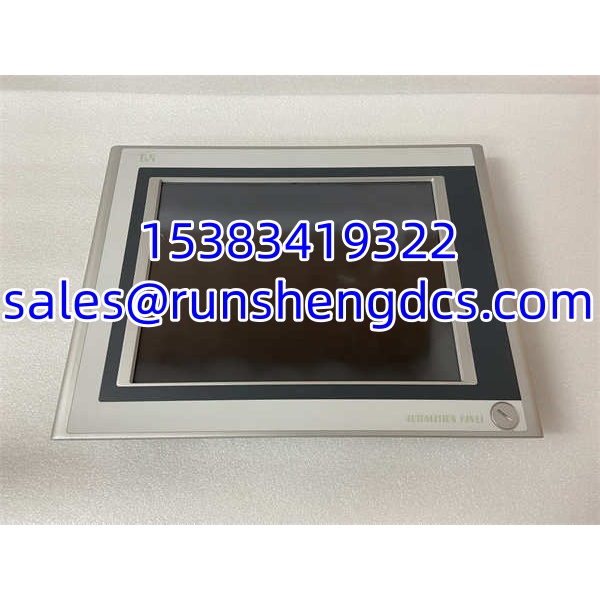
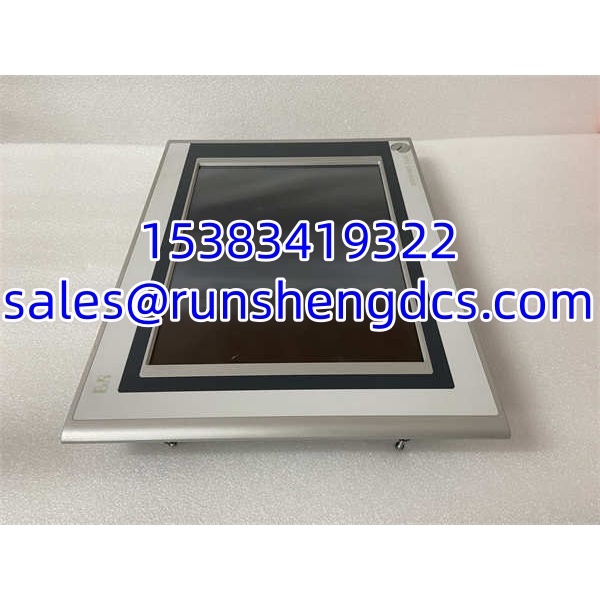
- Product Model: 5AP920.1505-01
- Brand: B&R Industrial Automation
- Product Family: Automation Panel AP920
- Product Type: HMI / operator panel / touchscreen display
- Display: 15″ XGA color TFT
- Touch Technology: Resistive touchscreen
- USB Interfaces: 3 × USB 2.0
- Expansion / Connection Slot: Automation Panel Link slot
- Front Protection: IP65
- Supply Voltage: 24 VDC
- Typical Use: Machine HMI, process monitoring, equipment operation, B&R automation system interface
- Verification Required: Nameplate, revision, firmware version, Automation Panel Link compatibility, mounting cutout, and project backup
AProduct Introduction
On a machine or control cabinet, this is the part the operator actually touches: alarms, setpoints, start/stop commands, recipe changes, diagnostics, and process screens all run through it. The 5AP920.1505-01 is a B&R Automation Panel AP920 HMI, built around a 15-inch XGA color TFT display with resistive touch.
For procurement, the value is simple. If the existing AP920 panel has a dead display, cracked screen, unresponsive touch, backlight failure, or communication fault, you need a mechanically and electrically compatible B&R panel. The risk is buying another “15-inch B&R panel” that does not match the Automation Panel Link slot, firmware family, mounting cutout, or project configuration.
Troubleshooting Quick Reference
| Fault | Likely Cause | Quick Check | Fix |
|---|---|---|---|
| No display / black screen | 24 VDC missing, blown fuse, bad power cable, backlight failure | Measure 24 VDC at panel power input | Restore 24 VDC; check fuses, cables, and backlight |
| Touch not responding | Touch controller fault, damaged screen, calibration issue, EMI | Try recalibration; check for physical damage | Recalibrate; replace panel if touch layer is failed |
| Garbled display / flickering | Loose video/internal connection, failing LCD, EMI, power ripple | Reseat connectors; check grounding and supply | Replace panel if LCD/driver board is faulty |
| Cannot communicate with PLC/controller | Wrong Automation Panel Link setup, cable fault, project mismatch | Check APL connection and project config | Verify APL slot, cable, node settings, and project |
| USB devices not recognized | USB port fault, driver/project issue, incompatible device | Test with known-good USB stick | Update/verify project; replace panel if ports are dead |
| Panel boots but no project loads | Missing project, corrupt backup, firmware mismatch | Check B&R engineering software connection | Reload project; verify firmware and panel revision |
5AP920.1505-01
Application Scenarios & Pain Points
- Packaging machines: Used for recipe selection, speed control, fault display, and machine status. Pain point: wrong panel revision can block project download.
- Process control cabinets: Monitors temperatures, pressures, flows, valves, and alarms. Pain point: IP65 front helps, but rear/cabinet environment still matters.
- Material handling / conveyor systems: Provides local start/stop, diagnostics, and fault acknowledgment. Pain point: resistive touch is good for gloves, but aging touch layers can drift.
- Machine tool or special equipment HMI: Replaces a failed operator panel without redesigning the cabinet. Pain point: mounting cutout and APL connection must match.
- Legacy B&R system maintenance: Needed when an old AP920 panel fails and the plant wants to avoid full HMI rework. Pain point: surplus listings often mix AP920 with AP820, AP880, AP951, AP980, or AP981.