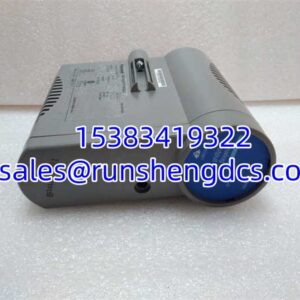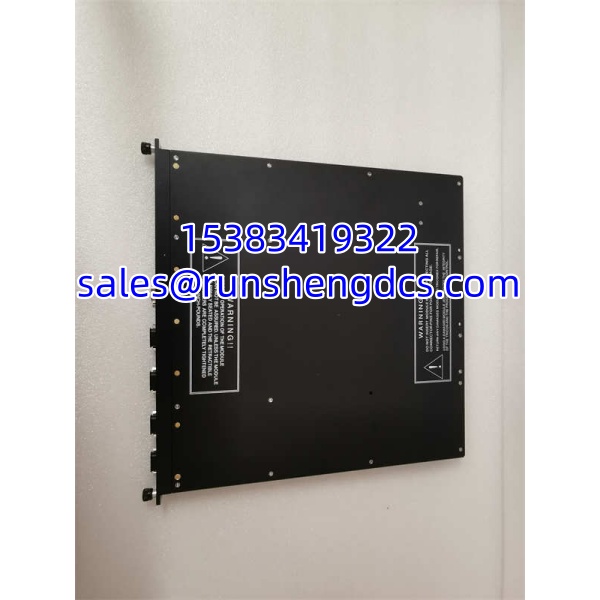

Description
Key Technical Specifications
| Parameter | Value / Notes |
|---|---|
| Manufacturer | Triconex / Schneider Electric |
| Part Number | 4351B |
| Product Type | TCM communication module |
| System Family | Tricon Safety System |
| Communication Role | External controller communication |
| Configurable Port | NET 1 or NET 2 |
| Protocol Capability | Modbus over TCP |
| Master/Slave Capability | Configurable as Modbus master or slave |
| System Compatibility | Tricon v9/v10 systems — verify with project and chassis |
| Installation | Tricon chassis / backplane module |
Product Introduction
When a Tricon safety system loses external communication, the failure rarely looks like a normal I/O problem. The controller may still run, the safety logic may still execute, and local I/O may still work — but the DCS, HMI, historian, or Modbus TCP client cannot see the data it needs. That is the environment where a TCM 4351B matters. It is not a field input card; it is a communication bridge between the Tricon controller and the outside plant network.
The practical value of 4351B is that it supports Modbus master/slave communication over TCP through the NET 1 or NET 2 port, depending on system configuration. That makes it useful in SIS, ESD, fire-and-gas, turbine protection, compressor protection, and other critical process applications where the safety controller must exchange data with higher-level systems. The real procurement question is not whether the part number matches, but whether the module revision, firmware, chassis compatibility, and TriStation configuration actually match the installed Tricon system.
QA/QC Transparency SOP
- Intake & Origin Verification
Check the nameplate for:- Full part number: 4351B
- Triconex branding
- Revision or hardware version
- Serial number or date code
- Original labeling integrity
Reject modules with reprinted labels, mismatched part numbers, missing revisions, or evidence of unauthorized board-level repair unless supported by verifiable test documentation.
- Visual & Mechanical Inspection
Inspect the backplane connector, NET 1 / NET 2 ports, PCB edges, mounting hardware, and components. Look for bent pins, corrosion, burnt traces, cracked housings, liquid damage, or lifted pads. The backplane connector and network ports are common mechanical weak points on pulled communication cards. - Live Functional Testing
If a compatible Tricon chassis is available, install the module and verify:- Power-up behavior
- Backplane recognition
- Module status LEDs
- TriStation recognition
- NET 1 / NET 2 port behavior
- Modbus TCP master or slave communication, if the project supports it
Do not assume the module is functional just because LEDs illuminate.
- Electrical Parameter Tests
Perform continuity checks on accessible connectors and verify supply/backplane behavior only within OEM-approved limits. Avoid megger or high-voltage insulation tests on low-voltage logic, communication ports, or backplane pins unless the Triconex manual explicitly permits it. - Final QC & Anti-Static Packaging
Record part number, revision, serial number, physical condition, LED status, chassis recognition, and communication test results. Package in ESD-safe materials, protect the backplane connector and network ports, and include a note requiring verification of system compatibility before installation.
Field Engineer Gotchas
Buying 4351B as a “digital input module”
Risk: The module arrives, fits the chassis, but does not perform the expected DI function because it is a communication module.
Fix: Treat 4351B as a TCM communication module, not a discrete input card.
Blunt warning: If a surplus listing describes 4351B as a 16-input digital module, that listing is already unreliable.
Revision mismatch with the Tricon project
Risk: The module powers up but TriStation flags a configuration error, or the controller does not accept the module.
Fix: Compare the module revision, hardware version, and firmware compatibility against the existing Tricon project.
War story: A replacement TCM arrived with the correct base part number but a different revision. The chassis recognized the hardware, but the engineering tool could not build a stable communication configuration. The fix was not a new cable — it was a matching module revision.
NET 1 / NET 2 role confusion
Risk: Assuming the module will automatically communicate once installed.
Fix: Confirm whether the project uses NET 1 or NET 2, and whether the port is configured as Modbus master or Modbus slave over TCP.
Bottom line: A communication module with the wrong port role is just an expensive paperweight.
IP address, node, and network configuration errors
Risk: The module is healthy, but the network still fails.
Fix: Verify IP addressing, subnet settings, Modbus TCP port settings, node numbers, and upstream network device configuration.
Blunt warning: Do not blame the 4351B until the network path, switch ports, and Modbus client/server settings are verified.
Backplane and chassis compatibility assumptions
Risk: Assuming any 4351B will drop into any Tricon rack.
Fix: Confirm chassis type, slot compatibility, Tricon controller firmware, TriStation project version, and module revision before installation.
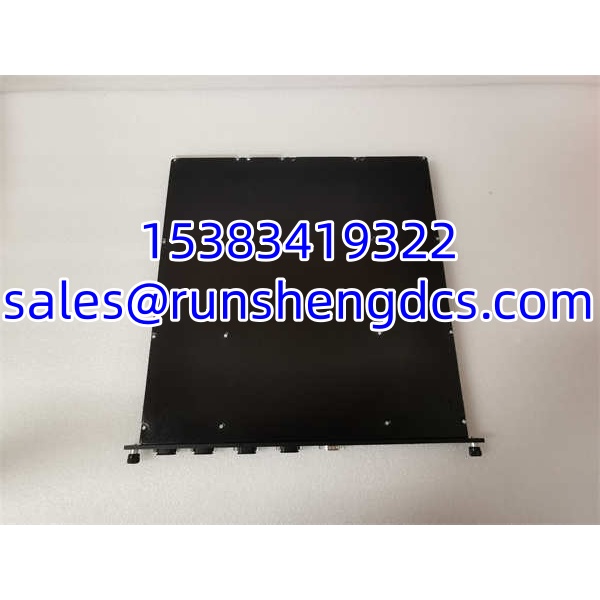
TRICONEX 4351B
Application Scenarios
- Tricon SIS communication restoration, where a failed TCM prevents the DCS or HMI from reading safety system status.
- ESD system integration, where the Tricon controller must exchange trip status, permissives, or alarm data with a higher-level control system.
- Modbus TCP data exchange, where the 4351B acts as a Modbus master or slave between Tricon and third-party plant systems.
- Refinery, gas processing, or power generation safety systems, where reliable external communication is required without removing the Tricon controller from service.
- Aging Tricon v9/v10 system maintenance, where a damaged or failed TCM must be replaced with a verified matching spare.
Anonymized Field Case
A refinery SIS lost Modbus TCP communication between the Tricon controller and the plant DCS. Operators could still see local alarms, but the DCS screens stopped updating. The maintenance team first replaced the network cable and checked the switch port. Communication still failed.
The Tricon chassis showed a communication module fault. The failed module was identified as a 4351B TCM. A spare with the same base part number was available, but the engineer did not install it immediately. The team checked the module revision, Tricon controller firmware, TriStation project version, and NET port configuration.
After confirming compatibility, the replacement 4351B was installed and the Modbus TCP settings were restored. Communication returned. The lesson: with Tricon communication modules, matching the part number is only step one. Revision, firmware, and network configuration decide whether the system actually comes back.
FAQ
Is TRICONEX 4351B a digital input module?
No. The stronger technical evidence identifies 4351B as a TCM communication module. Listings calling it a digital input module are not reliable.
Is 4351B a PLC or controller?
No. It is a Tricon communication module, not a standalone PLC or main controller.
What communication function does 4351B support?
In Tricon v9/v10 systems, the NET 1 or NET 2 port on TCM models 4351A and 4351B can be configured as a Modbus master or slave for communication over TCP.
Can 4351A and 4351B be used interchangeably?
Not automatically. They belong to the same TCM family, but the “A” and “B” designations usually indicate different revisions or hardware versions. Compatibility must be checked against the chassis, firmware, and TriStation project.
Will this module work in any Tricon rack?
No. Compatibility depends on the Tricon chassis, controller version, firmware, TriStation project, slot compatibility, and module revision.
What should I check before buying a surplus 4351B?
Ask for:
- A clear photo of the full nameplate
- Revision or hardware version
- Serial number or date code
- Physical condition photos
- Functional test results, if available
If the seller cannot provide those, treat the purchase as high risk.
Where should I verify the exact specifications?
Use the module nameplate, the host Tricon chassis documentation, Tricon v9/v10 communication documentation, TriStation project files, and official Triconex / Schneider Electric technical references. Third-party surplus listings are useful for identification, but they should not replace OEM documentation.