
Description
Key Technical Specifications
| Parameter | Value / Notes |
|---|---|
| Brand | Triconex |
| Part Number | 3625C1 |
| Product Family | Tricon / Triconex Safety I/O |
| Module Type | Safety Digital Output Module — SDO |
| Output Points | 32 points |
| Output Configuration | Common output |
| Nominal Voltage | 24 Vdc |
| Voltage Range | 16–32 Vdc |
| Maximum Voltage | 36 Vdc |
| Rated Current per Point | Max 1.7 A |
| Inrush Current | Max 7 A for 10 ms |
| Voltage Drop | Typically less than 2.8 Vdc at 1.7 A |
| Minimum Required Load | 10 mA |
| Load Leakage | Max 4 mA |
| Point Isolation | 1500 Vdc |
| Power Module Load | Less than 13 W |
| Operating Temperature | -20°C to +50°C |
| Storage Temperature | -40°C to +70°C |
| Humidity | 5% to 95% RH, non-condensing |
| Safety Architecture | TMR |
| Safety Standard Context | IEC 61508 / IEC 61511 SIS applications |
Product Introduction
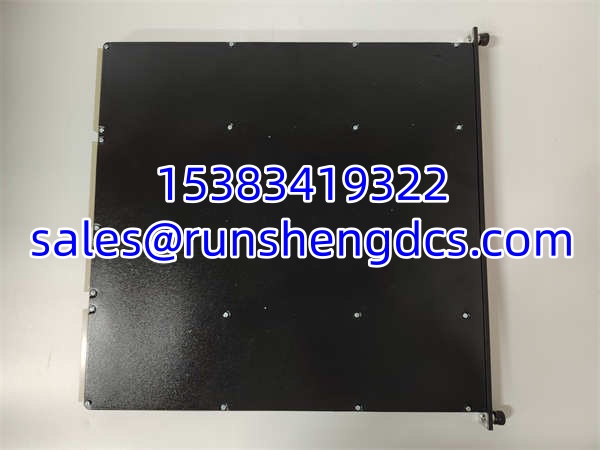
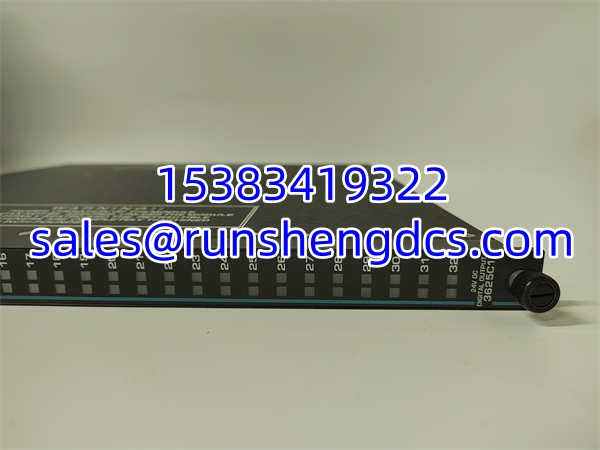
In a Triconex safety system, the module that actually switches the field device is often the one that gets blamed first when a valve will not trip. 3625C1 is a 32-point safety digital output module, not a processor or analog card. It sits in the Tricon rack and converts logic-level safety decisions into real 24 Vdc outputs for relays, solenoids, shutdown devices, and other field loads.
The module uses a common-output arrangement and is designed around Triconex TMR safety architecture. That means its value is not raw channel count alone; it is the combination of 32 outputs, 24 Vdc field compatibility, 1.7 A per-point current capability, 1500 Vdc point isolation, and integration with a Tricon safety controller. For SIS, ESD, or machinery protection applications, the 3625C1 is a field-output workhorse — assuming the revision, firmware, terminal hardware, and project configuration all match.
QA/QC Transparency SOP
- Intake & Origin Verification
Read the nameplate for 3625C1, hardware revision, firmware revision, serial number, date code, and country of origin. Confirm whether the unit is new surplus, used pull, refurbished, or repaired. Quarantine any module with bent backplane pins, corrosion, burnt components, cracked housing, missing labels, or evidence of unauthorized repair. - Live Functional Testing
Install the module only in a known-good Triconex test rack with correct power and backplane conditions. Verify that the chassis recognizes the module, status LEDs behave normally, and the configuration tool can read module identity and diagnostics. Power-on alone does not prove output function. - Electrical Parameter Tests
Check backplane connector continuity, 24 Vdc supply presence, output driver behavior, and load path continuity. Use a calibrated multimeter for voltage and continuity checks. Do not megger sensitive digital output modules unless the OEM procedure explicitly permits it. - Firmware/Config Verification
Read firmware and hardware revisions before installation. Back up the Tricon project, module configuration, output assignments, safety logic, and diagnostic settings. Compare the replacement module against the original module identity, not just the part number. - Final QC & Anti-Static Packaging
Clean backplane contacts, cap exposed connectors, and label the module with part number, serial number, hardware/firmware revision, test date, pass/fail status, and tester ID. Pack in anti-static material. Include a test summary if the module is being sold or returned to service.
Field Engineer Gotchas
- Revision mismatch can block a “same part number” swap
Risk: Two 3625C1 modules may not behave identically if hardware or firmware revisions differ. The Tricon chassis may flag the module, reject configuration download, or change diagnostic behavior.
Fix: Record the old module’s full identity before removal. Match hardware revision, firmware revision, and project compatibility before installing the replacement.
Blunt warning: Same part number gets you into the rack. Matching revision gets you back into service. - Common-output wiring is not the same as isolated-point wiring
Risk: The 3625C1 is described as a common-output module. If field wiring assumes isolated outputs, you can create ground loops, unintended common returns, or misdiagnosed faults.
Fix: Confirm terminal assignments, common return points, and field power arrangement before energizing loads.
Reality check: Most field headaches with DO modules come from wiring assumptions, not bad silicon. - 1.7 A per point is not a free pass to ignore inrush
Risk: Solenoids, relays, and valve actuators can draw high inrush current. The module supports up to 7 A inrush for 10 ms, but repeated stress or poor wiring can still cause voltage drop or output failure.
Fix: Check load type, inrush profile, cable length, and supply voltage. Verify voltage drop under load.
War story: A replacement DO module passed bench testing, but in the cabinet it dropped voltage on a solenoid bank because the common return path was undersized. The module was fine; the wiring was not. - Do not assume 3625C1 replaces other Triconex DO modules
Risk: Triconex has multiple digital output and safety output modules. A different base part number or suffix can mean different point count, voltage rating, output type, terminal hardware, or safety certification.
Fix: Match the exact part number, revision, and terminal hardware.
Bottom line: If the terminal board does not match, the module is not a drop-in.
TRICONEX 3625C1
Application Scenarios
- Emergency shutdown systems in oil and gas plants
Used to drive shutdown relays, valve actuators, and trip solenoids where a failed output could prevent a safe process shutdown. - ESD and fire-and-gas output applications
Applicable where digital trip outputs must be controlled from a Triconex safety controller with TMR architecture. - Compressor and turbine protection systems
Suitable for safety output functions such as trip relays, lube-oil shutdowns, vibration trip outputs, or auxiliary equipment shutdown commands. - Power generation and utility protection systems
Used for boiler protection, turbine trip outputs, and auxiliary safety interlocks in fossil, combined-cycle, or industrial power plants. - Chemical and petrochemical SIS applications
Applicable to reactor shutdown, high-pressure protection, high-temperature protection, and critical valve control where IEC 61508 / IEC 61511 safety principles apply.
Anonymized Case Study
A refinery ESD rack reported a fault on a digital output module during a partial stroke test. Maintenance pulled a spare 3625C1 with the same base part number and installed it without checking the revision. The chassis recognized the module, but the safety logic download failed because the firmware revision was not compatible with the existing project baseline. The team removed the module, recorded the original hardware and firmware identity, and sourced a replacement with matching revisions. After offline verification, the module was installed, output assignments were checked, and the trip relay was tested before the safety function was returned to service. The lesson: in Triconex systems, the part number identifies the family; the revision and configuration determine whether it actually works.
FAQ
- What is TRICONEX 3625C1?
It is a Triconex 32-point safety digital output module, commonly identified as an SDO 24 Vdc TMR module for Tricon safety systems. - Is 3625C1 a digital input module?
No. Despite one supplier listing calling it a digital input module, the part description assy mod sdo 24vdc 32pt TMR identifies it as a digital output module. - How many outputs does 3625C1 have?
It has 32 digital output points. - What voltage does it use?
Nominal field supply is 24 Vdc, with an operating range of 16–32 Vdc and a maximum of 36 Vdc. - Can it replace another Triconex DO module?
Not automatically. Replacement requires matching part number, revision, firmware, terminal hardware, slot compatibility, and project configuration. - Is it suitable for SIS / ESD applications?
Yes, it is intended for Triconex safety control applications such as SIS and ESD, but the final suitability depends on the safety architecture, certification requirements, and project design. - What should I check before installing it?
Check the nameplate, hardware/firmware revision, backplane compatibility, terminal hardware, 24 Vdc supply, output common wiring, load current, and Tricon project configuration.