
Description
Key Technical Specifications
- Product Model: TRICONEX 3101
- Brand Family: Triconex / Schneider Electric safety systems
- Product Type: Safety processor / controller module
- Architecture: Triple modular redundant / TMR
- Safety Application Class: SIS / ESD / critical process safety
- Input Power: Commonly referenced as 24V DC in Triconex-style modules; verify on nameplate
- Operating Temperature: Some listings show -20°C to 60°C; others show -40°C to 70°C — confirm on nameplate
- Communication: May include Modbus, Ethernet, RS-485, or other Triconex network interfaces depending on configuration
- I/O Compatibility: Works with Triconex digital, analog, RTD, and specialized safety I/O modules
- Mounting: Chassis / backplane mounted inside a Triconex rack
- Diagnostics: Supports internal self-checks, fault reporting, and redundancy monitoring
- Status: Treat as legacy / safety-critical surplus hardware unless OEM documentation confirms current support
Product Introduction
Open a Triconex safety cabinet and the processor module is usually the piece that decides whether the plant keeps running or goes safe. The TRICONEX 3101 fits into that role as a Triconex safety-system processor, not as a general-purpose controller. It is designed for environments where a single fault cannot be allowed to create an unsafe condition, and where the system must continue to monitor, vote, diagnose, and execute safety logic under harsh plant conditions.
Why it matters in procurement: this part is only useful if it matches the existing Triconex platform. If the hardware revision, firmware family, chassis compatibility, or safety configuration is wrong, the module may not boot, may not join the redundant system, or may fail safety validation. In SIS/ESD applications, “physically fits the slot” is not enough.
Troubleshooting Quick Reference
| Fault | Likely Cause | Quick Check | Fix |
|---|---|---|---|
| Module not recognized | Wrong revision, backplane fault, improper seating | Check module LEDs and chassis diagnostics | Reseat module; verify exact TRICONEX 3101 revision |
| Safety system fault | Processor mismatch, configuration error, failed channel | Review SIS/ESD diagnostics | Confirm module role; do not force download without authorization |
| No communication | Modbus/Ethernet settings, cable fault, port failure | Check network LEDs and IP/protocol settings | Verify cabling, switch port, and communication parameters |
| Redundancy / voting fault | Mismatched firmware, failed channel, bad I/O module | Check TMR channel status | Replace only with verified matching Triconex hardware |
| Intermittent faults | Loose connector, EMI, power ripple, aging contacts | Inspect wiring, grounding, 24V DC supply | Tighten connections; check power quality and grounding |
| Will not accept configuration | Firmware or engineering tool mismatch | Compare software/firmware versions | Match engineering station version before download |
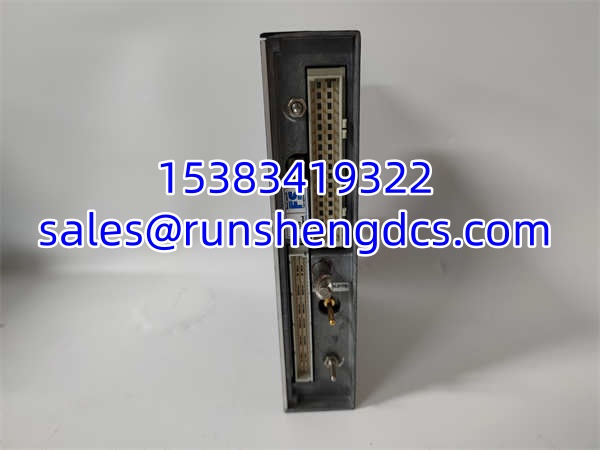
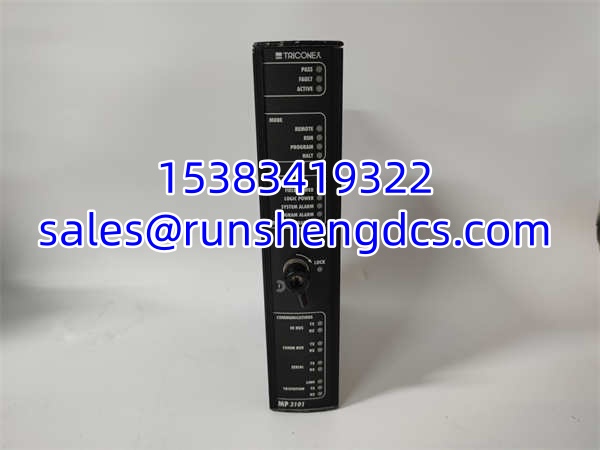
TRICONEX 3101
Application Scenarios & Pain Points
- Emergency shutdown systems: Used where high pressure, high temperature, or dangerous process conditions require a safe trip. Pain point: replacement modules must match the existing safety logic and hardware revision.
- Oil and gas / petrochemical plants: Common in refineries, gas processing, and chemical facilities. Pain point: long lead times and limited surplus documentation.
- Burner management systems: Used where false trips can cost production and missed trips can create safety risk. Pain point: certification and validation paperwork often matter as much as the hardware.
- Turbine and compressor protection: Used for protective logic around rotating equipment and auxiliary systems. Pain point: downtime is expensive, so diagnostics and hot-swap behavior matter.
- Legacy Triconex maintenance: Older Tricon installations may need exact-match modules to avoid full system migration. Pain point: surplus listings often lack revision clarity.