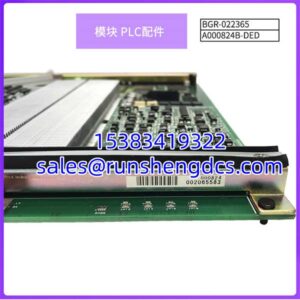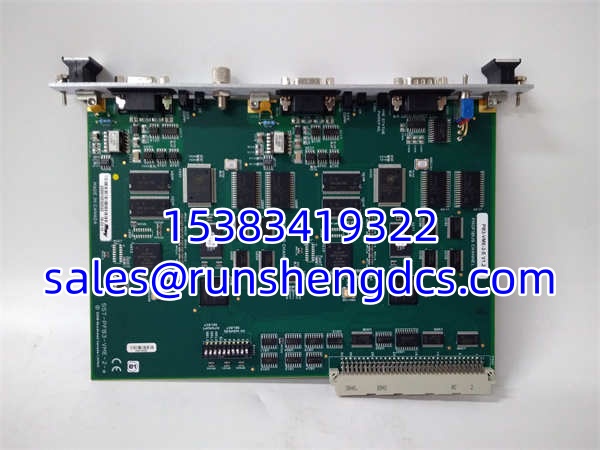
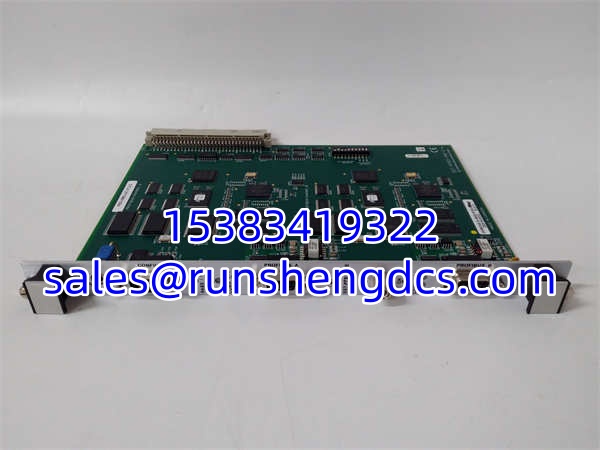

Description
Key Technical Specifications
| Parameter | Specification |
|---|---|
| Bus Interface | VMEbus 2.0/3.0 (6U Form Factor) |
| Network Protocol | PROFIBUS DP V1.0/V2.0, FDL (Layer 2) |
| Channels | 2 Independent DP Channels |
| Max Baud Rate | 12 Mbps |
| Processor | ColdFIRE 5272 (Dedicated Protocol Engine) |
| Memory | 256KB Dual-Port RAM / 512KB Flash |
| Data Transfer Delay | ≤ 1ms |
| VME Addressing | A24 (Standard) and A16 (Short I/O) |
| Status Indicators | 6x Dual-Color LEDs, Power Fail Relay |
| Protection | 4000V Lightning, 1.5A Overcurrent, 600W Surge |
Product Introduction
Integrating legacy VME controllers into modern distributed control networks usually requires custom gateway development, but the SST-PFB3-VME-2-E eliminates that engineering overhead. This 6U card acts as a dedicated protocol translator, featuring an onboard ColdFIRE 5272 processor that handles Profibus parsing independently so it doesn’t steal cycles from your main VME CPU.
You get two completely isolated Profibus DP channels, allowing you to run master and slave operations simultaneously on separate physical networks. With a 12Mbps max baud rate and a guaranteed data transfer delay of ≤1ms, it provides deterministic performance for time-critical I/O updates. Bottom line — it solves the heterogeneous bus integration headache without requiring you to rip out your existing VME backplane.
QA/QC Transparency SOP
- Intake & Origin Verification: Inspect the 6U VME edge connector for bent pins or oxidation; verify the ColdFIRE processor and dual DP ASICs are original and un-reworke.
- Live Functional Testing: Seat in a VME test chassis; configure both channels as DP Master and verify cyclic data exchange with Profibus DP slaves.
- Electrical Parameter Tests: Measure 5V backplane current draw; verify the power fail relay triggers correctly at 4.75V.
- Firmware/Config Verification: Read the 512KB Flash via the front-panel 9-pin serial port; confirm firmware matches V1.2.2 and GSD files load without error.
- Final QC & Anti-Static Packaging: Clean DP connectors; seal in static shielding bag with DB9 dust caps and DIP switch setting documentation.
Field Engineer Gotchas
- DIP Switch Address Conflicts:
- Risk: The VME memory window (256Kx16-bit) and I/O base address are set via DIP switches. Mismatched settings cause bus errors or silent data corruption.
- Fix: Photograph the old module’s DIP switches before pulling it. Cross-reference with the VME system’s memory map.
- War Story: Swapped a card with identical firmware but different DIP settings. The VME CPU booted fine, but Profibus I/O just sat there dead. Wasted 4 hours troubleshooting network cabling before checking the switches.
- Channel Selection on Front Panel:
- Risk: The -2 model has two DP ports, but configuration/download via the 9-pin serial port requires toggling a channel select switch.
- Fix: Verify the physical switch position matches the port you’re configuring. The LED indicators are channel-specific.
- Warning: If you’re downloading config to Ch A but the switch is on Ch B, the module will silently ignore your commands.
- Terminator Resistor Oversight:
- Risk: Profibus DP requires proper termination at both ends of the bus. Missing terminators cause intermittent comm timeouts at higher baud rates.
- Fix: Verify 110Ω termination at the physical bus ends. The module itself does NOT provide termination.
- Reality Check: At 12Mbps, a missing terminator will absolutely kill your network. Don’t assume the old card had them; check the physical bus.
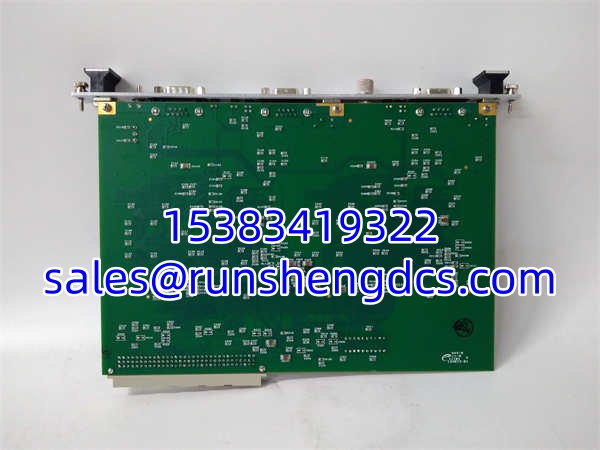
SST-PFB3-VME-2-E SST-PFB3-VME PB3-VME-2-E V1.2.2
Application Scenarios
- Legacy VME Process Control Upgrades: Plants running 20-year-old VME controllers need Profibus DP connectivity for new smart I/O without replacing the entire control system.
- Dual-Network Segregation: Separating safety-critical Profibus traffic from general plant I/O on physically isolated channels to prevent broadcast storms.
- Motion Control Integration: Connecting VME-based motion controllers to Profibus DP servo drives with <1ms deterministic update times.
Case Study: Phantom Timeout in a Paper Mill
A paper machine kept dropping Profibus comms every 45 minutes. The SST-PFB3-VME-2-E diagnostics showed no errors, but the VME application reported timeouts. We found the VME CPU’s watchdog timer was set too aggressively; the dual-channel processing caused occasional 2ms latency spikes during bus initialization, tripping the application-level timeout. Solution: Increased the VME app timeout to 5ms and optimized the Profibus cycle time. Lesson: The hardware was fine; the software tolerance was too tight for dual-channel operation.
FAQ
Q: Can I use this as a Profibus DP Master and Slave simultaneously?
A: Yes. Each of the two channels can be independently configured as Master, Slave, or Master/Slave. You can run Ch A as Master and Ch B as Slave at the same time.
Q: Does this module support Profibus DP-V1?
A: Yes. It supports DP-V0, DP-V1 (Class 1 and Class 2), and FDL Layer 2 messaging. Verify your slave devices support DP-V1 if you’re using acyclic data exchange.
Q: What’s the difference between SST-PFB3-VME-2-E and SST-PFB3-VME-1-E?
A: The “-2” indicates dual independent DP channels with separate CPUs and protocol chips. The “-1” has only a single channel. Same VME footprint, but double the network interfaces.
Q: My VME system uses A16 short I/O; will this work?
A: Yes. The module supports both A24 (standard) and A16 (short I/O) addressing. The address boundary is configurable via DIP switches. Check your VME system manual for available A16 space.
Q: Can I update the firmware in the field?
A: Yes. Use the front-panel 9-pin serial port and the OEM utility. Always back up the current firmware and GSD configuration before updating. Verify the new version is compatible with your VME driver software.
Q: Is the V1.2.2 revision critical?
A: It depends on your VME driver. Some older drivers only support specific firmware revisions. Check your software documentation; if it requires V1.2.x, this revision will work. Never downgrade without OEM guidance.
Q: Does this require a VME64 backplane?
A: No. It’s compatible with VMEbus 2.0/3.0 specifications, including VME32 and VME64 backplanes. The 6U form factor is standard across all VME generations.