
Description
Key Technical Specifications
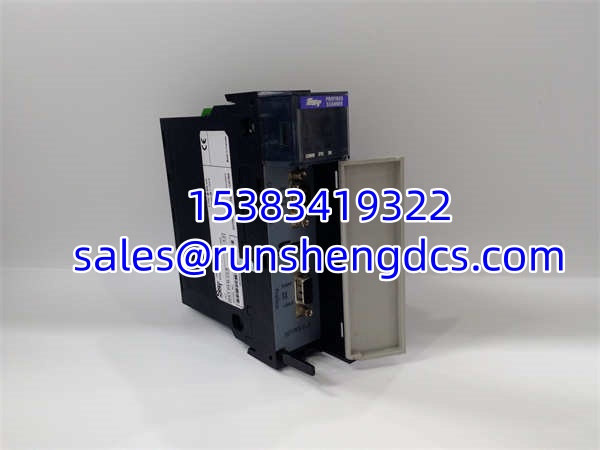
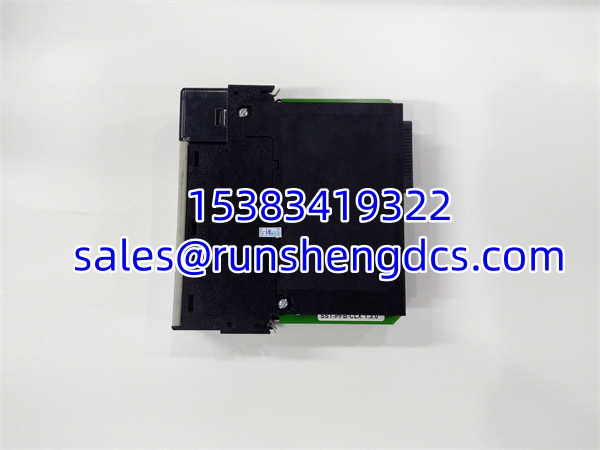
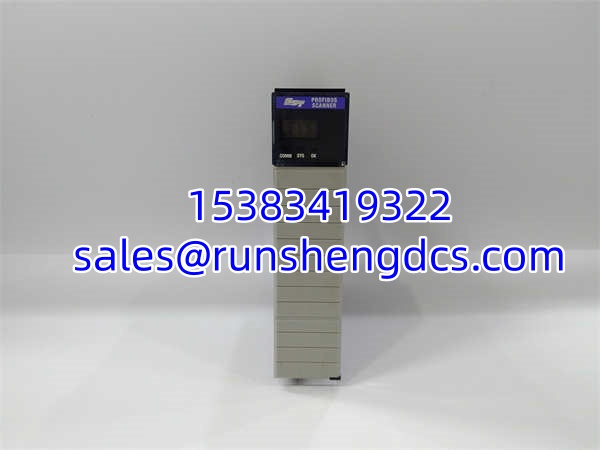
- Model Number: SST-PFB-CLX
- Manufacturer: Molex LLC (SST)
- Series/System: SST PROFIBUS DP Scanner for ControlLogix
- Module Type: PROFIBUS DP Master/Slave Communication Module
- Backplane Compatibility: Allen-Bradley 1756 ControlLogix Chassis
- Protocol Support: PROFIBUS DP Master V0/V1, DP Slave V0
- Baud Rate: Up to 12 Mbps (Auto-detection supported)
- Data Capacity: Up to 1984 Bytes Input / 1968 Bytes Output
- Diagnostics: Remote Configuration via RSLinx / DPView
- Software: SST Profibus Configuration Utility
Functional Role & Application Analysis
The SST-PFB-CLX acts as the definitive communication bridge between the Allen-Bradley ControlLogix platform and the PROFIBUS DP field network. Integrating a Rockwell PLC into a PROFIBUS environment is a frequent requirement in mixed-vendor plants. This module solves that integration challenge by mounting directly into the 1756 backplane. It handles all PROFIBUS token passing and cyclic I/O scanning independently, presenting the field data to the ControlLogix CPU as standard controller tags.
Engineers deploy this scanner module in complex, multi-vendor automation environments:
- Mixed-Vendor Plant Integration: Allowing a ControlLogix CPU to act as a DP Master, scanning remote I/O, drives, and valves from Siemens, ABB, or other PROFIBUS vendors.
- Legacy Scanner Replacement: Swapping out failed or obsolete PROFIBUS scanners in existing ControlLogix racks without migrating the entire PLC platform.
- Remote Network Diagnostics: Utilizing the RSLinx integration to monitor DP Slave status, network counters, and diagnostic data directly from the engineering workstation.
- High-Density I/O Mapping: Leveraging the large user-defined data space (1984 Bytes In / 1968 Bytes Out) to handle massive PROFIBUS networks without exhausting PLC memory.
Our Quality Standard & Testing Process
A failed communication scanner can sever the link between your PLC and the entire field network. We validate every SST-PFB-CLX to ensure it will integrate flawlessly into your 1756 chassis and maintain stable PROFIBUS communication.
- Visual & Component Inspection: We inspect the 1756 backplane connector pins for straightness and oxidation. We check the PROFIBUS DB9 connector and internal ASIC for thermal stress or physical damage.
- Live System Test: The module is seated in a verified ControlLogix test chassis and powered up. We run a continuous burn-in to verify that the board does not overheat or cause backplane power supply sag.
- Full-Function Diagnostics: We configure the module as a DP Master and connect it to a live PROFIBUS test network with multiple slaves. We verify baud rate negotiation, cyclic I/O data mapping, and diagnostic reporting via RSLinx.
- Warranty Backing: Only modules that pass strict ControlLogix and PROFIBUS diagnostics ship with our 12-month warranty. Hardware that fails backplane timing or protocol tests is rejected.
SST-PFB-CLX
Compatibility & Migration Paths
ControlLogix integration requires precise matching. The SST-PFB-CLX has been succeeded by newer models. Do not guess when deploying this module. Verify these points before installation:
- Upgrade Path: The SST-PFB-CLX has been officially superseded by the SST-PB3-CLX-RLL, which offers 2x faster performance, RUN-mode configuration changes, and Remote Link Library (RLL) support. Consider upgrading if available.
- Firmware & EDS Files: Ensure you have the correct EDS file for the SST-PFB-CLX loaded into your RSLogix 5000 / Studio 5000 environment. Missing or mismatched EDS files will prevent the module from being recognized in the I/O tree.
- Backplane Slot: This module can be installed in any available slot in a 1756 chassis, but you must configure the correct slot number in the SST Profibus Configuration Utility before downloading.
- GSD Files Required: You must have the correct GSD files for every PROFIBUS DP Slave you intend to scan. Load these into the SST Configuration Utility to generate the proper binary configuration.
- Get Expert Help: Unsure if your ControlLogix firmware version supports this scanner? Contact our technical team with your CPU catalog number and firmware revision for a free compatibility check.