
Description
Key Technical Specifications
- Product Type: DeviceNet network interface card
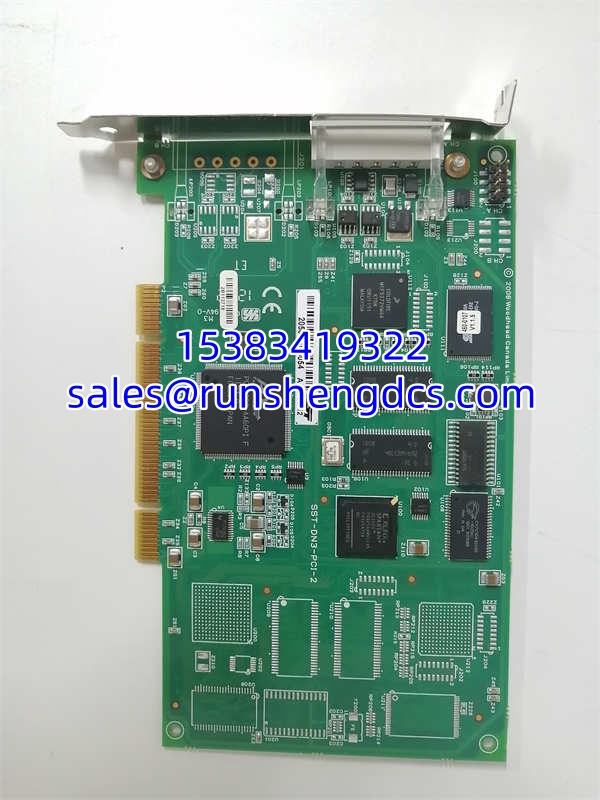
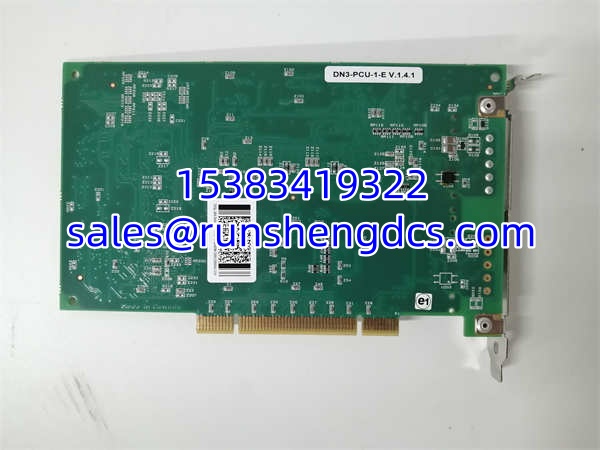
- Model: SST-DN3-PCI-2
- Brand: Woodhead / SST
- Host Interface: PCI
- Network Protocol: DeviceNet
- Channel Count: 2 independent DeviceNet channels
- Processor Architecture: Dual independent CPUs, one per channel
- Channel Isolation: Channels do not share memory or processor resources
- Firmware: Downloadable application firmware modules
- Software Interface: Card DLL / driver-based PC application interface
- Typical Use: PC-based DeviceNet scanning, monitoring, data exchange, and device configuration
- Compatibility: Requires compatible PCI slot, host OS, driver, and DeviceNet configuration tooling
Product Introduction
A control PC loses its DeviceNet link, and suddenly a whole skid of sensors, drives, or valve islands goes dark. That is where SST-DN3-PCI-2 fits: it is a dual-channel DeviceNet PCI card that gives a host PC two separate DeviceNet networks. Each channel has its own CPU, so traffic, scanning, or application load on one DeviceNet segment should not drag down the other.
The real value is field continuity. If the failed card is truly SST-DN3-PCI-2, a matching replacement can restore DeviceNet communication without rewriting the entire PC application. But this is a legacy-style industrial PC card. The purchase decision depends on PCI slot availability, OS/driver support, firmware version, and whether the existing application was built around the Woodhead/SST card DLL.
Troubleshooting Quick Reference
| Fault | Likely Cause | Quick Check | Fix |
|---|---|---|---|
| PC does not detect the card | Card not seated, dead PCI slot, driver missing | Check Device Manager / system hardware list | Reseat card; try another PCI slot; reinstall driver |
| DeviceNet channel shows no network | Cable open, wrong baud rate, bus power missing | Measure DeviceNet bus power and check termination | Restore 11–24 VDC bus power; check trunk/drop wiring |
| One channel works, the other fails | Channel-specific wiring, termination, or firmware issue | Swap known-good DeviceNet segment to the suspect channel | If the fault follows the channel, suspect card/firmware |
| Devices not scanning | Wrong node IDs, MAC ID conflicts, EDS/config mismatch | Verify DeviceNet node addresses and EDS files | Correct node IDs; reload or repair configuration |
| Intermittent communication | Loose PCI contact, bad cable, EMI, poor grounding | Reseat card; inspect connectors; check shielding | Improve grounding/shielding; replace suspect cable |
| Application cannot open card | Wrong driver, wrong DLL, OS incompatibility | Confirm installed software matches the card model | Use correct Woodhead/SST driver and application build |
SST-DN3-PCI-2
Application Scenarios & Pain Points
- PC-based DeviceNet scanning: A host PC must poll sensors, drives, or I/O modules over DeviceNet. If the card fails, the PC loses visibility even though field devices are healthy.
- Dual-network machines: One channel may talk to a process skid, the other to a remote I/O rack. The pain point is that a single dual-channel card failure can look like two unrelated network faults.
- Legacy control systems: Many plants still run older Windows PCs with PCI slots. Replacement pain is usually driver/OS compatibility, not just hardware fit.
- Spare-parts confusion: SST-DN3-PCI-2 is sometimes mislabeled as ABB/DSQC/robot hardware. That is misleading unless the actual installed card is verified.
- Firmware/driver mismatch: A “new” card may physically install but fail if the firmware, driver, or application DLL does not match the original system build.