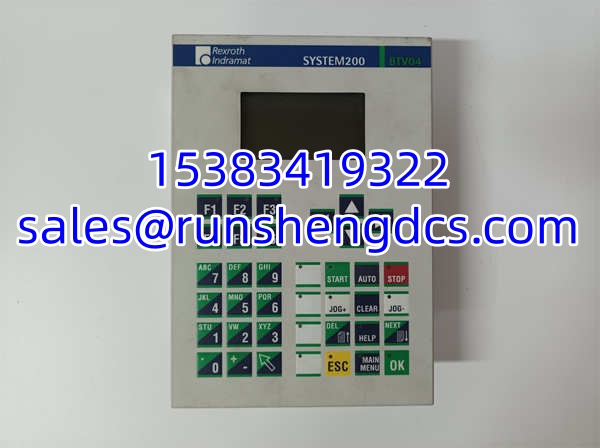

Description
Key Technical Specifications
- Manufacturer: Bosch Rexroth Indramat
- Product Type: Micro Control Panel / Operator Interface
- System Platform: Rexroth Indramat System200
- Display: Graphical LC Display with LED Backlighting
- Resolution: 128 x 64 Pixels
- Keypad: Standard Keyboard with 38 Keys
- Programmable Keys: 7 Machine Control Keys with LEDs and Custom Label Strips
- Communication Interfaces: COM 1 (RS485) and COM 2 (RS232)
- Memory: 1 MB Flash Memory, 512 kB RAM
- Input Voltage: 18 – 30 VDC (Typical 24 VDC)
- Protection Class: IP65 Aluminum Front Panel
- Weight: 1.6 kg
Product Introduction
When a drive system faults on the shop floor, operators shouldn’t have to run back to a distant PC to diagnose it. The Rexroth BTV04.2GN-FW serves as the localized command center for Indramat System200 drives and controllers. It translates complex system parameters into a readable 128×64 graphical interface, allowing maintenance techs to tweak speeds, clear alarms, and jog motors directly at the machine.
Bottom line—this panel is built to survive the factory floor. The BTV04.2GN-FW features an IP65-rated aluminum front panel that shrugs off coolant splashes and conductive dust. It also includes seven programmable keys with customizable label strips, meaning you can map critical functions (like E-Stop reset or specific axis jogging) right to the bezel. Honestly, the biggest pitfall with these legacy panels is forgetting that the firmware isn’t pre-loaded. If you don’t order the specific factory-assigned firmware separately, you’ll just have a very expensive paperweight.
Troubleshooting Quick Reference
| Fault | Probable Cause | Relevancy | Quick Check | Fix |
|---|---|---|---|---|
| Blank Display | Missing 24VDC or dead backlight | High | Measure 18-30VDC at input terminals | Check power supply; replace panel if backlight is dead |
| Comm Failure | RS485 wiring or termination issue | High | Verify COM 1 RS485 A/B wiring | Check termination resistors; verify baud rate |
| Garbled Screen | Failing LCD or corrupted RAM | Medium | Power cycle the panel | If persistent, internal memory or LCD is degraded |
| Keys Unresponsive | Membrane degradation or dirt | Medium | Inspect keypad surface | Clean contacts; replace panel if membrane is torn |
| No Firmware Loaded | Blank panel after replacement | High | Check panel status LEDs during boot | Flash correct factory firmware via RS232 (COM 2) |
| Erratic Readings | EMI on serial cables | Medium | Check cable routing | Route RS232/RS485 cables away from VFD power lines |
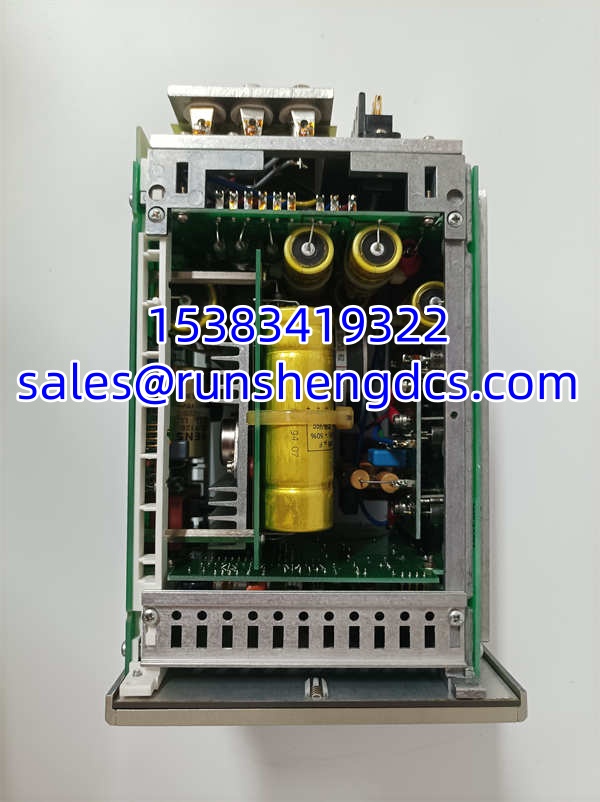
Rexroth BTV04.2GN-FW
Application Scenarios & Pain Points
- CNC Machine Tools: Operators need to adjust feed rates and clear tool-path alarms instantly. The BTV04.2GN-FW provides localized control, but decades of aggressive machining coolants eventually degrade the keypad membrane.
- Automated Assembly Lines: Integrated into System200 drive racks for real-time motor tuning. The 7 programmable keys save operators from digging through deep menus, but finding matching firmware for older machines is a logistical nightmare.
- Retrofit & Maintenance: Replacing a cracked or dead HMI on a 20-year-old press. Technicians often install a new panel only to realize it lacks the specific Indramat firmware required to talk to the legacy drive controller.
- Harsh Manufacturing: The IP65 aluminum front panel is mandatory in environments with heavy particulate matter. However, the internal ribbon cables connecting the LCD to the mainboard are prone to failure from constant vibration.