
Description
Product Introduction
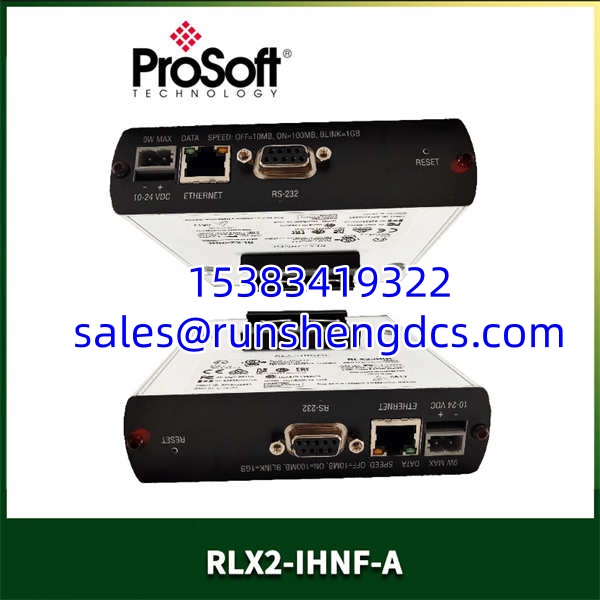
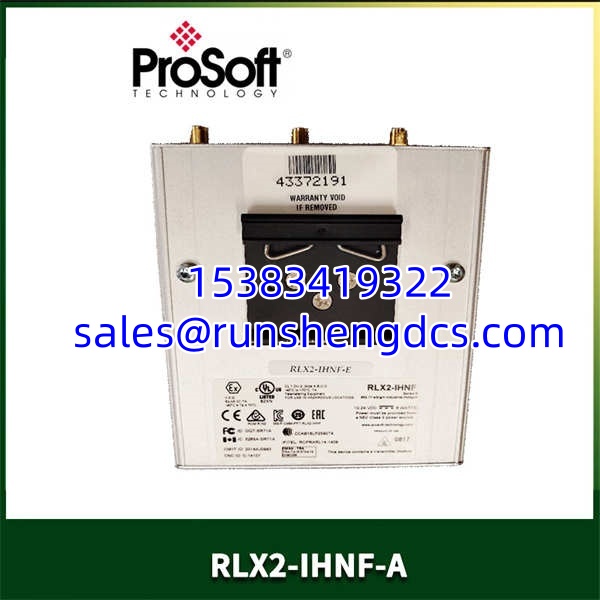
The ProSoft RLX2-IHNF-A is the industrial wireless gateway designed to eliminate those physical bottlenecks. It doesn’t just transmit data; it creates a robust, transparent bridge for your critical Modbus traffic over a secure wireless link.
This unit is the evolution of the classic RLX-IHN series, upgraded to the 802.11n standard. That “n” is a crucial detail. It provides the bandwidth and noise immunity required for modern SCADA systems that demand faster update rates and the ability to pass larger packets of data without latency. In my experience, this radio is the go-to solution for connecting remote skids, tank farms, or mobile assets back to the main control system without trenching new conduit.
Key Technical Specifications
| Parameter | Value |
|---|---|
| Product Type | Industrial Wireless Gateway |
| Series Compatibility | ProSoft InRAx RLX2 Family |
| Wireless Standard | IEEE 802.11n (backward compatible with a/b/g) |
| Frequency Band | 2.4 GHz ISM Band |
| Data Rates | Up to 150 Mbps |
| Serial Interface | RS-232 / RS-485 (Software Selectable) |
| Ethernet Ports | (2) 10/100 Base-T (RJ-45) with Auto-MDIX |
| Protocols | Modbus TCP/IP, Modbus RTU |
| Modbus Capacity | 1 Master / 32 Slaves (TCP & RTU) |
| Enclosure Rating | IP40 (DIN Rail Mount) |
| Operating Temperature | -20 to 70 °C |
| Power Input | 24 Vdc (Nominal) |
Compatibility & Replacement Matrix
- ProSoft RLX2-IHNF-A → ProSoft RLX-IHN : Upgrade — The RLX2-IHNF-A is the direct successor to the older RLX-IHN (802.11g). It is backward compatible, but to get the speed benefits, both ends of the link should be 802.11n capable.
- ProSoft RLX2-IHNF-A → ProSoft MVI56E-MNET : Incompatible — The MVI56E is a ControlLogix backplane module. The RLX2 is a standalone DIN-rail gateway. They serve different physical architectures, though they both handle Modbus.
- ProSoft RLX2-IHNF-A → ProSoft -IHNF-G : Frequency Mismatch — The “-A” model is typically 2.4 GHz. The “-G” model usually denotes a 900 MHz or 5.8 GHz radio (depending on the specific sub-model). You cannot pair a 2.4 GHz radio with a 900 MHz radio.
Quality Inspection & SOP Transparency
We test these units to ensure the wireless link is solid before they leave our bench.
- Incoming Inspection: We verify source traceability with the OEM packing list. Every unit gets a physical inspection for damage to the antenna connectors (RP-SMA), Ethernet ports, and the DIN rail clip. We check the serial number for authenticity.
- Live Functional Test: We set up a point-to-point test bench with two -IHNF-A units. We configure one as Master and one as Slave. We connect a Modbus simulator to the serial port and a PLC to the Ethernet port. We verify that registers written from the PLC appear correctly in the serial simulator and vice versa.
- Signal Strength Test: We verify the RSSI (Received Signal Strength Indicator) reporting in the configuration software (ProSoft Configuration Builder). We ensure the radio reports signal strength accurately, as this is critical for troubleshooting field installations.
- Throughput Test: We push a heavy load of Modbus packets to verify the 802.11n radio maintains a stable connection under load, checking for packet loss or latency spikes that would cause a PLC to fault.
- Final QC & Packaging: After a QC sign-off, the unit is sealed in an anti-static bag, packed with foam protectors, and placed in a carton with a “QC Passed” label dated for that day.
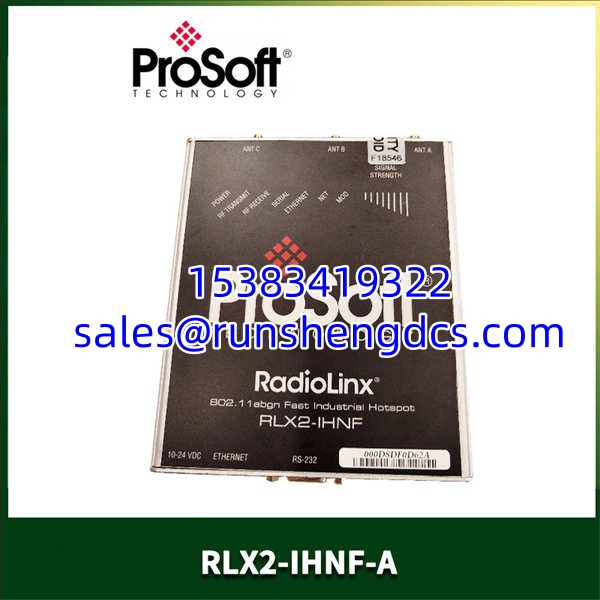
PROSOFT RLX2-IHNF-A
Common Replacement Pitfalls
I’ve seen these mistakes turn a simple radio swap into a week-long headache.
- ❗ Frequency Mismatch: As mentioned, ensure you aren’t mixing 2.4 GHz (-A) with 900 MHz (-G) or 5.8 GHz models. They physically look the same but will never talk to each other.
- ❗ Ignoring the Serial Termination: When using RS-485, you must enable the termination resistors in the software configuration if this radio is at the end of the daisy chain. I’ve seen technicians spend days troubleshooting “ghost” communication errors only to find the termination resistor box was unchecked in the config.
- ❗ Antenna Placement: These units generate heat. If you mount them in a sealed box without ventilation or right next to a VFD (Variable Frequency Drive), the noise floor will kill your signal. Keep the antennas away from metal obstructions.
- ❗ Firmware Mismatch: If you are adding a new to an existing network of older RLX2s, check the firmware. Sometimes a brand new radio has firmware that is too new for the old one to handshake with. You may need to upgrade the old one or downgrade the new one using ProSoft Configuration Builder (PCB).
- ❗ Security Keys: If you are replacing a failed unit, don’t just plug it in. You must copy the SSID, Security Mode (WPA/WEP), and Passphrase exactly from the working unit. A single character typo in the password will result in a “Connected” light that never turns solid.
FAQ
Can I use this to connect a Modbus RTU device to an Ethernet PLC?
Yes. This is the most common use case. You connect the serial device (RS-485) to the radio’s serial port, and the radio wirelessly transmits the data to a second radio connected to your PLC’s Ethernet port. The radio handles the serial-to-Ethernet conversion transparently.
The supports 802.11n, which offers higher data rates (150 Mbps vs 54 Mbps) and better range/penetration through walls due to MIMO technology. It is the recommended replacement for the older RLX-IHN.
Does this radio support Modbus TCP to Modbus RTU conversion?
Yes. It acts as a gateway. It can take Modbus TCP packets from an Ethernet network, strip the TCP/IP header, and send the raw RTU frame out the serial port (and vice versa).
Do I need a license to configure this?
No, the ProSoft Configuration Builder (PCB) software is free to download from the ProSoft Technology website. However, you will need a crossover Ethernet cable (or a switch) to connect your laptop to the radio for initial setup.
What is the max distance for this radio?
In an ideal line-of-sight industrial environment, you can achieve several kilometers with high-gain antennas. However, for reliable SCADA communications, we generally recommend keeping links under 1-2 km to account for interference and fading. Always perform a site survey.