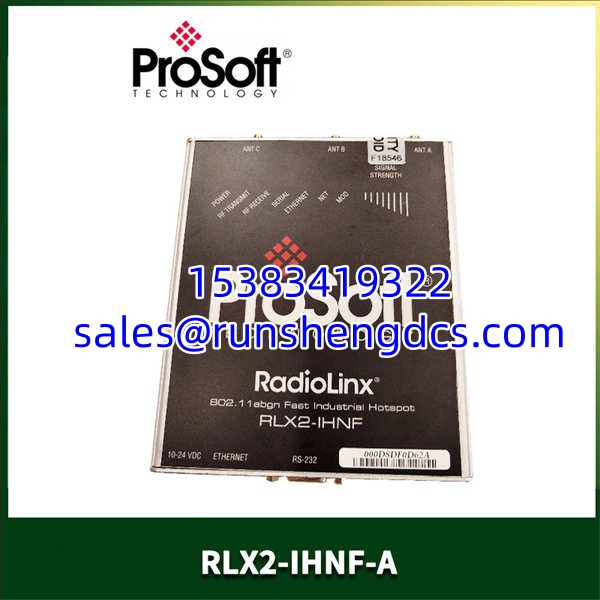
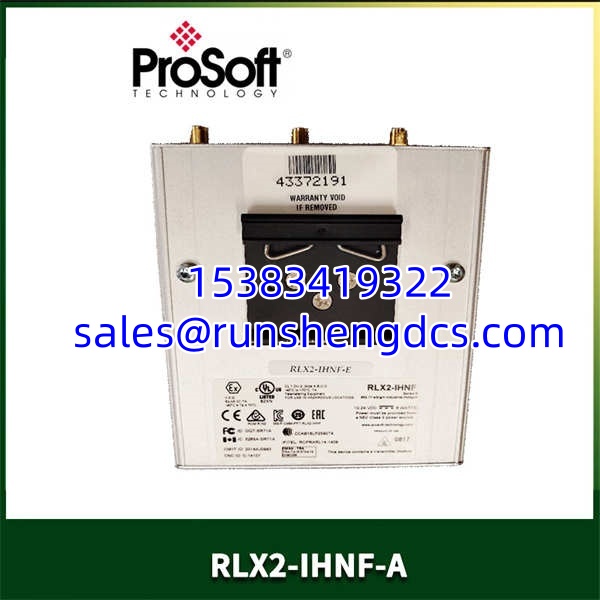

Description
Key Technical Specifications
- Product Model: RLX2-IHNF-A
- Manufacturer: ProSoft Technology
- Wireless Standard: 802.11a/b/g/n with MIMO & Channel Bonding
- Frequency Bands: 2.4 GHz and 5 GHz (Includes DFS Channels)
- Max Data Rate: 300 Mbps
- Roaming Latency: < 10 milliseconds (Ultra-Fast Roaming)
- Security Protocols: WPA-2 Personal/Enterprise, 128-bit AES, RADIUS, VLAN
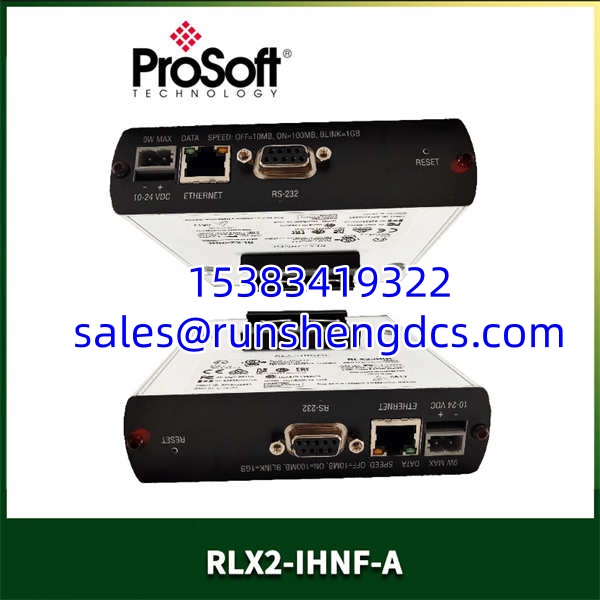
- Interfaces: 1x Gigabit Ethernet (10/100/1000 Base-T), 1x RS232 DB9
- Power Requirements: 10-24 VDC, 802.3af PoE Supported (<9W Peak)
- Operating Temp: -40°C to +75°C (-40°F to +167°F)
Product Introduction
Mobile equipment on a factory floor destroys standard commercial Wi-Fi. When a crane or AGV moves between access points, typical 100ms+ roaming delays drop TCP connections and halt production. The PROSOFT RLX2-IHNF-A is engineered specifically to eliminate this bottleneck. Operating in both 2.4 and 5 GHz bands with DFS channel support, this industrial hotspot guarantees sub-10ms roaming times, keeping EtherNet/IP and Modbus communications alive during high-speed transit.
Bottom line — this is a ruggedized radio built for harsh environments, not an office router. The RLX2-IHNF-A supports 802.11n MIMO and channel bonding to deliver up to 300 Mbps, handling demanding I/O and high-res video streams without choking. It features native integration with PLC/PACs, allowing controllers to read radio diagnostics directly via message instructions. If your facility has moving assets and zero tolerance for dropped packets, this module is the infrastructure backbone you need.
QA/QC Transparency SOP
- Intake & Origin Verification: We verify the RLX2-IHNF-A part number and serial traceability to ensure it is a genuine ProSoft Technology unit. Visual inspection checks the extruded aluminum housing, DIN rail mount, and RP-SMA antenna ports for physical damage.
- Live Functional Testing: The radio is powered via PoE injector and connected to a test switch. We verify association in AP, Repeater, and Client modes, confirming the <10ms roaming threshold is met during simulated transit.
- Electrical Parameter Tests: We measure the 24VDC power draw under full RF load to ensure it stays under the 9W peak spec. Gigabit Ethernet port integrity is verified for link speed and packet loss.
- Firmware/Config Verification: We read the microSD card slot and verify the radio boots cleanly. Configuration is checked via the IH Browser utility to ensure SNMP and diagnostic messaging are active.
- Final QC & Anti-Static Packaging: The unit is cleaned, RP-SMA dust caps are installed, and it is sealed in ESD-safe packaging with a printed test report confirming wireless link stability.
Field Engineer Gotchas
- DFS Channel Delays: The RLX2-IHNF-A supports DFS channels to avoid 2.4 GHz congestion. Risk: DFS requires radar detection, which can cause a 60-second channel availability check (CAC) delay upon reboot. Fix: If your AGVs can’t tolerate a 1-minute outage during power-up, stick to non-DFS 5 GHz channels or use the 2.4 GHz band.
- MicroSD Card Dependency: ProSoft uses a microSD card for disaster recovery and config storage. Risk: Forgetting to back up the config before swapping a failed radio means re-entering IP, SSID, and security settings from scratch. Fix: Always pull the card from the old radio first, or use the IH Browser to back up the config to your PC before RMA.
- RS232 Serial Tunneling: This radio has a DB9 port for serial networks. Risk: Assuming it’s just a console port. It actually supports Modbus RTU to Modbus TCP/IP tunneling. Fix: If you’re using the serial port, verify your baud rate and parity settings in the IH Browser, or your legacy serial devices won’t talk to the PLC.
- Antenna Connector Type: The radio uses RP-SMA connectors. Risk: Grabbing standard SMA antennas off the shelf. RP-SMA has a reverse-polarity center pin. Fix: Verify your antenna inventory before deployment. Standard SMA will thread on but won’t make electrical contact.
PROSOFT RLX2-IHNF-A
Application Scenarios
- Automated Storage & Retrieval Systems (AS/RS): Cranes moving at high speeds require continuous EtherNet/IP communication. The <10ms roaming prevents the PLC from faulting the crane drive.
- Automotive Assembly Lines: Bottle filling and curing ovens use AGVs that transition between multiple APs. Standard Wi-Fi drops cause production bottlenecks; the RLX2-IHNF-A maintains the connection.
- Remote SCADA Telemetry: Oil and gas wellheads or water pump stations using the RS232 port to tunnel legacy Modbus RTU traffic over a 5 GHz wireless backbone.
FAQ
Can I use this radio with third-party Wi-Fi infrastructure?
Yes. The supports standard 802.11 protocols and can communicate with multiple Ethernet devices when integrated with existing third-party wireless infrastructure. However, for the sub-10ms roaming, both ends of the link should ideally be ProSoft radios.
Does this radio support Power over Ethernet?
Yes. The is 802.3af PoE compliant. It operates on 10-24 VDC and draws less than 9W peak, so a standard PoE injector or PoE-enabled switch will power it without issues.
How do I configure the VLAN and QoS settings?
Use the included IH Browser utility or SNMP. The radio supports 802.11Q VLAN tagging and QoS prioritization for I/O control devices. You can assign specific traffic priorities to ensure video or EtherNet/IP data gets through first.
Is the RS232 port just for configuration?
No. While you can configure the radio via the serial port, it also functions as a serial tunnel. You can connect a Modbus RTU or DNP3 device to the DB9 port and tunnel that traffic natively over the 802.11 wireless network.
What happens if the radio fails in the field?
The has a disaster recovery feature. The radio configuration is stored on the included industrial microSD card. Swap the card into a replacement radio, and it boots with the exact same configuration. No laptop required in the field.
Can I read the radio’s diagnostic data from my PLC?
Yes. EtherNet/IP or Modbus-based PLCs/PACs can use message instructions to read diagnostic information directly from the . This allows you to monitor signal strength, link quality, and roaming events from your HMI without opening the IH Browser.