
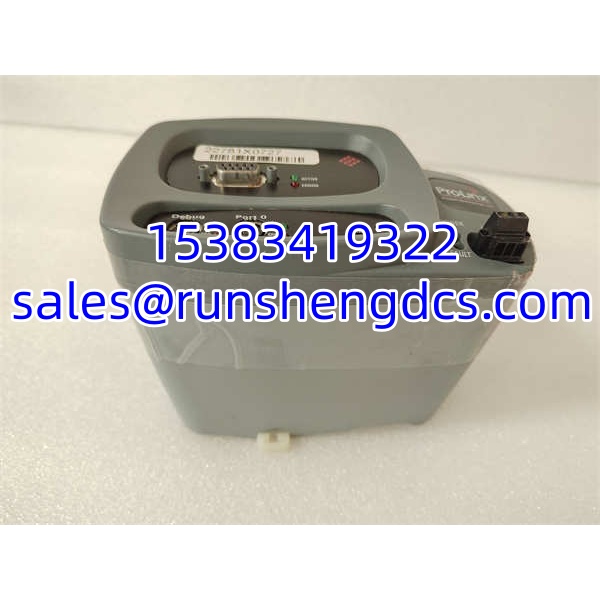

Description
Key Technical Specifications
| Parameter | Value / Notes |
|---|---|
| Manufacturer | ProSoft Technology |
| Product Family | ProSoft 4301 Communication Modules |
| Module Type | 4301-MBP-DFCM (Modbus Plus Dual Function Comm Module) |
| Host Platform | Schneider Electric Quantum PLC |
| Backplane Compatibility | Quantum backplane, single-slot |
| Network Protocol | Modbus Plus (MBP) |
| Function Mode | Master / Slave gateway |
| PLC Data Access | Option module with access to PLC memory (3x, 4x data types) |
| Configuration Storage | Non-volatile memory on module |
| Max Modules per Rack | Up to 6 |
| Compatible Software | UnityPro XL, Concept, ProWORX |
| Data Transfer | High-speed backplane data transfer for fast update times |
Product Introduction
Modbus Plus networks in legacy Quantum PLC installations are one of those areas where a missing or failed communication card can silently break data exchange without tripping any obvious alarms. The PLC keeps running, the HMI keeps showing stale values, and nobody notices until a downstream system starts behaving strangely. The ProSoft 4301-MBP-DFCM exists to fill that gap — it plugs into a Quantum rack and provides a Modbus Plus communication path between the PLC and the rest of the Modbus Plus network.
This module is recognized by the Quantum processor as an option module, which means it can directly read and write PLC memory (3x and 4x data types) across the backplane. Configuration lives on the module’s own non-volatile memory, so swapping a card does not necessarily require a full re-download from the programming workstation — assuming the replacement carries the correct configuration. Bottom line — it is a workhorse communication bridge for older Quantum/Modbus Plus installations, and its value depends entirely on correct firmware, node addressing, and backplane compatibility.
QA/QC Transparency SOP
- Intake & Origin Verification
Check the nameplate for 4301-MBP-DFCM, revision, serial number, and ProSoft labeling. Reject units with reprinted labels, mismatched model numbers, missing revisions, or evidence of unauthorized board-level repair. - Visual & Mechanical Inspection
Inspect the backplane connector, front-panel LEDs, mounting hardware, enclosure, and PCB edges. Look for bent pins, corrosion, burnt components, cracked housings, lifted traces, or liquid damage. The backplane connector is a common mechanical weak point on pulled communication modules. - Live Functional Testing
Install the module in a known-good Quantum rack with compatible power and processor firmware. Verify that the processor recognizes the module as an option module, the status LEDs behave normally, and the module can be addressed by the configuration software (UnityPro XL, Concept, or ProWORX). If a Modbus Plus test network is available, confirm that master/slave data exchange functions correctly. - Electrical Parameter Tests
Perform continuity checks on the backplane connector pins and Modbus Plus port connections. Do not apply high-voltage megger tests to communication ports or low-voltage logic areas unless ProSoft documentation explicitly allows it. - Final QC & Anti-Static Packaging
Record the exact model, revision, physical condition, LED status, and test results. Package in ESD-safe materials, protect the backplane connector and front panel, and include a note to verify firmware, node addressing, and PLC configuration before energizing the system.
Field Engineer Gotchas
Firmware / configuration mismatch
Risk: Dropping a surplus 4301-MBP-DFCM into an existing Quantum rack and finding the processor does not recognize it or the configuration software cannot communicate with it.
Fix: Verify the module firmware revision against the existing Quantum project and ProSoft configuration software version before installation.
Blunt warning: A “new” module that the rack ignores is usually a firmware or configuration problem, not a dead card.
Node addressing conflicts
Risk: Two modules on the same Modbus Plus network sharing the same node address, causing intermittent data corruption or complete communication failure.
Fix: Confirm the Modbus Plus node address programmed into the replacement module matches the original. Check the entire network for duplicate addresses.
War story: A plant swapped a failed MBP card with a surplus unit. Communication came up briefly, then dropped every few minutes. Turned out the replacement had a default node address that collided with another device on the segment.
DFCM dual-function confusion
Risk: Assuming the module auto-detects its role (master vs. slave) without explicit configuration.
Fix: The dual-function capability requires proper configuration in the ProSoft setup software. Confirm whether the application expects master mode, slave mode, or a split configuration before installation.
Backplane slot restrictions
Risk: Installing the module in a random slot and expecting it to work.
Fix: Some Quantum option modules have slot restrictions or require placement in the local rack with the processor. Verify slot compatibility in the Quantum hardware manual and ProSoft documentation.
Surplus listing misclassification
Risk: Third-party listings sometimes mix ProSoft MBP modules with MVI-series or PTQ-series cards that look similar but are not cross-compatible.
Fix: Require a clear photo of the full nameplate showing 4301-MBP-DFCM before purchase.
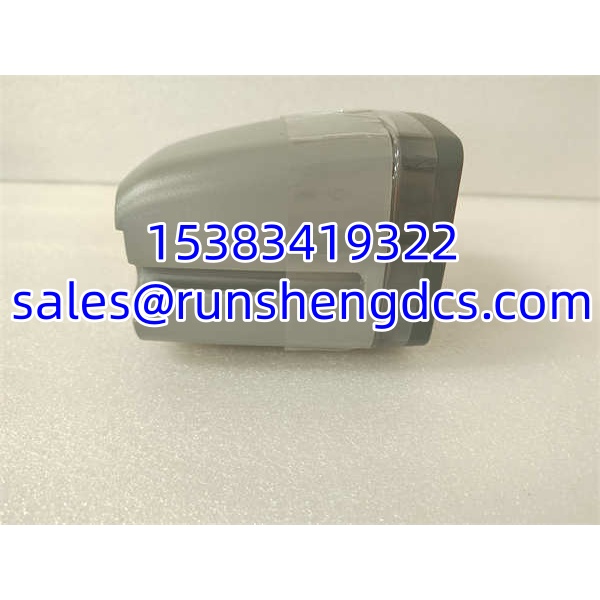
PROSOFT 4301-MBP-DFCM
Application Scenarios
- Legacy Quantum PLC installations where Modbus Plus is the primary communication backbone connecting remote I/O, HMIs, or third-party devices.
- Water/wastewater treatment plants running older Schneider Quantum systems that need to exchange process data with Modbus Plus instrumentation.
- Oil and gas production facilities with distributed Modbus Plus networks feeding data back to a central Quantum PLC.
- Manufacturing lines where a Quantum PLC must act as a Modbus Plus master, polling slave devices for status and control data.
- Power generation auxiliary systems using Quantum PLCs with Modbus Plus-connected switchgear, metering, or protection relays.
Anonymized Field Case
A water treatment facility running a Schneider Quantum PLC lost Modbus Plus communication to a remote pump station after the original 4301-MBP-DFCM module failed. Maintenance installed a surplus replacement from a third-party supplier. The Quantum processor recognized the module physically, but the configuration software could not read the module’s stored configuration. After checking the firmware revision on the replacement against the original, they found a mismatch — the surplus module had an older firmware that the installed UnityPro XL project did not support. Once the module firmware was updated to match the project requirements, communication was restored and the Modbus Plus network came back online. The lesson: in ProSoft communication modules, the hardware is only half the equation. Firmware and configuration must match.
FAQ
Is 4301-MBP-DFCM a Modbus Plus module or a Modbus TCP module?
It is a Modbus Plus (MBP) communication module. Modbus Plus and Modbus TCP are different protocols — do not confuse them.
What PLC platforms does this module support?
It is designed for Schneider Electric Quantum PLCs and is compatible with Quantum programming tools including UnityPro XL, Concept, and ProWORX.
Can I use this module in a Compact or Premium PLC rack?
No. The 4301-MBP-DFCM is built for the Quantum backplane. It is not compatible with Compact, Premium, or Micro PLC platforms.
How many of these modules can I install in one rack?
Up to 6 modules per rack, per typical ProSoft specifications.
Does the module store its own configuration?
Yes. Configuration is stored in the module’s non-volatile memory. This means a replacement module with the correct configuration pre-loaded can potentially be swapped without a full re-download — but verify the configuration matches the application before relying on it.
What data types does it support?
It supports Quantum 3x (input registers) and 4x (holding registers) data types for PLC memory access.
Is this module still actively manufactured?
ProSoft has shifted much of its product line to newer MVI and AN-X series modules. The 4301 series is generally considered a legacy product. Surplus stock is available, but long-term OEM support may be limited. Verify current availability and support status with ProSoft or an authorized distributor before specifying it for a new installation.




