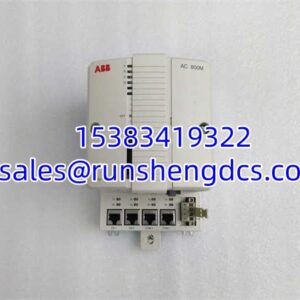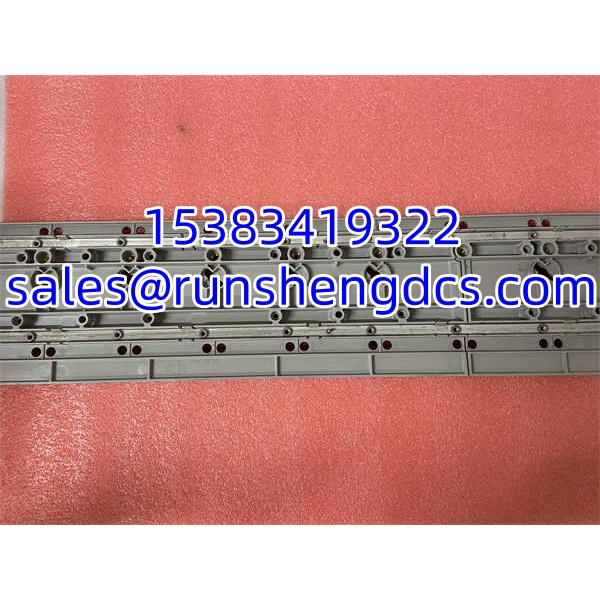

Description
Key Technical Specifications
| Parameter | Specification |
|---|---|
| Part number | CC-MCAR01 / 51403892-100 |
| Product type | Carrier channel assembly (mounting & power rail) |
| Compatible system | Honeywell Experion PKS — C300 I/O subsystem |
| Series | Series 9 |
| Compatible I/O modules | CC-PAIX01, CC-PAIH01, CC-PAOX01, CC-PAOH01, CC-PDIL01, CC-PDOB01, CC-PAIM01, and other Series 9 C300 I/O |
| Processing capability | None — passive mechanical/backplane/power carrier |
| Firmware | None |
| Power | Distributes rack power to seated I/O modules; no independent power draw |
| Mounting | Installs in C300 I/O rack; I/O modules plug into it |
| Operating temperature | -5 °C to 95 °C (vendor-listed range; verify against site spec) |
| Origin | USA (Honeywell) |
Product Introduction
The Honeywell CC-MCAR01 is one of those components that rarely gets attention until it fails. It is the Series 9 carrier channel assembly — the mounting and power rail that holds C300 I/O modules and connects them to the rack backplane. Without it, the CC-PAIX01, CC-PDIL01, CC-PAOH01, and other C300 I/O cards have no mechanical seat, no backplane path, and no power distribution from the rack.
That makes the CC-MCAR01 a small but critical piece of infrastructure in any Experion PKS C300 installation. If a carrier is damaged — bent pins, cracked rail, corroded contacts — the entire I/O group on that channel can lose communication or power. On the other hand, swapping a CC-MCAR01 does not change control logic, does not require a firmware download, and does not affect controller configuration. It is a mechanical, electrical, and power-distribution interconnect. In practice, it shows up most often during rack expansions, corrosion replacements, or when a technician damages a slot while pulling a stuck I/O module.
QA/QC Transparency SOP
- Intake & Origin Verification — Confirm part number CC-MCAR01 / 51403892-100. Verify it is the Series 9 carrier channel assembly, not a I/O module or controller. Inspect for cracked housing, bent backplane pins, or damaged module guides.
- Mechanical Fit Check — Seat the carrier into a known-good I/O rack. Verify it locks into position without force and that adjacent slots remain aligned.
- Backplane Continuity & Power Rail Tests — Using a multimeter, verify continuity from each module slot contact to the corresponding backplane pin. Check for shorts between adjacent channels, between signal lines and ground, and verify the power rail distributes voltage correctly to the module interface.
- Live Functional Verification — Install a known-good I/O module (e.g., CC-PDIL01 or CC-PAIX01) into the carrier. Power the rack and confirm the module is recognized by the controller with no backplane communication or power faults.
- Final QC & Anti-Static Packaging — Seal in ESD bag with desiccant. Include a test report documenting mechanical fit, continuity readings, power rail verification, and live module recognition result.
Field Engineer Gotchas
- Not an I/O module. The CC-MCAR01 does not process signals. If a channel is faulted, the problem may be the I/O module, the FTA/IOTA, the field wiring, or the carrier. Replacing the carrier will not fix a bad CC-PAIX01 or a broken field loop.
- Series compatibility matters. The CC- is a Series 9 carrier channel. Do not assume it is interchangeable with other Honeywell I/O families without confirming the hardware manual. Mismatched series can cause pin misalignment or backplane communication errors.
- Bent backplane pins are a silent killer. A single bent pin can knock out one I/O module while the rest of the rack looks healthy. Inspect the connector before forcing a module into the carrier.
- Do not confuse with CC-PCF901 or CC-PCNT01. Those are the Control Firewall and Controller modules. The CC- is purely a mounting/backplane/power carrier. Mixing them up during procurement creates an expensive paperweight.
- Hot-swap applies to I/O modules, not the carrier itself. I/O modules support hot insertion in many configurations, but removing the carrier channel typically requires rack-level work. Follow site MOC and bypass procedures before touching it.
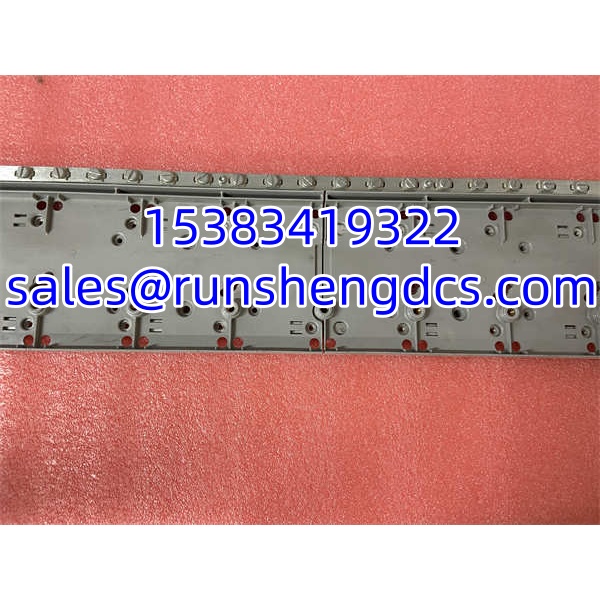
Honeywell CC-MCAR01
Application Scenarios
- Adding new analog or digital channels requires a healthy carrier for each I/O module. The CC- provides the physical, backplane, and power interface.
- Corrosion replacement in humid environments. Salt air or chemical exposure can corrode carrier contacts. Replacing the CC- restores reliable module seating without replacing the entire rack.
- Turnaround maintenance. During a shutdown, a damaged slot is discovered after a technician struggles to remove a seized I/O module. Swapping the CC- avoids a full rack replacement.
- Spare parts standardization. Plants running Experion PKS with Series 9 I/O keep CC- spares on hand because a single damaged carrier can delay commissioning of multiple I/O points.
FAQ
A: No. It is a carrier channel assembly. I/O modules such as CC-PDIL01, CC-PAIX01, and CC-PAOH01 plug into it.
Q: What does “Series 9” mean?
A: It refers to the Honeywell I/O hardware series. The CC- is a Series 9 carrier channel and must be compatible with the I/O modules installed in that rack.
A: No. It is a passive mechanical, backplane, and power-distribution component. All intelligence resides in the controller and the I/O modules.
A: Not typically. While I/O modules support hot insertion, the carrier channel itself is structural. Removing it usually affects multiple modules and should follow site MOC procedures.
A: Modules seated in that carrier may lose backplane communication, lose power, report faults, or fail to be recognized by the controller.
A: They are both carrier channel assemblies, but the revision or series may differ. Verify compatibility against the rack hardware manual before substituting.
Q: Does it work with C200 controllers?
A: The CC- is associated with the / Series 9 I/O subsystem. C200 uses a different hardware architecture. Do not assume cross-compatibility without confirming the official hardware documentation.