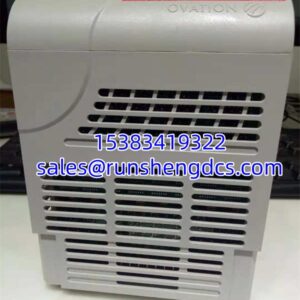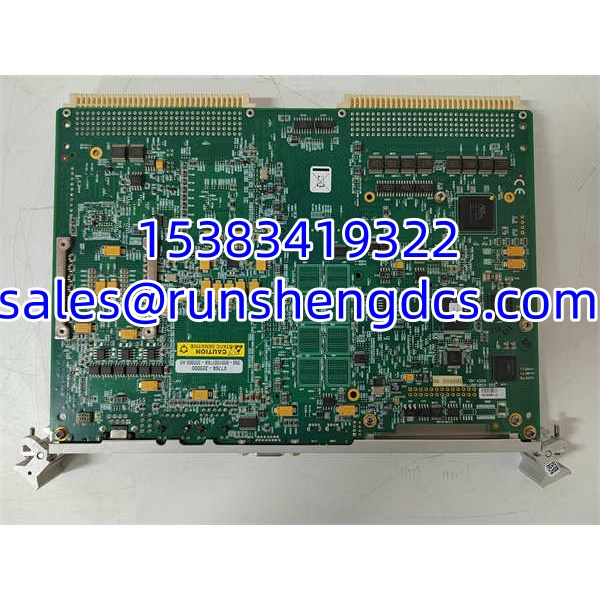

Description
Key Technical Specifications
| Parameter | Detail |
|---|---|
| Manufacturer | GE / GE Fanuc Intelligent Platforms |
| Model | V7768-320000 |
| Product Type | VMEbus Single Board Computer |
| Form Factor | 6U VME Eurocard, single-slot board |
| Processor Options | Intel Core 2 Duo up to 2.16 GHz; Intel Celeron M 1.07 GHz |
| Chipset | Intel 945GME Express / 945GM family |
| Memory | Up to 2 GB DDR2 SDRAM via 1× SODIMM |
| Storage | Up to 8 GB bootable CompactFlash; 2× SATA |
| Ethernet | 2× Gigabit Ethernet (Intel 82571), front-panel RJ45 |
| Serial Ports | 2× serial (RS-232/RS-422 depending on configuration) |
| USB | 4× USB 2.0 (front and rear I/O) |
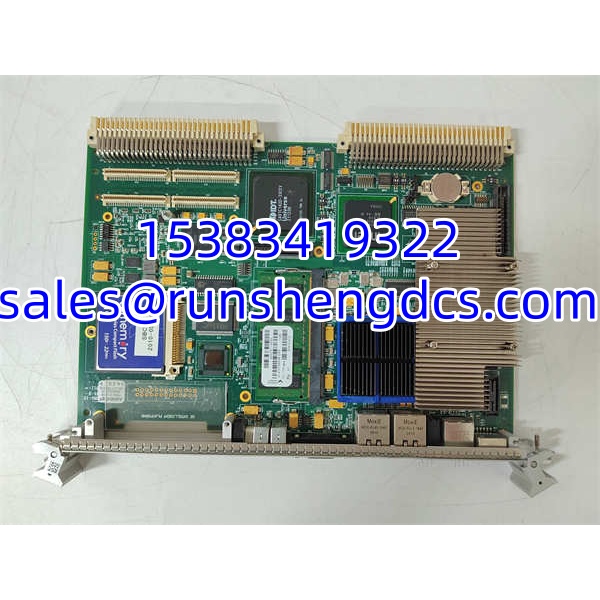
| Expansion | 1× PCI-X PMC site; board-to-board connector for PMC237CM1/V |
| VME Interface | VME64 / VME64x via Tundra Universe II bridge |
| Video / Local I/O | SVGA, PS/2 keyboard/mouse on front panel |
| Operating Systems | Windows XP, VxWorks, Linux |
| Power Requirements | +5 VDC primary; +12 VDC and -12 VDC auxiliary typical |
| Operating Temperature | 0 to +55°C Core 2 Duo; 0 to +70°C Celeron M |
| Platform Status | Legacy; verify OEM support and migration path |
Product Introduction
The V7768-320000 is not a standard PLC CPU. It is a full x86 VME single board computer built for systems where real-time I/O, backplane communication, and embedded PC-class processing coexist. In GE Fanuc VME cabinets, this board typically acts as the system controller or a high-performance peripheral processor, bridging VME bus traffic with Ethernet, serial, SATA, and PMC-based interfaces.
Because it runs Windows XP, VxWorks, or Linux, the V7768-320000 is often found in legacy test rigs, energy systems, transportation controllers, and specialized industrial platforms that need more than discrete logic. Replacement planning should focus on more than hardware fit. The CompactFlash image, PMC modules, VME address map, serial assignments, and Ethernet configuration usually carry site-specific logic. Treat this as a controlled migration item, not a generic spare.
QA/QC Transparency SOP
- Intake & Origin Verification — Confirm full part number V7768-320000, board revision, serial number, processor type, memory size, and installed PMC modules. Reject units with bent VME pins, damaged front-panel connectors, or missing heat sinks.
- Live Functional Testing — Install in a compatible VME chassis and verify power-up, BIOS POST, VME enumeration, Ethernet link, serial port presence, USB response, and SATA/CompactFlash detection.
- Electrical Parameter Tests — Measure +5 VDC, +12 VDC, and -12 VDC current draw under idle and load. Check for abnormal ripple, thermal drift, or intermittent resets.
- Image & Configuration Verification — Read CompactFlash content, BIOS revision, MAC addresses, serial port mapping, PMC driver presence, and operating system boot behavior. Back up all readable configuration data.
- Final QC & Anti-Static Packaging — Inspect VME connectors, front-panel I/O, PMC board-to-board interface, and mechanical retention hardware. Pack in ESD-safe materials with test logs, nameplate photos, and configuration notes.
Field Engineer Gotchas
- It is an SBC, not a PLC CPU. The V7768-320000 runs an x86 operating system. Do not treat it like a GE PACSystems, Series 90, or Rx3i CPU. Application logic may live on the CompactFlash image, not in ladder logic.
- Processor variant matters. Core 2 Duo and Celeron M versions have different performance, cache, bus speed, and temperature ratings. Swapping variants can change timing, thermal behavior, and OS compatibility.
- CompactFlash is the boot device. If the CF card is missing, corrupted, or replaced with a blank image, the board will not restore the original application. Always verify the boot image before removing the original card.
- PMC modules are not optional decorations. Many V7768 installations depend on PMC237CM1/V or other PMC cards for field I/O, serial expansion, or protocol interfaces. A bare board without the correct PMC may boot but fail in service.
- VME address and interrupt mapping must match. Even with identical hardware, wrong VME address settings, byte-swap configuration, or interrupt assignments can cause bus conflicts or communication faults.
- Legacy OS risk. Windows XP support has ended. If the system runs XP, network exposure, driver availability, and cybersecurity must be reviewed before recommissioning.
GE V7768 – 320000
Application Scenarios
- Legacy VME control cabinet replacement. A GE Fanuc VME rack loses its system controller. The application runs on Windows XP with custom serial and Ethernet interfaces. A verified -320000 with the original CompactFlash image restores operation after VME address and PMC configuration are confirmed.
- Test and measurement system maintenance. An aerospace or transportation test rig uses the as a data acquisition and control host. The original board develops intermittent SATA or Ethernet faults. A pre-tested replacement reduces downtime while the site validates drivers and test scripts.
- Energy or process control brownfield spare. A site keeps oneigured as a spare because OEM lead times are long and the operating system image is difficult to rebuild. The spare is stored with its CompactFlash, PMC modules, and configuration records.
FAQ
No. It is a VMEbus single board computer running an x86 processor and operating system. It can control processes, but it is not a conventional PLC CPU.
Not automatically. Processor type, memory, CompactFlash image, PMC modules, BIOS settings, and VME configuration match. and -320001 are related but not guaranteed interchangeable.
What operating systems does it support?
Windows XP, VxWorks, and Linux are documented for the family. The actual installed OS depends on the site application.
Does it require a CompactFlash card?
Yes, if the system boots from CompactFlash. A missing or blank CF card will prevent the application from starting.
Can it run without PMC modules?
It may boot, but many installations depend on PMC cards for I/O or protocol functions. Verify the installed PMC configuration before deployment.
Do you provide OS imaging or application restoration?
No. Operating system images, drivers, VME maps, and application software must be provided by the site engineering team. We provide hardware identification, functional testing, and configuration preservation support only.