
Description
Key Technical Specifications
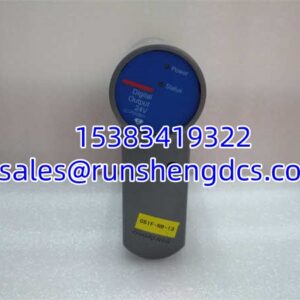
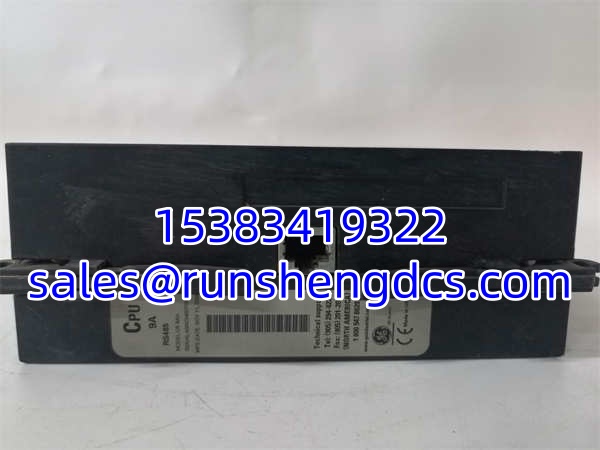
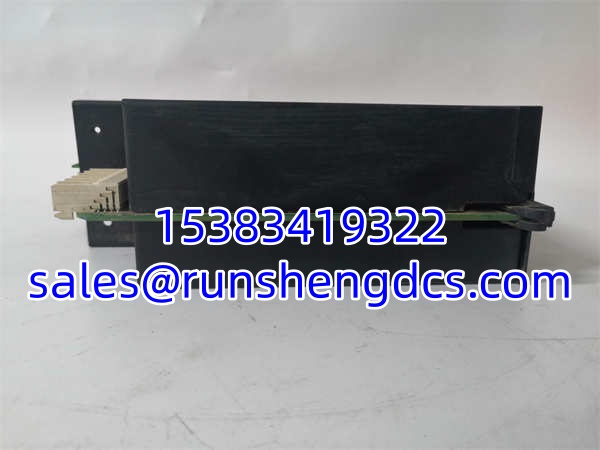
- Product Model: GE UR9AH
- Manufacturer: GE Multilin
- Product Type: CPU Module
- Core Function: Logic Algorithms, Logic Gates, Timers, Latches
- System Role: Central Processing Unit for UR Series Relays
- Data Processing: Interfaces with CT/VT modules for parameter determination
- Compatibility: CRITICAL: Must match CT/VT module generation (New with New, Old with Old)
- Grounding: Does not require ground surge connection
- Installation: Modular Slot-in Backplane
- Diagnostics: DSP Error / Hardware Mismatch Detection
Product Introduction
The GE UR9AH is the brain inside the GE Multilin UR series chassis, and without it, you just have a box of expensive copper and plastic. This CPU module handles the heavy lifting: running protection logic, executing algorithms, managing timers, and processing the raw data coming from your CT/VT modules. I’ve seen technicians try to save money by mixing old and new modules, only to get hit with a “DSP Error” or “Hardware Mismatch” on the front panel. The GE UR9AH is unforgiving about compatibility; it needs to be paired with the correct generation of analog modules to function.
Engineers trust the GE UR9AH because it’s designed for deterministic execution in critical protection schemes. It doesn’t just read inputs; it actively determines parameters from the connected CT/VT modules and executes trip decisions in milliseconds. One thing I always check during retrofits is the generation matching. If you’re installing a new GE UR9AH, you likely need new CT/VT modules too. Trying to force an old analog card into a new CPU slot is a fast track to a misoperation or a fried backplane. Treat this module with respect, and it will protect your assets for decades.
Quality SOP & Tech Pitfalls
The Lab Report:
CPU modules are the heart of the system. Here is how we verify a GE UR9AH:
- Visual Inspection: Check the backplane connector pins for bending or corrosion. A single bent pin can cause intermittent DSP errors.
- Boot Test: We power it up on a test bench and verify it passes POST and enters “Run” mode without hanging.
- Logic Verification: We inject a simulated fault via the test port to ensure the logic gates and timers execute correctly.
- Seal Check: Final ESD bag and anti-static seal.
The Engineer’s Warning:
Here is the #1 killer of these modules: Generation Mismatch. I’ve seen entire protection schemes fail because someone swapped a GE (New Gen) but kept the old UR8CH (Old Gen) CT/VT modules. The relay will throw a hardware mismatch error and lock out. Always verify the part number suffixes. Also, do not ground the CPU surge terminal. Unlike the analog modules, the GE does not require a ground surge connection. Grounding it can actually introduce noise or create a ground loop that corrupts your data.
Installation & Configuration Guide
- Pre-Installation: ⚠️ Verify CT/VT Module Generation. Confirm your analog modules match the GE generation (New vs. Old). Take a photo of the slot and any configuration jumpers.
- Removal: Label the Ethernet/Serial cables if attached. Release the DIN clip. Do not pry. Pull straight out to avoid backplane damage.
- Installation: Ensure it seats fully. DO NOT connect a ground wire to the CPU surge terminal. Tighten the mounting screws to secure the ground path through the chassis.
- Power-On & Testing: Restore power. Watch the front panel LEDs. Open EnerVista LaunchPad. Check the “Diagnostics” screen for “Hardware Mismatch” or “DSP Error.” If clear, download the settings and verify logic execution.
GE UR9AH
Compatible Replacement Models
- ✅ Drop-in Replacement: . The exact same unit. No configuration changes needed.
- ⚠️ Alternative (Verify Gen): GE UR9EH. This is a newer generation CPU. DO NOT USE unless you are also upgrading all CT/VT modules to the new generation. Mixing generations will cause system failure.
- ❌ Do Not Use: GE UR6AH. This is a Digital I/O module, not a CPU. Completely different function. Will not fit the CPU slot.
Frequently Asked Questions (FAQ)
Can I hot-swap this CPU?
No. The GE is the system brain. Removing it while powered will crash the relay and potentially corrupt the configuration memory. Schedule a full outage.
Why am I getting a “DSP Error” after installation?
You likely have a generation mismatch. The GE is a new-gen CPU. If you have old-gen CT/VT modules (like UR8CH), the DSP cannot communicate with them. You must upgrade the analog modules to match the CPU.
No. The manual explicitly states the CPU module does not require a ground surge connection. Grounding it can cause issues. Rely on the chassis ground and the analog module grounding for surge protection.
Can I use this with a UR8CH CT/VT module?
Generally, no. The GE is part of the newer generation. The UR8CH is typically older. Check the specific revision codes in the UR manual. If they don’t match, you will get a hardware mismatch error.
How do I back up the logic before swapping?
Use EnerVista LaunchPad. Connect via the serial or Ethernet port on the front of the GE . Go to “File > Save As” and save the .urd file. Do not rely on memory; always have a local backup.
Yes, but verify the specific suffix. Some GE variants support Parallel Redundancy Protocol (PRP) for high-availability networks. Check the module label or the UR manual options list to confirm your specific unit supports it.