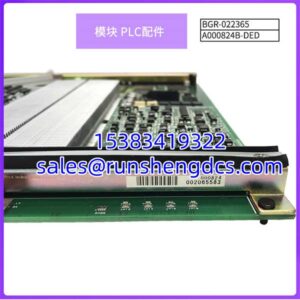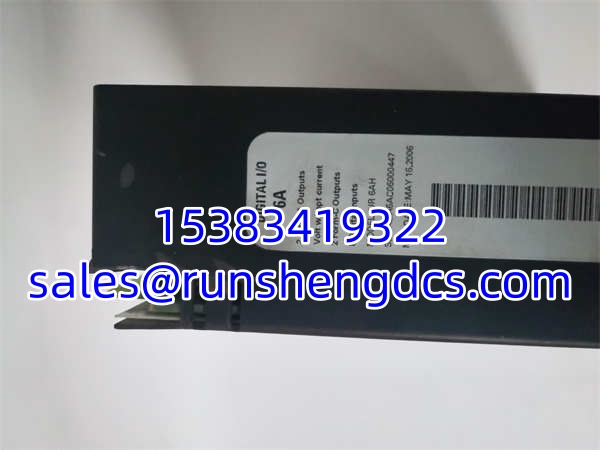

Description
Key Technical Specifications
- Product Model: GE UR6AH
- Manufacturer: GE Multilin
- Product Type: Digital I/O Module
- Input Channels: 8 Contact Inputs
- Output Channels: 4 Form-C (SPDT) Outputs
- Output Type: Single Pole Double Throw (SDPT)
- Contact Rating: Verify with OEM manual for NO/NC switching limits
- System Compatibility: GE UR Series Universal Relays
- Installation: Modular Slot-in Backplane
- Function: System-to-System Communication & Control
Product Introduction
When your UR relay needs to talk to the DCS or trip an external annunciation panel, the GE UR6AH is the module that makes it happen. This isn’t just a generic I/O card; it’s the specific expansion interface for the GE Multilin UR series, providing 8 contact inputs and 4 Form-C outputs to bridge the gap between protection logic and plant control. I’ve seen too many substations running blind because someone tried to daisy-chain signals through the main CPU port instead of using the dedicated I/O slot.
Engineers spec the GE UR6AH because the Form-C (SPDT) outputs give you flexibility. You can wire them as Normally Open or Normally Closed without changing hardware, which is a lifesaver when field wiring changes mid-project. The 8 inputs are perfect for capturing external breaker status or remote permissives. Just a warning: this module is designed for the UR platform, so don’t try to force it into a legacy Multilin 369 or 345 chassis. It won’t fit, and even if you hacked it, the backplane signaling won’t match.
Quality SOP & Tech Pitfalls
The Lab Report:
Relay I/O modules are simple but critical. Here is how we verify a GE UR6AH:
- Visual Inspection: Check the backplane pins for bending. These modules get shoved in hard, and bent pins are the #1 cause of “module not found” errors.
- Continuity Check: We verify the Form-C contact continuity on all 4 outputs. A stuck relay is a dead module.
- Input Test: We short the 8 inputs to verify the relay sees the status change in EnerVista LaunchPad.
- Seal Check: Final ESD bag and anti-static seal.
The Engineer’s Warning:
Here is the classic mistake: Wiring the Form-C output wrong. Form-C means you have a Common, NO, and NC. I’ve seen techs wire the Common to ground and the NO to the DCS, but forget that the DCS input expects a dry contact to 24V, not a grounded switch. Pop. There goes your DCS input card. Always check the wiring diagram in the UR manual. Also, verify your input voltage. The GE UR6AH inputs are typically 125V DC or 24V DC depending on the jumper setting. Apply the wrong voltage and you’ll fry the opto-isolators instantly.
Installation & Configuration Guide
- Pre-Installation: ⚠️ Isolate the relay from trip circuits. Even though this is an I/O module, working on a live UR rack is risky. Take a photo of the backplane slot and any jumper settings on the old module.
- Removal: Label the field wires. Release the DIN clip or mounting screws. Do not pry the module. Pull straight out to avoid bending backplane pins.
- Installation: Verify the jumper settings match the old module. Slide the GE UR6AH straight onto the backplane. Ensure it seats fully. Tighten the mounting hardware to secure the ground path.
- Power-On & Testing: Restore power. Open EnerVista LaunchPad. Go to the “Module Status” screen. Verify the GE is recognized. Force an output and measure continuity at the terminal. Short an input and verify the status bit changes.
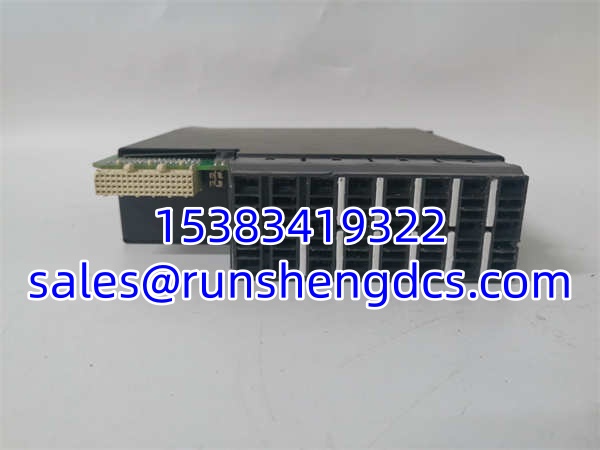
GE UR6AH
Compatible Replacement Models
- ✅ Drop-in Replacement: . The exact same unit. No configuration changes needed.
- ⚠️ Alternative (Check Specs): GE UR6EH. This is a similar I/O module in the UR family. Verify the input/output count and voltage ratings before swapping. It may have different contact ratings or input thresholds.
- ❌ Do Not Use: GE UR8AH. This is a different form factor or channel count. Will not fit the same slot or match the logic configuration.
Frequently Asked Questions (FAQ)
Can I hot-swap this module?
No. The UR series does not support hot-swapping I/O modules while the relay is in service. You risk backplane damage and false trips. Schedule a maintenance window.
Why does my DCS see a “chattering” input?
Check your wiring. The GE inputs are sensitive. If you have long cable runs running parallel to VFD cables, you’re picking up noise. Use shielded twisted pair and ground the shield at the relay end only.
No. The suffix letter indicates the specific I/O configuration (voltage levels, contact types, or channel count). The has 8 inputs and 4 Form-C outputs. The UR6CH might have different specs. Always match the full model number.
Can I use this for 24VAC inputs?
Check the manual. Most UR digital inputs are DC only. Applying AC to a DC-rated input will cause erratic behavior or failure. Verify the input rating on the module label.
How do I configure the Form-C outputs?
You configure them in EnerVista LaunchPad under the “I/O Configuration” or “Output Matrix.” You can assign logic to each contact. Just remember: the physical wiring determines if it acts as NO or NC relative to your load.
Does this module have diagnostics?
Yes. The UR relay monitors the health of the . If a fuse blows or a communication error occurs on the backplane, you’ll see a “Module Fail” or “I/O Error” alarm in the relay front panel and via Modbus.