
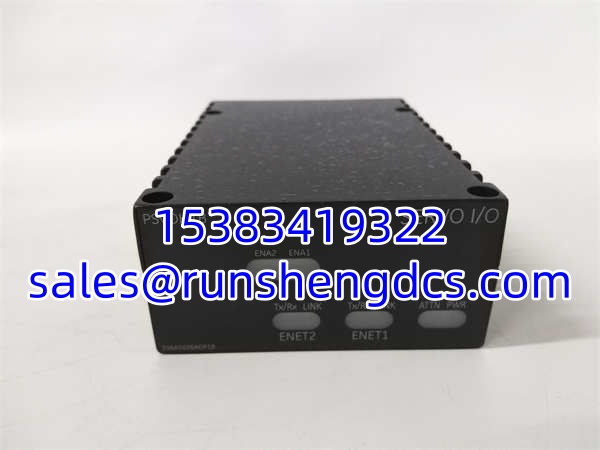

Description
Key Technical Specifications
- Product Model: IS220PSVOH1B
- Manufacturer: GE Boards & Turbine Control
- Product Type: Servo Control I/O Pack
- System Compatibility: Mark VI / Mark VIe Speedtronic
- Interface: Dual Ethernet (ENet1/ENet2) to TSVO Terminal Board
- Function: Controls two servo valve position loops via WSVO driver
- Indicators: Power, Attn, ENet1/2 Link/TxRx, ENA1/2 LEDs
- Configuration: ToolboxST / Control System Toolbox
- Auto-Reconfig: Supported (via Component Editor)
- Operating Temp: -30°C to +65°C (Verify with OEM manual)
- Mounting: Standard Mark VIe Backplane
Product Introduction
Your turbine valve won’t stroke because the servo pack lost comms. Again. The GE IS220PSVOH1B is the critical link between your Mark VIe controller and the hydraulic servo valves, handling the high-speed position loop that keeps steam flow stable. It’s not just a passive I/O card; it processes the servo valve position feedback and drives the WSVO output stage. If this card flakes out, you’re not just looking at an alarm; you’re looking at a potential trip or load rejection.
Why do we keep GE IS220PSVOH1B units on the shelf? Because when a unit fails at 2 AM, you don’t have time to debug backplane noise or wait for a 12-week lead time. This pack supports auto-reconfiguration, meaning if you swap it, the system should pick up the config from the non-volatile memory—assuming the previous tech didn’t corrupt the database. It handles dual Ethernet for redundancy, so if one link dies, the other takes over. Just make sure your TSVO terminal board matches; mixing revisions is a fast way to fry the output stage.
Troubleshooting Quick Reference
| Fault | Probable Cause | Relevancy | Quick Check | Fix |
|---|---|---|---|---|
| ENA1/2 LED Off | WSVO Driver Fault | 90% | Check WSVO module seating. | Reseat or swap WSVO driver. |
| ENet Link LED Off | Cable/Port Issue | 85% | Swap Ethernet cable. | Check TSVO port, verify pinout. |
| Attn LED Solid | Config Mismatch | 75% | Check ToolboxST logs. | Run auto-reconfig or manual reload. |
| Servo Oscillation | Feedback Noise | 60% | Check LVDT wiring. | Verify shield ground at TSVO. |
| No Power LED | Backplane Fuse | 80% | Measure 5V at card edge. | Check backplane fuse, replace pack. |
Application Scenarios & Pain Points
- Gas Turbine Power Generation: High EMI from generator excitation systems. The GE IS220PSVOH1B must maintain Ethernet integrity despite noise; shielded cables and proper grounding at the TSVO board are non-negotiable.
- Steam Turbine Control: Valve stiction causing limit cycles. Often blamed on the GE IS220PSVOH1B, but usually it’s mechanical. Verify the LVDT feedback is smooth before swapping the card.
- Combined Cycle Plants: Redundancy failures. If one Ethernet link drops, the GE IS220PSVOH1B should hold. If it trips, check the TSVO board’s Ethernet switch chip; they fail more often than the I/O pack.
Field Case: Plant engineer had intermittent servo valve trips on a Frame 7FA. Swapped the twice. Finally found a cold solder joint on the TSVO terminal board’s Ethernet connector. The vibration from the turbine was cracking the joint. Replaced the TSVO, not the I/O pack. Always check the wiring first.
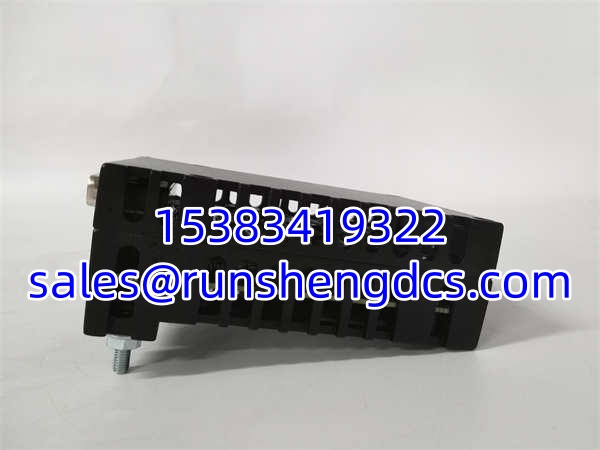
GE IS220PSVOH1B
Compatible Replacement Models
- ✅ Drop-in Replacement: (Exact Match). Same revision, same config. If you find new surplus, buy it. No reprogramming.
- ⚠️ Software Compatible: IS220PSVOH1A (Previous Rev). Same hardware footprint, but older firmware. Requires manual config reload via ToolboxST. Plan for 30-60 mins commissioning. Verify WSVO compatibility.
- ❌ Hardware Incompatible: IS200PSVOH1B (Mark VI Legacy). Different backplane connector, different voltage levels. Will not fit Mark VIe rack. Do not attempt to adapt.