
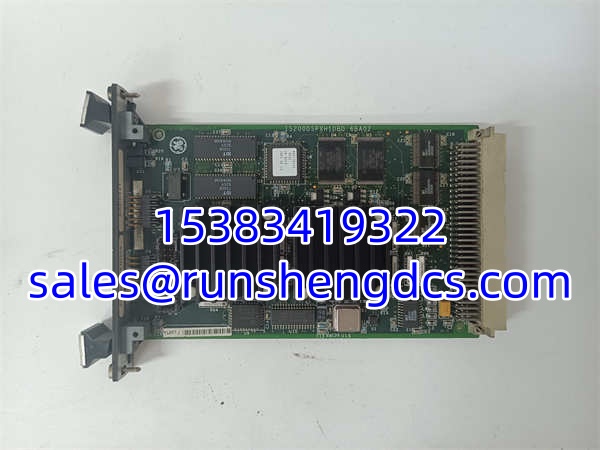
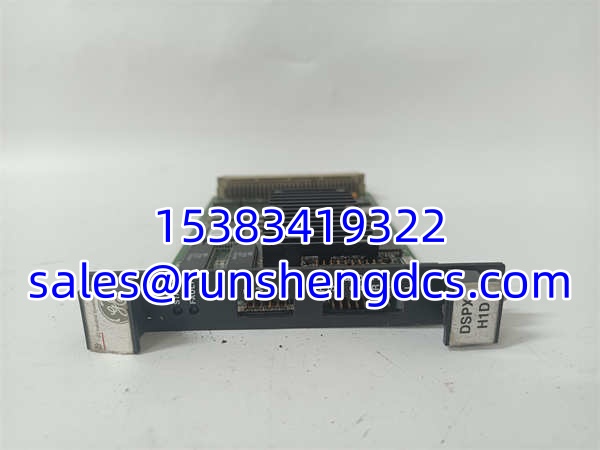

Description
Key Technical Specifications
- Product Model: IS200DSPXH1DBD
- Manufacturer: GE Fanuc / GE Energy
- Product Category: Bus Expansion / Interface Module
- Expansion Capacity: Supports up to 7 additional IC697 PLC racks
- Max Interconnecting Cable: 50 feet (15 meters) total length
- Slot Requirement: Occupies a single slot (Must be installed in Slot 1)
- Connectors: Two connectors (upstream/CPU and downstream/daisy-chain)
- Status Indicators: Three green LEDs (Module, Activity, Terminator Plug)
- Safety Feature: Supports Hold Last State operation during CPU comm loss
- Configuration: No DIP switches; easy software configuration
- Processing Speed: 133 MHz
- Operating Temp: 0°C to 60°C
Product Introduction
You’re trying to squeeze more I/O into an aging IC697 system and need to know if this board will actually talk to your CPU. The GE IS200DSPXH1DBD is the high-speed parallel bus expansion module designed specifically to bridge the gap between your main CPU rack and up to seven additional IC697 PLC racks. It acts as the critical Bus Receiver, utilizing a daisy-chain arrangement with a strict 50-foot total interconnecting cable limit to maintain signal integrity across the backplane.
Bottom line—this isn’t a plug-and-play accessory you can shove into any slot. The IS200DSPXH1DBD must always be installed in Slot 1 of the expansion rack. It features three green LEDs that tell you exactly what’s happening: module status, activity, and whether the mandatory I/O Bus Terminator Plug is present in the final rack. With its built-in Hold Last State capability, it ensures outputs don’t go wild if the CPU loses communication, and its lack of DIP switches means configuration is handled entirely via software.
Troubleshooting Quick Reference
| Fault Symptom | Probable Cause | Relevancy | Quick Check | Fix |
|---|---|---|---|---|
| Red/Fault LED On | Missing Terminator Plug | High (90%) | Check last rack in daisy-chain | Install IS200DSPXH1DBD terminator plug |
| Expansion Rack Dead | Wrong Slot Installation | High (80%) | Verify physical slot location | Move module to Slot 1 ONLY |
| Intermittent Comm Loss | Cable Length Exceeded | Med (60%) | Measure total daisy-chain cable | Ensure total length is ≤ 50ft (15m) |
| No Activity LED | Upstream Comm Failure | Med (50%) | Check CPU rack connector | Reseat upstream cable; check CPU config |
| Outputs Not Holding | Hold Last State Disabled | Low (30%) | Check PLC software config | Enable Hold Last State in logic |
| Module Not Recognized | Firmware Mismatch | Low (20%) | Check CPU/Module revisions | Update CPU firmware or swap module |
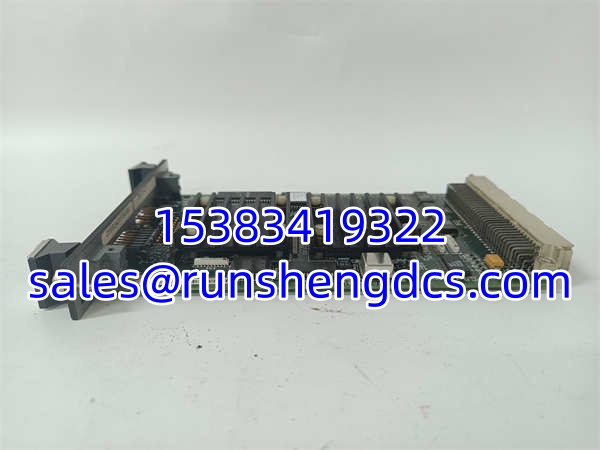
GE IS200DSPXH1DBD
Application Scenarios & Pain Points
- Legacy Power Plant Upgrades: Expanding I/O for a 20-year-old Mark VI turbine control system without ripping out the entire CPU rack. The IS200DSPXH1DBD allows you to add 7 racks of analog/digital I/O while keeping the existing control logic intact.
- Water Treatment Facility Retrofits: Adding new filtration monitoring to an existing IC697 setup. The 50ft cable limit forces you to plan rack placement carefully, but the daisy-chain topology eliminates the need for a separate expansion chassis.
- Manufacturing Line Expansion: Tying a new packaging cell into an old GE Fanuc PLC. The Hold Last State feature prevents pneumatic valves from slamming shut during a CPU reboot, avoiding product jams.




