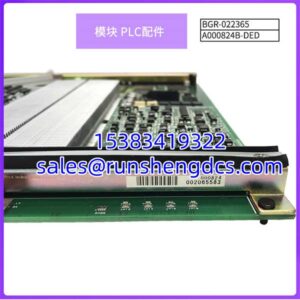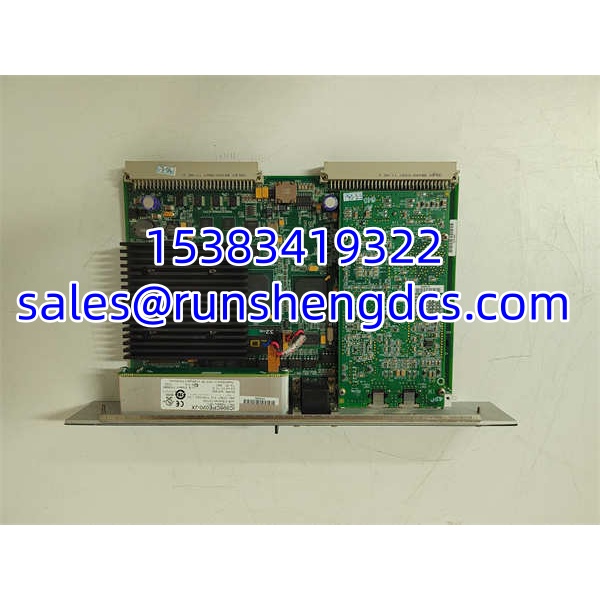

Description
Key Technical Specifications
| Parameter | Details |
|---|---|
| Manufacturer | GE Fanuc / GE Intelligent Platforms (PACSystems RX7i) |
| Product type | Central Processing Module (CPU) |
| Model | IC698CPE020-JX |
| Processor | Intel Pentium III, 700 MHz |
| Boolean execution speed | 0.14 ms per 1,000 Boolean contacts (typical) |
| User memory | 10 MB RAM (battery-backed) + 10 MB Flash |
| I/O capacity | Up to 32 Kbits %I/%Q; up to 32 Kwords %AI/%AQ |
| Program blocks | Up to 512 blocks, max 128 KB each |
| Ethernet ports | 2 × 10/100 Mbps RJ-45, embedded switch, single IP |
| Ethernet protocols | EGD, SRTP/TCP/IP, Modbus/TCP server & client |
| Serial ports | 3 isolated: RS-232, RS-485, RS-232 Station Manager |
| Serial protocols | Modbus RTU slave, SNP, Serial I/O |
| Backplane | VME64 (ANSI/VITA 1 compatible) |
| Rack position | Slot 1 in RX7i main rack |
| Max backplane current | 3.2 A @ 5 VDC |
| Battery | IC698ACC701 lithium battery for RAM/RTC |
| Programming | Proficy Machine Edition / Logic Developer |
| Languages | Ladder, C, Function Block, Structured Text |
| Product status | Installed-base / legacy spare |
Product Introduction
Replacing an RX7i CPU without checking firmware revision is how a planned outage turns into a firmware-matching exercise. The GE IC698CPE020-JX is a PACSystems RX7i CPU built around a 700 MHz Pentium III processor, 10 MB battery-backed RAM, and 10 MB Flash. It sits in Slot 1 of an RX7i VME64 rack and communicates with I/O, coprocessors, and network devices through the backplane and embedded Ethernet/serial ports.
For procurement, the key numbers are 700 MHz, 10 MB user memory, and the -JX revision. The CPE020 is faster than the 300 MHz CPE010 but sits below the CPE030/CPE040 generation in memory and processor architecture. It supports up to 512 program blocks, dual 10/100 Mbps Ethernet with an embedded switch, and three isolated serial ports. Bottom line — confirm the -JX revision, battery condition, and existing firmware before putting it into a live RX7i rack.
QA/QC Transparency SOP
- Intake & Origin Verification — Record full part number IC698CPE020-JX, serial number, and hardware revision. Photograph the nameplate, Ethernet MAC label, and rear serial ports. Reject units with bent backplane pins, corrosion, or missing battery.
- Live Functional Testing — Install in an RX7i test rack, Slot 1. Power up and verify EOK LED behavior, fault LEDs, and successful self-diagnostics. Confirm the CPU reaches RUN without persistent memory or firmware errors.
- Electrical Parameter Tests — Measure backplane 5 VDC current draw and compare against the 3.2 A rating. Check Ethernet link negotiation on both RJ-45 ports and verify serial port continuity on COM1/COM2/Manager.
- Firmware/Config Verification — Read firmware revision and compare with the target system. Back up existing project before loading. Verify Modbus/TCP, EGD, and serial port assignments match the installed configuration.
- Final QC & Anti-Static Packaging — Validate stable RUN state, clean diagnostics, correct MAC address, and healthy battery voltage. Pack with ESD protection, include test report, firmware revision, and photo record.
Field Engineer Gotchas
- Firmware revision mismatch. The -JX suffix indicates a specific firmware/hardware revision. Dropping a different revision into an existing RX7i rack can trigger compatibility faults or require a firmware reload. Always read the revision before installation.
- Battery failure kills RAM retention. The IC698ACC701 battery maintains RAM and the real-time clock. A dead battery after power-down can erase user memory even if Flash is intact. Check battery voltage before commissioning.
- Slot 1 requirement. The CPE020 must reside in Slot 1 of the RX7i main rack. It will not operate correctly in an expansion slot or a 90-70 host rack.
- Embedded Ethernet switch trap. The two RJ-45 ports share one IP address through an internal switch. Treating them as independent interfaces will cause addressing and routing confusion.
- Backplane current budget. The CPE020 can draw up to 3.2 A at 5 VDC. Adding high-current I/O or coprocessors without checking the power supply budget can cause intermittent rack faults.
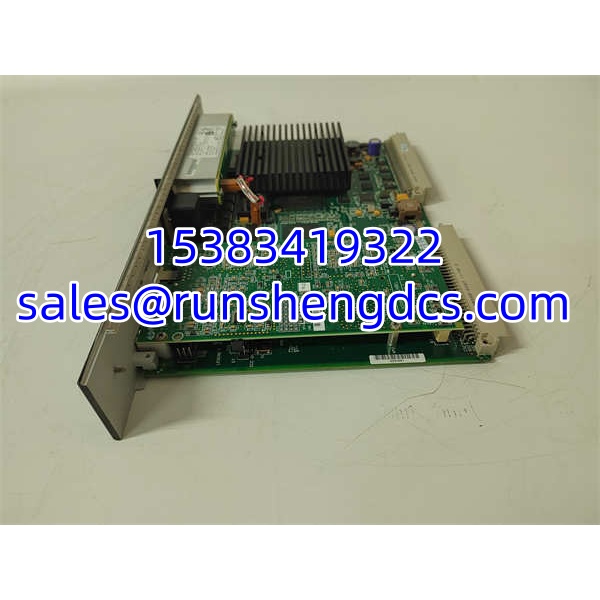
GE IC698CPE020-JX
Application Scenarios
- Power generation auxiliary control: Running burner-management permissives, fan controls, and balance-of-plant logic where dual Ethernet supports both control and monitoring networks.
- Oil and gas compression stations: Executing sequencer logic, shutdown permissives, and Modbus/TCP communication with gas analyzers and flow computers.
- Water/wastewater treatment: Managing pump stations, chemical dosing skids, and SCADA data exchange over SRTP or Modbus/TCP.
- Material handling and packaging lines: Coordinating high-speed discrete sequencing with C-language function blocks for complex motion interlocks.
FAQ
Is IC698CPE020-JX an RX7i or RX3i CPU?
It is an RX7i CPU. RX3i uses a different PCI-based backplane and different CPU families.
What does the -JX suffix mean?
It indicates a firmware/hardware revision. Verify it against the existing rack and programming software before replacement.
Can I use this in Slot 2 or an expansion rack?
No. The CPE020 must be installed in Slot 1 of the RX7i main rack.
Does it support redundancy?
The CPE020 is a non-redundant CPU. Redundant RX7i configurations typically use CRE-series CPUs such as IC698CRE020/030/040.
What programming software is required?
Proficy Machine Edition / Logic Developer. The exact version depends on the firmware revision; verify compatibility before upgrading.
Is it still in production?
Availability is limited. Most units circulate as surplus, used, or refurbished. Confirm firmware revision, battery health, and test status before purchase.