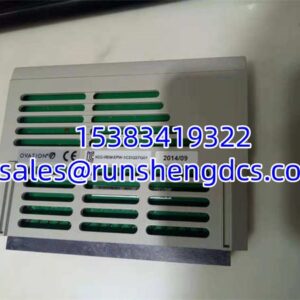

Description
Key Technical Specifications
- Part Number: IC695CPE310-ACAT
- Base Model Family: IC695CPE310
- Brand: GE / General Electric
- Product Platform: PACSystems RX3i
- Product Type: CPU / PLC controller module
- Processor: 1.1 GHz Atom-class processor
- CPU Memory: 10 MB
- Programming Support: Ladder Diagram, Structured Text, Function Block Diagram, C language
- Serial Protocols: Modbus RTU Slave, SNP, Serial I/O
- HMI Communication: SNP protocol commonly used with HMI devices
- Program Capacity: Up to 512 program blocks
- Max Program Block Size: 128 KB per block
- Mounting: RX3i main rack CPU slot
- Slot Rules: CPE310 typically occupies two slots; install in any valid CPU slot pair except the highest-numbered two slots in the main rack
- Status Indication: Front-panel LEDs for run, fault, battery, communication, and module status
- Battery / Data Retention: Battery-backed RAM and non-volatile flash memory; verify battery part and RTC requirements for the installed configuration
Product Introduction
On an RX3i panel, the CPU is the single point where ladder logic, I/O scanning, serial comms, and HMI traffic all converge. GE IC695CPE310-ACAT is a PACSystems RX3i CPU module in the CPE310 family, used as the central controller for RX3i-based automation systems. It is not a remote I/O block, not a bus receiver, and not a generic replacement for unrelated GE PLC families.
The practical value of CPE310 is that it replaces older CPU310 / IC695CPU310 controllers with a faster processor while keeping the RX3i platform and much of the existing I/O and software structure intact. Published specs point to a 1.1 GHz Atom-class processor and 10 MB memory, with support for ladder, structured text, function block, and C programming. Bottom line—this part matters only if the suffix, firmware level, and RX3i configuration actually match the failed CPU.
Troubleshooting Quick Reference
| Fault | Likely Cause | Quick Check | Fix |
|---|---|---|---|
| CPU will not enter RUN | STOP switch, missing enable, or configuration fault | Check RUN/STOP switch and CPU LEDs | Move to RUN; clear faults in programming software |
| No communication with HMI/SCADA | Wrong serial port, protocol mismatch, or cable fault | Verify RS-232/RS-485 wiring and SNP/Modbus settings | Confirm port, baud rate, node ID, and protocol |
| Program will not download | Firmware mismatch, password lock, or wrong COM port | Check programming software connection and CPU firmware | Use correct COM/ETH path; verify firmware compatibility |
| Intermittent faults | Loose rack connector, backplane contact, or power ripple | Reseat CPU; check rack power and neighboring modules | Reseat module; measure backplane supply |
| Battery or memory fault | Low battery, failed battery, or RAM retention issue | Check battery LED and battery part number | Replace battery; reload program if memory lost |
| CPU not recognized after swap | Wrong suffix, revision, or firmware level | Compare full IC695CPE310-ACAT nameplate with old CPU | Do not commission until suffix/firmware is confirmed |

GE IC695CPE310-ACAT
Application Scenarios & Pain Points
- RX3i machine control: A failed CPU stops the entire control rack. The real downtime cost is not the CPU price; it is program restore, I/O validation, and restart approval.
- CPU310 to CPE310 upgrades: CPE310 is commonly treated as a performance upgrade path from older CPU310 controllers. The pain point is assuming the upgrade is automatic without checking firmware, serial behavior, and I/O module support.
- Serial HMI networks: SNP and Modbus RTU setups can fail after a CPU swap if port settings, node IDs, or protocol modes change.
- Aging RX3i panels: Battery failure, backplane corrosion, and outdated firmware create hidden faults that only appear during power cycles or program downloads.
- Spare-parts inventory: IC695CPE310 suffixes can look similar. A wrong suffix may fit the rack but still fail configuration or commissioning.