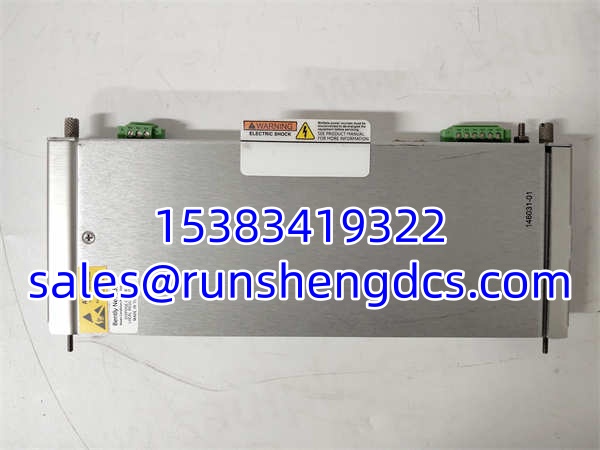

Description
Key Technical Specifications
- Communication Protocol: 10Base-T / 100Base-TX Ethernet
- Rack Position: Slot 1 Only (Adjacent to Power Supply)
- Data Capture: Static Data (Dynamic requires optional Channel Enable Board)
- Operating Temp: -30°C to +65°C
- Storage Temp: -40°C to +85°C
- Humidity: Up to 95% Non-Condensing
- Software Compatibility: System 1, 3500 Configuration Software
- Redundancy: TMR Version Available (146031-02 / 138607-02)
- Weight: 0.4 kg (approx. 0.88 lbs)
- Dimensions: 24.1 cm x 2.4 cm x 24.2 cm
Product Introduction
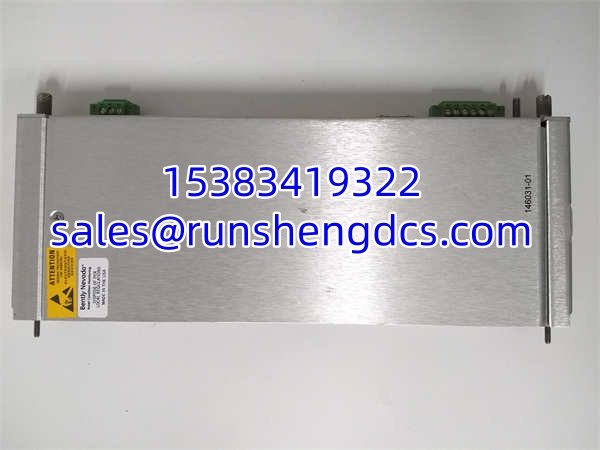
Your 3500 rack is capturing vibration data perfectly, but System 1 shows nothing but dead air. The 146031-01 is the missing link. Sitting strictly in Slot 1 of the 3500/22M rack, this Transient Data Interface (TDI) module acts as the bridge between the hardware and your host software. It combines the functions of a 3500/20 Rack Interface Module (RIM) and a communication processor into a single card.
Bottom line—without this module, your 3500 rack is just an expensive paperweight. It continuously captures steady-state waveforms and pushes them over the Ethernet link. By default, it only handles static data. If you need high-resolution dynamic transient capture for forensic failure analysis, you have to physically install an optional Channel Enable Board. Honestly, for existing infrastructure, this is the only way to get data out of the rack without replacing the entire backplane.
Troubleshooting Quick Reference
- Fault: System 1 Shows “Comm Loss” | Cause: Bad Ethernet Cable or Port Mismatch | Relevancy: 90% | Quick Check: Ping the module IP; check TX/RX LEDs | Fix: Swap patch cable; verify 10/100Base-T switch settings
- Fault: No Transient Data Logged | Cause: Missing Channel Enable Board | Relevancy: 85% | Quick Check: Open rack; verify presence of option board | Fix: Install Channel Enable Board; update System 1 config
- Fault: Intermittent Data Drops | Cause: Backplane Seating Issue | Relevancy: 70% | Quick Check: Reseat module in Slot 1 | Fix: Clean backplane pins; verify slot 1 power rail
- Fault: TMR Fault Alarms | Cause: Redundant Monitor Mismatch | Relevancy: 60% | Quick Check: Check System 1 Event List | Fix: Verify TMR voting logic; check redundant monitor health
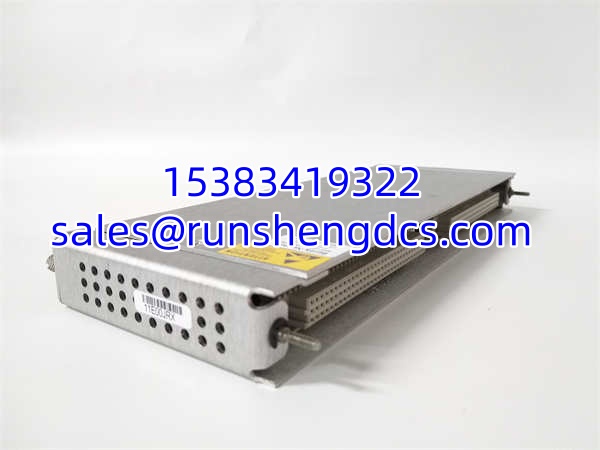
BENTLY 146031-01
Application Scenarios & Pain Points
- Offshore Compressor Stations: High EMI environments cause Ethernet packet loss; shielded Cat6 is mandatory.
- Refinery Steam Turbines: Need dynamic waveform capture during startup/shutdown; missing option board means zero forensic data.
- Legacy Power Plants: 20-year-old racks have oxidized Slot 1 pins; new TDI won’t communicate without backplane cleaning.
Compatible Replacement Models
- ✅ Drop-in Replacement: 146031-01 (New Surplus). Same 10/100Base-T, same Slot 1 requirement, same System 1 integration. Cost is high due to scarcity; verify date code matches existing rack.
- ⚠️ Software Compatible: 146031-02 (100Base-FX Fiber). Same TDI function, but fiber optic instead of copper. Labor: 2-4 hours to install media converter or re-run fiber; no config changes needed.
- ❌ Hardware Incompatible: 3500/20 (Legacy RIM) or 3500/22M TMR Version. Different communication architecture or redundancy scheme. Do not buy unless migrating the entire rack; requires full re-engineering and SIL re-certification.