
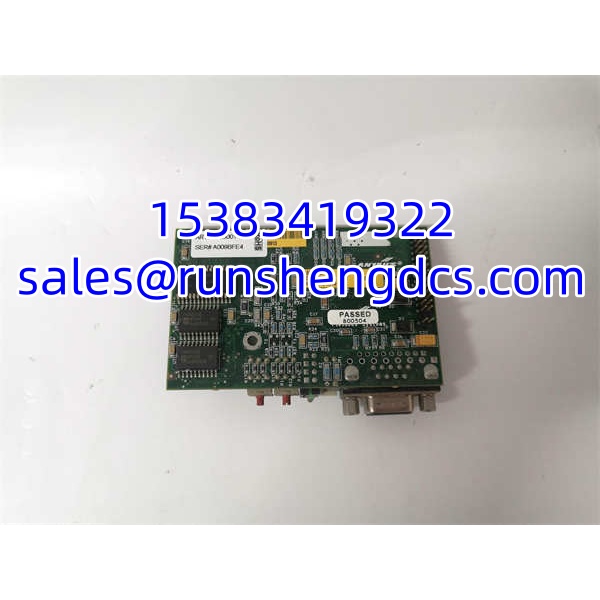

Description
Key Technical Specifications
| Parameter | Value / Note |
|---|---|
| Manufacturer | HMS Industrial Networks (Anybus) |
| Model | ABDT-PDP |
| Order Code | 3183203131 |
| Product Type | PROFIBUS DP Communication Module |
| Supported Protocol | PROFIBUS DP |
| Application | Distributed control system communication interface |
| Mounting | DIN-rail mount (typical for Anybus industrial modules) |
| Supply Voltage | 24 VDC typical for Anybus industrial modules (confirm on nameplate) |
| PROFIBUS Connector | 9-pin D-sub (standard for PROFIBUS DP devices) |
| Baud Rate | Auto-detect typical for Anybus PROFIBUS devices (confirm on unit) |
| Node Address | Set via rotary switch or configuration tool (confirm on unit) |
| Configuration Method | GSD file integration or web-based interface (model-dependent) |
| Environmental Rating | IP20 typical for DIN-rail Anybus modules |
| Availability | Surplus / refurbished; verify revision and test status |
Product Introduction
The HMS Anybus ABDT-PDP 3183203131 is a PROFIBUS DP communication module from the Anybus family, designed to integrate field devices into a PROFIBUS DP network within a distributed control architecture. It serves as the communication bridge between a device or subsystem and a PROFIBUS DP master (typically a PLC or DCS), handling the protocol stack, cyclic data exchange, and diagnostic reporting on the PROFIBUS network.
Its value lies in enabling reliable, standards-compliant PROFIBUS DP connectivity without requiring the host device to implement the full PROFIBUS protocol stack internally. For procurement, the critical checks are the exact model code (ABDT-PDP), the order number (3183203131), the PROFIBUS address configuration, the GSD file compatibility with the master PLC, and whether the module has been functionally tested on a live PROFIBUS network. Surplus units without verified test data should be treated as untested cores.
QA/QC Transparency SOP
- Intake & Label Verification — Record full model ABDT-PDP, order code 3183203131, serial number, hardware revision, and firmware version. Reject units with cracked housings, corroded D-sub connectors, or damaged DIN-rail clips.
- Visual & Mechanical Inspection — Check the PROFIBUS D-sub connector for bent pins, verify the DIN-rail mounting mechanism, and inspect all status LEDs for physical damage. Confirm that terminal blocks (if present) are intact.
- Electrical Pre-Check — Perform continuity checks on the power input and PROFIBUS connector pins before applying power. Measure insulation resistance between power and ground. Verify the supply voltage matches the nameplate rating.
- PROFIBUS Communication Verification — Connect to a PROFIBUS DP master with the correct GSD file. Set the node address and verify the master recognizes the device. Confirm cyclic data exchange and diagnostic status reporting.
- Final QC & Anti-Static Packaging — Label with model, order code, PROFIBUS address used during testing, test date, and tester ID. Seal in ESD packaging. Include a traceable test summary for site QA review.
Field Engineer Gotchas
- GSD File Mismatch — The PROFIBUS master requires the correct GSD file for the ABDT-PDP. A missing or wrong GSD file prevents the master from recognizing the device. Solution: Obtain the GSD file from HMS or the system integrator and import it into the PLC engineering tool.
- PROFIBUS Address Conflict — Two devices with the same node address on the same PROFIBUS segment will cause communication faults. Solution: Verify the rotary switch or configuration setting and ensure each device has a unique address.
- Termination Resistor Error — PROFIBUS DP segments require proper termination at both ends. Missing or double termination causes reflection and communication errors. Solution: Activate the termination resistor only on the first and last device of the segment.
- Baud Rate Mismatch — While many Anybus devices auto-detect baud rate, some older modules may require manual configuration. Solution: Confirm the baud rate matches the PROFIBUS master setting (9.6 kbit/s to 12 Mbit/s).
- Surplus Firmware Uncertainty — The module may carry outdated or incompatible firmware. Solution: Verify the firmware version and update if necessary using the HMS configuration tool.
- Cable and Connector Issues — PROFIBUS uses a specific cable type and D-sub connector pinout. Using standard serial cables will not work. Solution: Use certified PROFIBUS DP cable and verify pin 3/8 wiring.
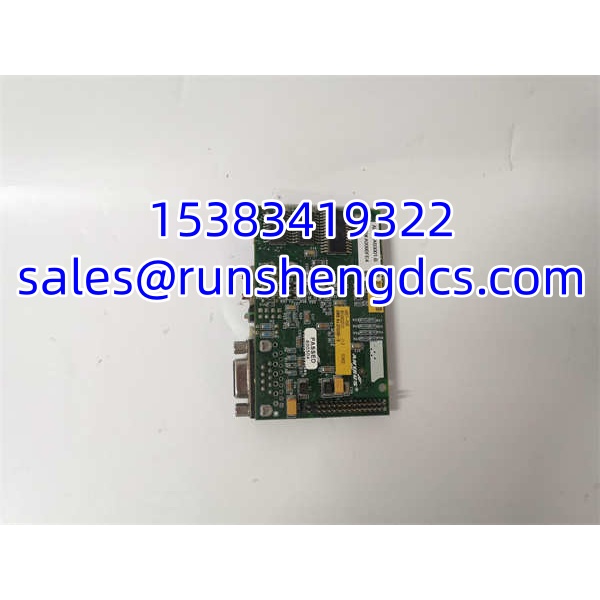
ANYBUS ABDT-PDP 3183203131
Application Scenarios
- Distributed control systems — Integrating field devices (sensors, actuators, drives) into a PROFIBUS DP network within a DCS or PLC-based control system.
- Legacy system maintenance — Replacing a failed Anybus PROFIBUS module in an existing installation where the original part is no longer available from stock.
- Machine builder OEM integration — Adding PROFIBUS DP connectivity to a custom device or subsystem that needs to communicate with a Siemens, ABB, or other PROFIBUS-capable PLC.
- Obsolescence management — Sourcing legacy Anybus communication modules when HMS has discontinued the specific model or revision.
FAQ
1. Is ABDT-PDP 3183203131 a standalone controller?
No. It is a communication interface module that connects a device to a PROFIBUS DP network. It requires a PROFIBUS DP master (PLC/DCS) to operate.
2. What protocol does it support?
PROFIBUS DP. Confirm the exact variant (DP-V0, DP-V1) from the physical label or HMS documentation.
3. Can I substitute a different Anybus PROFIBUS module?
Not without verification. Different Anybus models may have different I/O mappings, GSD files, or firmware. Match the model and order code exactly.
4. Does it require a GSD file?
Yes. The PROFIBUS master requires the correct GSD file to recognize and configure the device. Obtain it from HMS or the system integrator.
5. Can I test it on a bench power supply?
Yes, for basic power-up and LED verification. However, full functional testing requires connection to a PROFIBUS DP master with the correct GSD file.
6. What supply voltage does it use?
Typically 24 VDC for Anybus industrial modules, but confirm on the nameplate of the specific unit.
7. Should I keep one as a spare?
Yes, if your site uses this specific Anybus PROFIBUS module in critical applications. A verified spare with the correct GSD file can significantly reduce downtime.




