
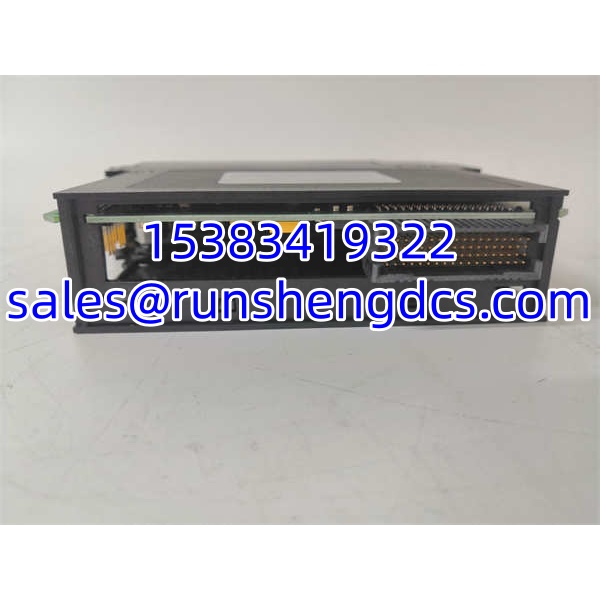
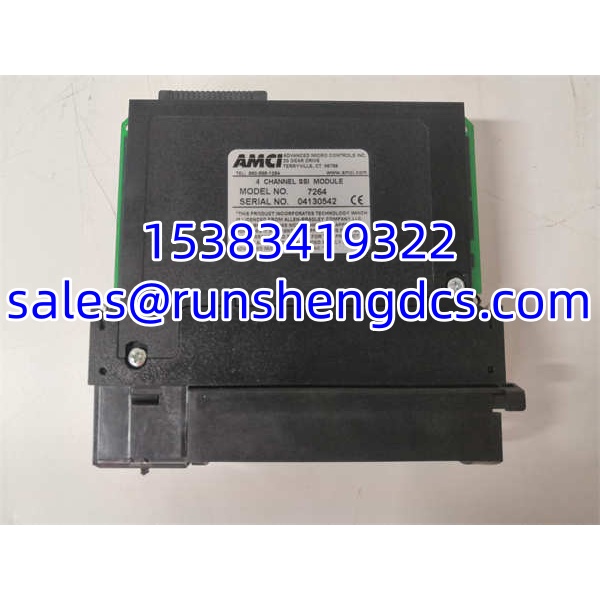

Description
Key Technical Specifications
| Parameter | Specification |
|---|---|
| Product Type | 4-Channel SSI Interface Module |
| Platform | Rockwell Automation ControlLogix |
| Channel Count | 4 independent SSI channels |
| Sensor Compatibility | Most SSI-output position sensors (verify with sensor datasheet) |
| Position Functions | Preset, count direction, position scaling, latch input |
| Diagnostics | Onboard fault monitoring, error reporting to PLC |
| Interpolation | Supports PLC time sync for interpolated (look-ahead) position values |
| PLC Licensing | Allen-Bradley licensed, ControlLogix compatible |
| Mounting | ControlLogix chassis backplane |
| Configuration | Via ControlLogix project / AMCI Add-On Instruction or ladder logic (verify with AMCI documentation) |
Product Introduction
SSI position sensors — linear magnetostrictive rods, rotary absolute encoders, cable-pull transducers — output raw binary position data over a serial clock/data pair. Most PLCs don’t speak SSI natively. The AMCI 7264 solves that gap. It sits in a ControlLogix chassis, talks to up to four SSI sensors, and presents clean, scaled position values directly to the PLC processor. No external signal conditioners, no custom serial parsing in ladder logic.
What makes the 7264 practical in a real plant is the onboard intelligence. Position scaling, direction reversal, preset (homing), and latch capture all happen on the module itself. The PLC just reads the result. Onboard diagnostics continuously monitor sensor wiring integrity and communication health, pushing fault codes back to the controller so a broken cable or a dead sensor doesn’t silently corrupt your position data. Resolution is limited only by the connected sensor’s native resolution — the module doesn’t add or subtract bits. Bottom line: if you need absolute position from SSI sensors in a ControlLogix system, this is the bridge.
QA/QC Transparency SOP
1. Intake & Origin Verification
Inspect the module label for the exact part number (AMCI 7264) and any revision suffix. Check the backplane connector pins for bending, corrosion, or missing pins. Verify the module is from the 7260 series family — not a 7262 (MicroLogix variant) or 7272 (different platform). Reject units with cracked housings, burnt traces, or missing labeling.
2. Live Functional Testing
Mount in a powered ControlLogix chassis with a known-good power supply and CPU. Confirm the module is recognized by the chassis — the PLC should see it in the I/O tree without faulting. Using AMCI’s Add-On Instruction (or ladder interface, depending on firmware), force a read from each of the 4 channels. Verify that each channel returns a valid position value — not frozen, not random, not all zeros.
3. Electrical Parameter Tests
With a calibrated multimeter, measure the module’s supply voltage at the backplane connection point. Confirm it falls within the ControlLogix chassis specification (typically 5 Vdc backplane, verify against chassis manual). Check for abnormal current draw — a module pulling significantly more than typical spec likely has an internal short. Inspect SSI channel connectors for continuity and proper pinout.
4. Firmware/Config Verification
Read the module’s firmware revision through the configuration interface. Document it. If the module came from a live installation, archive any existing configuration parameters (scaling factors, preset offsets, direction settings) before clearing or reconfiguring. Confirm that the module’s Add-On Instruction version matches what the target PLC project expects — a mismatch can cause tag mapping errors or silent data corruption.
5. Final QC & Anti-Static Packaging
Label the module with part number, firmware revision, test date, and pass/fail status. Cap or protect all SSI channel connectors. Place in an anti-static bag with the backplane connector guarded by foam or a connector shield. Include a printed test summary showing chassis recognition status, channel readback results, and diagnostic status.
Field Engineer Gotchas
Mixing Up 7264 with 7262
- Risk: The 7262 looks similar but targets MicroLogix platforms. The 7264 targets ControlLogix. Drop a 7262 into a ControlLogix chassis expecting it to work — it won’t.
- Solution: Check the label. 7264 = ControlLogix. 7262 = MicroLogix. Different backplane communication, different Add-On Instructions.
- Blunt warning: They share a product family name. They do not share a platform.
SSI Clock/Data Wiring Polarity
- Risk: SSI uses a clock line and a data line (sometimes differential pairs). Swap them, or wire single-ended when the sensor expects RS-422 differential, and you get garbage position values or no communication at all.
- Solution: Follow the AMCI wiring diagram for the specific sensor type. Verify pinout at both the module connector and the sensor connector.
- War story: A technician spent a shift chasing a “faulty” 7264 because one channel read zero. The sensor cable had the clock and data pairs swapped at the terminal block. Module was fine. Wiring was not.
Add-On Instruction Version Mismatch
- Risk: The PLC project was built with an older AMCI Add-On Instruction. The replacement module has newer firmware. The instruction may not map tags correctly, or worse — it maps them silently wrong.
- Solution: Match the Add-On Instruction version to the module firmware. If updating, test all 4 channels end-to-end before returning to production.
- Bottom line: “It downloads without error” does not mean “the position values are correct.”
Sensor Resolution vs. Scaling Confusion
- Risk: An engineer sets a scaling factor assuming 16-bit resolution, but the connected sensor outputs 24-bit data. The scaled position reads incorrectly — off by a factor of 256.
- Solution: Confirm the sensor’s native bit resolution from its datasheet. Set the module’s scaling parameters to match.
- Seen it happen: A linear position readout showed 0.004 inches instead of 1.024 inches because the scaling divisor was set for 16-bit instead of 24-bit sensor output.
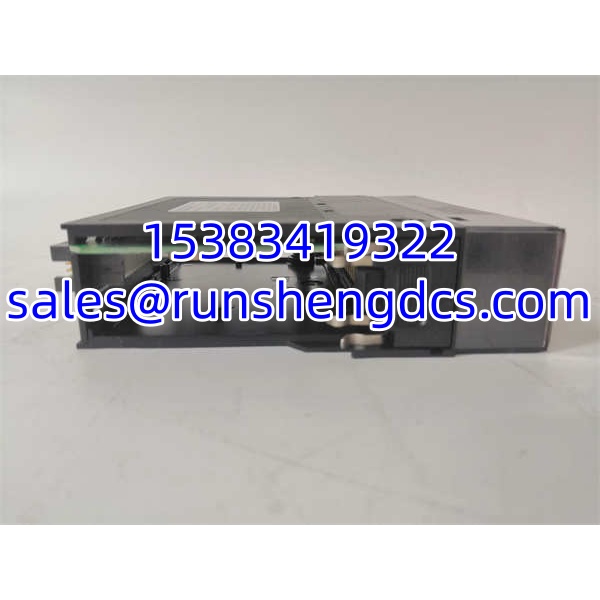
AMCI 7264
Application Scenarios
Hydraulic cylinder position feedback in steel mill roll gap control
Magnetostrictive linear SSI sensors mounted inside hydraulic cylinders provide absolute ram position. The 7264 reads up to four cylinders simultaneously, scales the raw SSI data to engineering units (inches or mm), and feeds position to the ControlLogix process loop for real-time roll gap adjustment.
Rotary table absolute positioning in packaging machinery
Absolute rotary SSI encoders on indexing tables provide exact angular position after power-up — no homing routine required. The 7264 captures the encoder’s absolute position, applies direction and scaling, and presents it to the PLC for cam-profile-based motion control.
Cable-pull transducer monitoring on crane boom extension
Cable-pull transducers with SSI output track boom extension length. The 7264 reads the absolute position, applies a preset offset for installation calibration, and reports scaled extension length to the operator display and overload protection logic.
Anonymized case study:
A wastewater treatment facility upgraded from analog 4–20 mA position transmitters to digital SSI linear sensors on their clarifier sludge rakes. The existing ControlLogix system had no native SSI capability. The engineering team installed an AMCI 7264 in the chassis, wired four SSI linear sensors, and configured the Add-On Instruction with scaling to convert raw counts to feet of rake travel. During commissioning, Channel 3 consistently read zero while Channels 1, 2, and 4 worked correctly. Troubleshooting revealed that the Channel 3 sensor cable had been routed through a conduit alongside a VFD output cable — EMI was corrupting the SSI clock signal. Rerouting the cable through a separate conduit with proper shielding restored communication. The module itself was never at fault. The lesson: SSI is digital, but it’s not immune to noise.
FAQ
Is the AMCI 7264 compatible with CompactLogix?
The 7264 is designed and licensed for ControlLogix. CompactLogix controllers use a different backplane architecture in most cases. Check the AMCI documentation for your specific CompactLogix model — some CompactLogix controllers accept ControlLogix I/O modules, but not all. Verify before purchasing.
What SSI sensors work with the 7264?
Most sensors that output standard SSI protocol data. That includes magnetostrictive linear position sensors (Temposonics, Balluff, etc.), absolute rotary encoders with SSI output, and cable-pull transducers with SSI interfaces. Confirm the sensor’s SSI format (clock rate, data bits, parity, coding — binary vs. Gray code) against the 7264’s supported parameters in the AMCI manual.
Can I use this module without the AMCI Add-On Instruction?
The module communicates with the ControlLogix processor through AMCI’s provided interface (typically an Add-On Instruction or ladder logic function block). Without the correct instruction or logic interface, the PLC cannot interpret the module’s data. You need the AMCI software component — it’s not a plug-and-play native ControlLogix I/O module.
Does the 7264 support hot-swap?
ControlLogix modules vary in hot-swap capability depending on chassis configuration and module type. The 7264 is an interface module, not a standard I/O module — hot-swap behavior depends on how the chassis and processor handle its removal. Consult the AMCI documentation and your site’s maintenance procedures before pulling a live module. Improper removal can fault the chassis.
My replacement 7264 has a different firmware revision. Will it work?
It may power up and be recognized by the chassis, but firmware differences can affect Add-On Instruction compatibility, scaling behavior, and diagnostic reporting. Match firmware revisions when possible. If a mismatch is unavoidable, test all four channels with actual sensors and verify scaled position values against a known reference before returning to production.
How do I set position scaling on the 7264?
Scaling parameters are configured through the AMCI Add-On Instruction in the ControlLogix project. You set the raw count range (from the sensor’s resolution) and the desired engineering unit range (e.g., 0–100 inches). The module handles the math internally. Refer to the AMCI configuration manual for the exact tag structure — it varies by firmware revision.




