Description
Key Technical Specifications
| Parameter | Value |
|---|---|
| Part Number | 3BHE021887R0101 |
| Model Designation | UBC717BE101 |
| Manufacturer | ABB |
| Product Type | AC 800M main control board / CPU module |
| System Platform | ABB AC 800M controller family |
| Primary Function | Executes control logic, manages I/O and CEX-Bus communication |
| I/O Interface | S800 I/O via CI8xx communication interfaces; CEX-Bus for protocol modules |
| Redundancy | Supports redundant CPU configurations per AC 800M architecture |
| Programming Environment | ABB Control Builder M (version-dependent) |
| Hot Swap | Supported in redundant configurations per OEM procedure |
| Supply Voltage | Derived from AC 800M power supply unit (PM8xx/TP8xx); verify installed chassis configuration |
| Operating Temperature | Verify against installed AC 800M controller datasheet |
| Certification | CE, IEC/EN 61131-2 (system-level; verify per installed configuration) |
Product Introduction
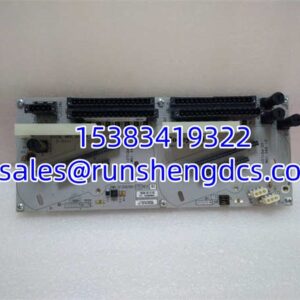
The AC 800M is ABB’s workhorse controller for process and hybrid applications. The UBC717BE101 is the board that runs the show — it executes the control program, scans I/O, manages CEX-Bus protocol modules, and coordinates with redundant partners when configured.
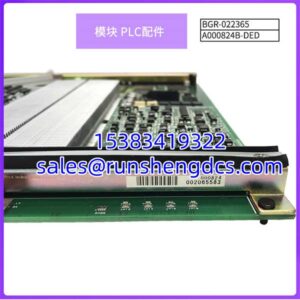
This is not a communication gateway or an I/O module. It is the CPU/main control board for the AC 800M platform. In a typical rack, it sits alongside a power supply unit, S800 I/O modules, and optionally CEX-Bus communication modules (Profibus DP, Modbus TCP, Foundation Fieldbus HSE, etc.). Because this part is no longer actively marketed by ABB, procurement should be treated as legacy spare acquisition. The critical verification points are the label match (UBC717BE101 / 3BHE021887R0101), firmware compatibility with the existing Control Builder M project, and the physical condition of the backplane connector and status LEDs.
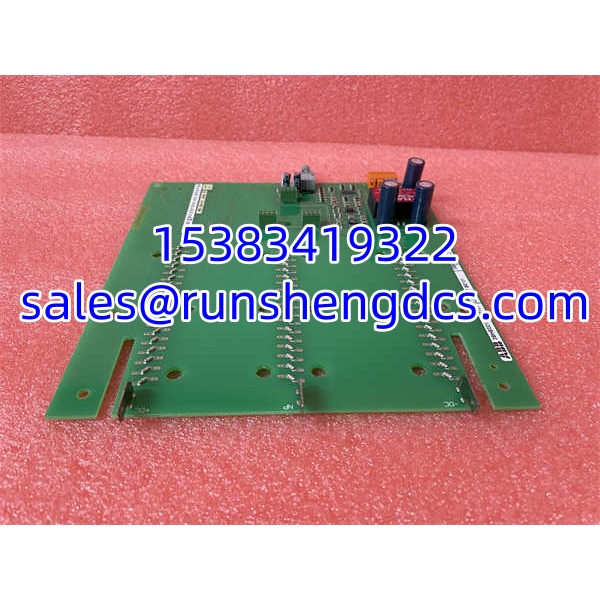
ABB UBC717BE101 3BHE021887R0101
QA/QC Transparency SOP
- Intake & Origin Verification: Confirm ABB labeling, part number 3BHE021887R0101, model UBC717BE101, serial number, and hardware revision. Reject units with cracked PCBs, corroded backplane connectors, damaged LED covers, or missing mounting hardware.
- Live Functional Testing: Install the board into a compatible AC 800M test rack with a known-good power supply and at least one S800 I/O module. Power up and confirm the board boots, status LEDs indicate normal operation, and the controller is recognized in Control Builder M.
- Backplane & Connector Inspection: Visually inspect the backplane connector pins for bending, corrosion, or missing contacts. Perform continuity checks across key backplane pins to confirm no open circuits or shorts.
- Firmware/Project Compatibility: Read the installed firmware version and compare against the customer’s Control Builder M project requirements. Note the firmware version in the test summary; firmware reload is not performed unless explicitly requested.
- Final QC & Anti-Static Packaging: Photograph labels, backplane connector, status LEDs, and PCB condition. Pack in anti-static bag with rigid foam support. Include test summary, part number, firmware version, and observed operating status.
Field Engineer Gotchas
- Not a communication module. Some surplus listings describe the UBC717BE101 as a multi-protocol gateway with built-in Ethernet, Profibus, and CANopen ports. It is the AC 800M CPU board. Communication is handled by separate CI8xx/CEX modules. Ordering it expecting built-in protocol ports will result in a non-functional installation.
- Firmware compatibility matters. The Control Builder M project version must be compatible with the installed firmware. A firmware mismatch can prevent the controller from loading the project or cause unexpected behavior after replacement.
- Redundancy sync state. In redundant configurations, replacing one CPU requires verifying that the partner CPU is healthy and that synchronization completes after the replacement. Do not pull both CPUs simultaneously.
- CEX-Bus termination. If the replaced CPU has an empty CEX slot, verify the TB850 terminator is installed. An unterminated CEX-Bus can cause communication faults that mimic a CPU failure.
- Project backup before swap. Always download and archive the current project and controller diagnostics before replacing a main control board. If the replacement board has incompatible firmware, you need the project file to reload or reconfigure.
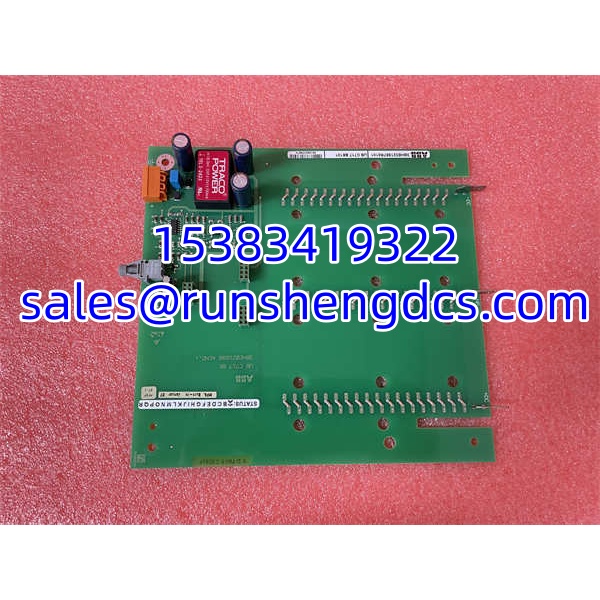
ABB UBC717BE101 3BHE021887R0101
Application Scenarios
- Process plant controller replacement: Direct swap for a failed AC 800M CPU in oil & gas, chemical, or power generation facilities running legacy AC 800M systems.
- Redundant CPU maintenance: Replacement of one CPU in a redundant pair during planned maintenance, with synchronization verification after installation.
- System migration staging: Used as a temporary or spare controller while migrating from AC 800M to a newer platform, keeping existing I/O and communication modules operational.
- Commissioning bench testing: Provides a known-good CPU for bench-testing S800 I/O modules and CEX communication modules before field deployment.
FAQ
No. It is the AC 800M main control / CPU board. Communication protocols are handled by separate CI8xx and CEX-Bus modules.
What system does it belong to?
ABB AC 800M controller family.
Can I use it in a redundant configuration?
Yes. The AC 800M platform supports redundant CPU configurations. Verify that the replacement board’s firmware is compatible with the existing redundant partner.
Does it have built-in Ethernet or Profibus ports?
No. The itself does not have built-in fieldbus ports. Communication is provided by separate CI8xx interface modules and CEX-Bus protocol modules.
Is this still available new from ABB?
Treat it as legacy/discontinued. Most supply comes from surplus or verified used stock. Confirm label, firmware version, and connector condition before purchase.
What firmware does it run?
Firmware version varies by unit. Read the installed firmware via Control Builder M and verify compatibility with the customer’s project before deployment.
How do I verify it is functional?
Install it in a compatible AC 800M test rack, power up, confirm LED status indicates normal boot, and verify recognition in Control Builder M.