
Description
Product Introduction
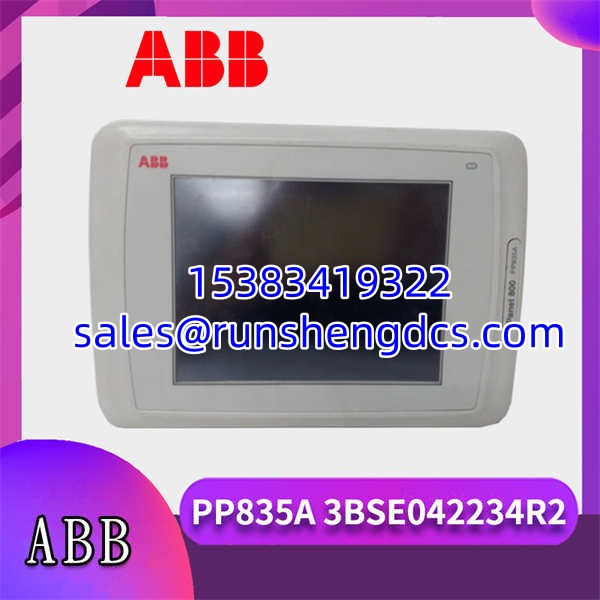
The ABB PP835A 3BSE042234R2 is a dedicated control and display panel engineered for seamless integration with the ABB AC 800M automation architecture. Functioning as a critical human-machine interface (HMI), this module empowers plant operators to interact directly with the control system, monitor real-time process variables, and execute local commands without needing to access a centralized SCADA station.
Built to withstand demanding industrial environments, the ABB PP835A 3BSE042234R2 features a rugged aluminum-magnesium alloy frame and a durable double-layer polyester touchscreen. Its 6.5-inch TFT color display delivers crisp 640×480 resolution, ensuring that critical alarms and process graphics are clearly visible even in poorly lit control rooms. Whether deployed in chemical processing, power generation, or discrete manufacturing, the ABB PP835A 3BSE042234R2 bridges the gap between complex control logic and human decision-making, ultimately ensuring operational safety and efficiency.
Key Technical Specifications
- Display Type: 6.5″ TFT Color Touchscreen
- Resolution: 640 x 480 pixels
- Touchscreen Material: Double-layer polyester fiber with Autoflex EB(1) coating
- Front Panel Dimensions (W x H x D): 204 x 143 x 73 mm
- Cutout Dimensions: 188 ± 1 mm x 127 ± 1 mm
- Front Protection Rating: IP66 / NEMA-4X
- Processor: Intel® Atom
- Memory: 1 GB RAM, 4 GB SLC Flash
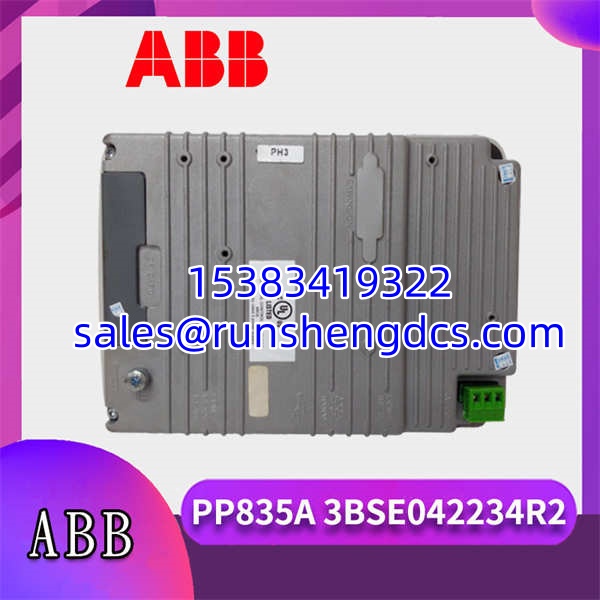
- Communication Ports: COM1 (RS232), COM2 (RS422/RS485), Ethernet (10/100/1000 Base-T)
- USB Interfaces: 3 x USB Host 2.0 (500 mA max output)
- Operating Environment: Designed for high-temperature equipment cabinets
Compatibility & Replacement Matrix
- PP835A 3BSE042234R2 → PP835 3BSE042234R1 : Direct — The base model. The ‘A’ revision typically denotes minor hardware improvements or updated component sourcing without changing the physical footprint or software compatibility.
- PP835A 3BSE042234R2 → PP836 3BSE042237R1 : Incompatible — The PP836 is a function key panel (non-touchscreen) with the same 6.5″ TFT size. It cannot be used as a direct drop-in replacement if touchscreen functionality is required.
- PP835A 3BSE042234R2 → PP845 3BSE042235R1 : Upgrade Path — The PP845 is a 10.4″ TFT touchscreen. While it offers a larger viewing area, replacing a with a PP845 requires modifying the panel cutout and verifying software layout scaling.
Quality Inspection & SOP Transparency
We treat every HMI panel as a critical operational interface. Here is our actual inspection process for the ABB 3BSE042234R2.
- Incoming Inspection: We verify the source documentation and inspect the physical condition of the panel. We check the TFT screen for dead pixels, scratches, or delamination of the polyester overlay. The aluminum frame is inspected for bent corners, and we verify that all mounting blocks and wing screws are present and undamaged.
- Live Functional Test: The panel is powered up in a controlled test environment. We connect via the RS232 or Ethernet port using Panel Builder 800 software to verify communication. We run a touch-screen calibration and accuracy test across all quadrants of the display to ensure there are no dead zones or ghost touches.
- Electrical & Interface Test: We test the integrity of the COM1, COM2, and Ethernet ports using loopback and network handshake protocols. The three USB host ports are tested with standard flash drives to verify power delivery and data read/write capabilities.
- Final QC & Packaging: After passing all tests, the panel is cleaned with anti-static materials. It is wrapped in protective foam, sealed in an anti-static bag, and placed in a double-walled carton to prevent screen cracking during transit.
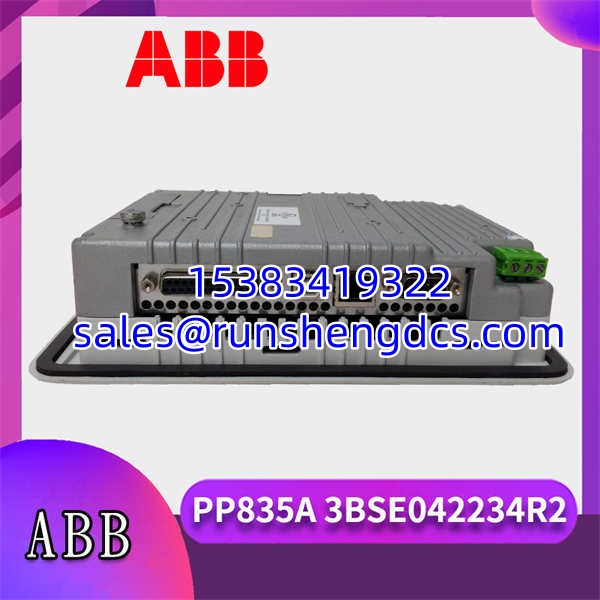
ABB-PP835A-3BSE042234R2
Common Replacement Pitfalls
Swapping an HMI panel seems straightforward, but it can cause unexpected headaches. Here are the traps we see engineers fall into.
- Ignoring the Cutout Tolerance: The requires a precise cutout of 188 ± 1 mm x 127 ± 1 mm. If you are replacing an older, non-A panel, measure the existing hole. A worn-out cutout can compromise the IP66 seal. If the panel doesn’t sit flush, moisture will eventually destroy the internal electronics.
- Forgetting the IP66 Seal: The front panel relies on a gasket to maintain its IP66/NEMA-4X rating. When installing, ensure the gasket is seated perfectly in its channel. If you pinch or tear it during installation, the panel will fail environmental ingress tests and may short out in humid conditions.
- ESD Damage to the Touch Layer: The double-layer polyester touchscreen is sensitive to electrostatic discharge. Always ground yourself before touching the screen or the internal PCB. I’ve seen panels fail simply because a technician dragged their fingers across the screen on a dry winter day.
- Software Version Mismatch: While the hardware might be identical, the internal firmware or the Panel Builder 800 project version might not be. Always back up the existing configuration before pulling the old panel. A new will need the application downloaded and potentially the touchscreen calibrated via the software.
- Over-tightening the Wing Screws: The installation manual specifies tightening the wing screws to 0.7 Nm ± 0.2 Nm. Using an impact driver or overtightening by hand can crack the TFT glass or warp the aluminum frame. Always use a calibrated torque screwdriver.
FAQ
Can I just swap this in directly?
Yes, mechanically it is a direct drop-in replacement for older PP835 models. However, you will still need to connect it to your engineering station to download the control application and verify the touchscreen calibration.
My system runs Panel Builder 800 V5.0 — will this module work?
Yes. The 3BSE042234R2 is fully compatible with Panel Builder 800 V5.0 and newer. Just ensure your engineering PC has the correct communication drivers installed to talk to the panel’s Ethernet or serial port.
It comes down to screen size and resolution. Here is the breakdown:
| Model | Screen Size | Resolution | Best For |
|---|---|---|---|
| 6.5″ TFT | 640×480 | Standard process monitoring and local control. | |
| PP825 | 5.7″ CSTN | 320×280 | Compact spaces where basic status viewing is sufficient. |
Is this a genuine ABB part?
Yes. We source our stock from authorized distributors and perform the multi-point inspection detailed above. The condition is New Original (New Surplus), meaning it is a genuine, unused part that was likely an overstock from a large project.
Do I need special tools to install this?
You will need a large flat-head screwdriver or the specific ABB installation tool to engage the mounting blocks. A torque screwdriver is highly recommended to ensure the 0.7 Nm tightening specification is met without damaging the panel.