
Description
Product Introduction
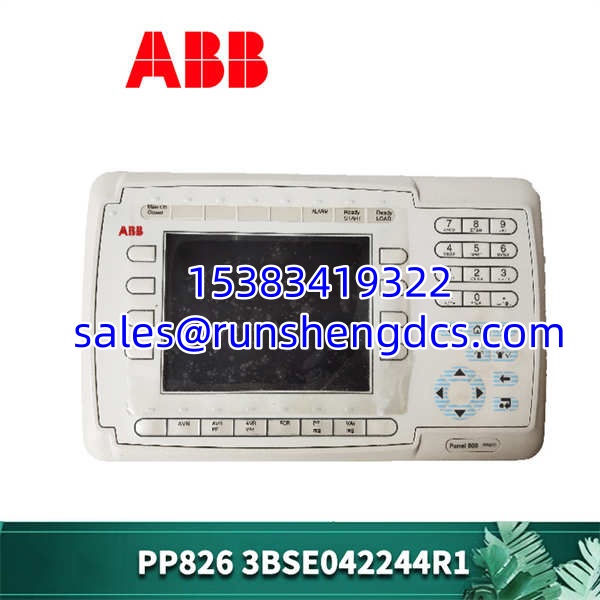
When a local HMI goes dark on a critical pump station, you don’t have time for a system migration. The ABB PP826 3BSE042244R1 is the dedicated operator panel built to be the face of your ABB Panel 800 system, providing a direct link between your operators and the control logic.
This 5.7-inch color display unit is a workhorse for local control panels. It offers a clear 320×280 pixel resolution, which is perfectly adequate for viewing trends, alarm lists, and process values without overwhelming the operator. In my experience, its tight integration with the Panel 800 bus means you get deterministic communication without the headaches of configuring third-party gateways. It’s a straightforward, reliable component for extending the life of your existing automation infrastructure.
Key Technical Specifications
- Display Size: 5.7 inches
- Display Type: CSTN Color LCD
- Resolution: 320 x 280 pixels
- Touchscreen: Resistive touch overlay
- Communication Interface: Panel 800 Bus
- Configuration Software: Panel Builder 800
- Supply Voltage: 24 V DC (from Panel Bus)
- Power Consumption: Approx. 12 W
- Operating Temperature: 0 to 60 °C (32 to 140 °F)
- Protection Rating: IP65 (front panel)
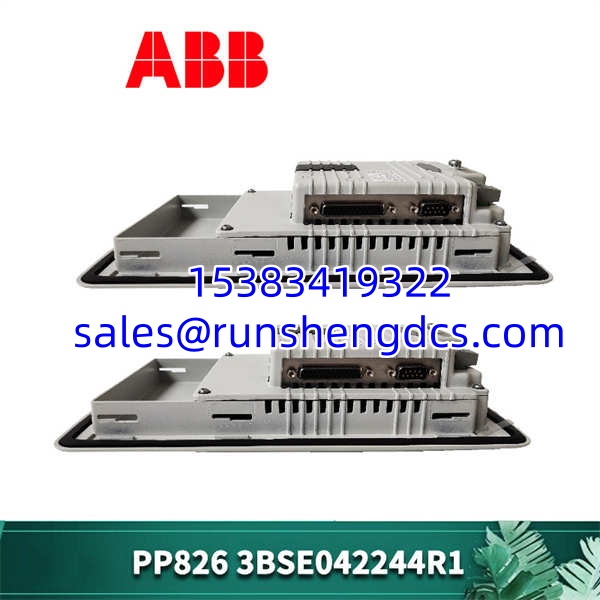
- Dimensions (W x H x D): 206 x 146 x 58 mm
- Cutout Dimensions (W x H): 192 x 132 mm
Compatibility & Replacement Matrix
- PP826 3BSE042244R1 → PP825 3BSE042240R1 : Needs Adaptation — The PP825 is a similar 5.7″ panel but may have a different bezel or touch sensitivity. The hardware is close, but you should verify the mechanical fit and check your Panel Builder 800 project settings.
- PP826 3BSE042244R1 → PP826A 3BSE042244R2 : Direct — The “A” revision is a direct hardware update. It is functionally identical and fully backward compatible. You can swap them without any changes to your wiring or software.
- PP826 3BSE042244R1 → PP835A 3BSE042234R2 : Needs Adaptation — The PP835A is a larger 6.5″ TFT panel. While it connects to the same bus, the physical cutout is different, and you would need to adjust your graphical application to fit the new screen size and resolution.
Quality Inspection & SOP Transparency
We know that a replacement HMI needs to work the moment it’s plugged in. Here is the exact process the ABB PP826 3BSE042244R1 goes through before it leaves our warehouse.
- Incoming Inspection: We verify the part number and serial number against our procurement documents. The unit is inspected for physical damage, paying close attention to the screen for cracks or deep scratches and the housing for stress marks. We also check that the Panel Bus connector is intact and free of bent pins.
- Live Functional Test: The panel is connected to a live ABB Panel 800 bus on a test bench. We apply power and watch the boot sequence. A successful boot shows the ABB logo followed by the configured startup page. We then test every part of the touchscreen grid to ensure there are no dead zones and that the touch response is accurate.
- Communication & I/O Test: We establish communication with a backend controller (like an AC 800M) and verify data exchange. This involves forcing values in the PLC and watching them update on the HMI trends and displays, and vice-versa—pressing buttons on the HMI and confirming the commands are received by the controller.
- Final QC & Packaging: After passing all tests, the unit is signed off by a QC technician. The screen is cleaned, and the unit is sealed in an anti-static bag. It’s then packed in a double-walled carton with sufficient bubble wrap to prevent any damage during transit.
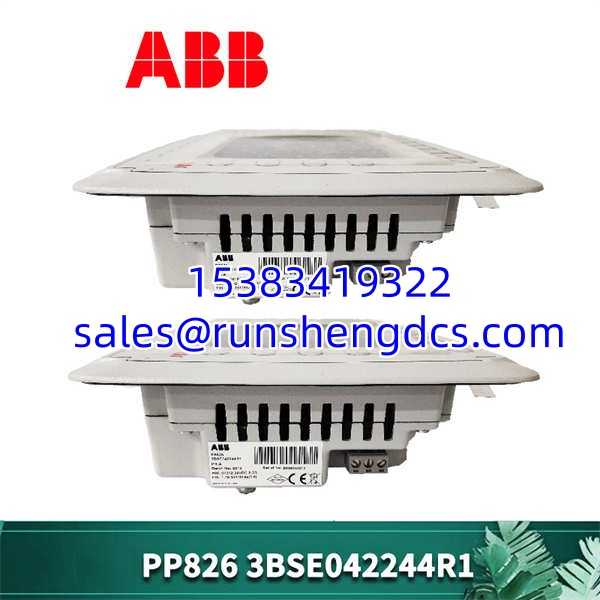
ABB-PP826-3BSE042244R1
Common Replacement Pitfalls
Swapping out an old HMI seems simple, but a few small details can turn a 15-minute job into a half-day headache. Here are the most common traps we see in the field.
- Panel Builder 800 Software Version: Honestly, this is the most frequent issue. The project file on your laptop might be saved in a newer version of Panel Builder 800 than the firmware on the replacement PP826. The panel will either refuse to load the application or throw obscure errors. Always check the firmware version on the old module before you take it offline.
- Bus Termination: The Panel 800 bus requires termination, usually on the last device in the chain. If your failed was the last node, it might have had a termination resistor or a specific DIP switch setting enabled. The new module will likely ship with this disabled. Forgetting to re-enable it will result in communication errors across the entire segment. Take a photo of the old module’s switches before you remove it.
- Transfer vs. Run Mode: To download a new application, the panel often needs to be in “Transfer Mode.” If you’re just replacing the hardware and the application is already loaded (or loads automatically from the controller), you don’t need to do anything. But if you need to push a project from your PC, make sure you know how to access the boot menu. It’s usually a specific corner-tap sequence during power-up.
- Mechanical Fit: While the has a standard cutout, older panels might have been installed with non-standard mounting brackets or seals that have hardened over time. Before you toss the old unit, ensure you can reuse its mounting hardware. The new unit might come with generic clips that don’t fit your specific enclosure’s lip.
FAQ
Can I just swap this in directly without any software changes?
It depends. If the replacement unit is the exact same hardware revision and already has the correct application and firmware loaded from the controller, then yes. However, if it’s a blank unit or has a different firmware version, you will need to use Panel Builder 800 on a laptop to download the project file and potentially update the firmware. Always have your laptop and cable ready.
Yes, but not directly. The communicates over the Panel 800 Bus. To connect it to an AC 800M system, you need a communication interface module, typically a CI801 or CI854 (depending on your specific architecture and whether you need redundancy), installed in the S800 I/O rack. The then connects to this interface module.
The main difference is the display. The features a color CSTN screen, while the PP820 is a monochrome (black and white) FSTN display. The also has a touchscreen, whereas the PP820 uses physical function keys around the screen. Functionally, they both serve the same purpose on the Panel 800 bus, but the allows for more graphical and intuitive operator interfaces.
No. The touchscreen overlay is fused to the LCD panel itself. It is not a field-replaceable part. Attempting to separate them will almost certainly destroy the entire display assembly. You will need to replace the entire unit.
How do I back up the application from the old HMI?
You can’t directly “upload” a project from the panel to your PC in a way that gives you a fully editable file. The panel holds a runtime version of the application. To get a backup, you need to find the original .p80 project file that was used to download the application to the panel in the first place. If that file is lost, you will have to recreate the application in Panel Builder 800 from scratch.