
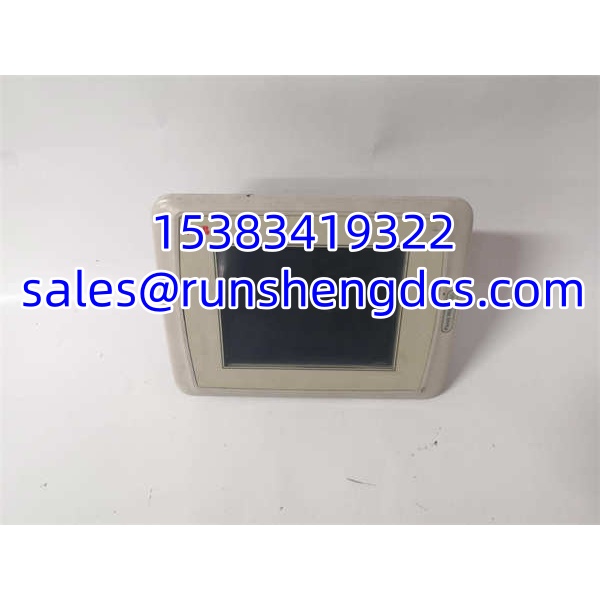

Description
Key Technical Specifications
| Parameter | Detail |
|---|---|
| Model Number | PP825 |
| Material Code | 3BSE042240R1 |
| Manufacturer | ABB |
| Product Family | Panel 800 operator panel |
| Display Size | 5.7 inches |
| Display Type | CSTN color display |
| Resolution | 320 × 240 pixels |
| Interface Type | Touchscreen operator panel |
| Communication | Ethernet (10/100 Mbps); RS-485 availability depends on configuration and should be verified on the installed unit |
| Supply Voltage | 24 VDC (confirm on nameplate) |
| Configuration Software | Panel Builder 800 / Panel Builder tools |
| Mounting | Panel cutout mounting, IP65 front protection typical for Panel 800 series |
| Compatible Systems | ABB AC 800M / 800xA environments where Panel 800 V5 is deployed |
| Weight | Approximately 0.87–1.27 kg depending on revision |
| Status | Legacy spare; PP825A 3BSE042240R3 is the more commonly listed successor |
Product Introduction
The ABB PP825 3BSE042240R1 is a Panel 800 series operator panel used as a local HMI in ABB automation systems. With a 5.7″ CSTN display and 320×240 resolution, it provides operators with process visualization, alarm acknowledgment, parameter access, and basic control interaction. It is typically deployed where a compact, panel-mounted HMI is needed alongside an AC 800M controller or within an 800xA-related installation.
From a maintenance standpoint, the PP825 matters because Panel 800 V5 panels are aging in the field. A failed display, touch layer, Ethernet interface, or corrupted project file can remove local operator visibility even if the underlying PLC/DCS continues to run. Because PP825A 3BSE042240R3 has largely replaced the earlier PP825 revision in surplus channels, substitution requires more than a matching label. Bottom line — verify the material code, Panel 800 software version, Ethernet addressing, and cutout dimensions before ordering.
QA/QC Transparency SOP
- Intake & Label Verification — Confirm PP825 labeling, 3BSE042240R1 material code, revision, serial number, display condition, and touch-layer integrity. Flag units with cracked screens, dead pixels, or swollen backlight areas.
- Power-Up & Display Test — Apply 24 VDC and verify boot sequence, backlight operation, display uniformity, and touch response across the full screen area.
- Communication Test — Verify Ethernet link, IP configuration access, and project download/read capability using Panel Builder 800 where available. Check RS-485 only if the installed unit physically provides that interface.
- Project & Firmware Verification — Read installed firmware/version and confirm whether a saved project file is present. Back up the project before returning the panel to service.
- Final QC & Packaging — Package with anti-static and screen-protection materials. Attach a test tag showing model, material code, firmware version, display/touch/communication results, test date, and technician ID.
Field Engineer Gotchas
- R1 vs R3 confusion — 3BSE042240R1 and PP825A 3BSE042240R3 are not automatically identical. The R3/A revision may carry different firmware or mechanical tolerances. Solution: match the installed material code before substitution.
- Project file loss – Replacing the panel does not guarantee the process graphics and tag mappings are preserved. Solution: back up the Panel Builder 800 project before removing the failed unit.
- Ethernet addressing mismatch — A new or refurbished panel may arrive with a default IP address. Solution: record the original IP, subnet, and gateway before swap-out.
- Touch calibration drift — Aging resistive/capacitive touch layers can cause missed presses or false activations. Solution: recalibrate in the service/maintenance menu before declaring the panel failed.
- Panel 800 version mismatch — V5 and V6 Panel 800 projects are not always directly compatible. Solution: confirm the installed Panel 800 software generation before migrating to a newer panel.
- Cutout and bezel fit — Even within the same family, bezel dimensions and mounting clips can differ. Solution: verify the panel cutout and front-frame compatibility before site installation.
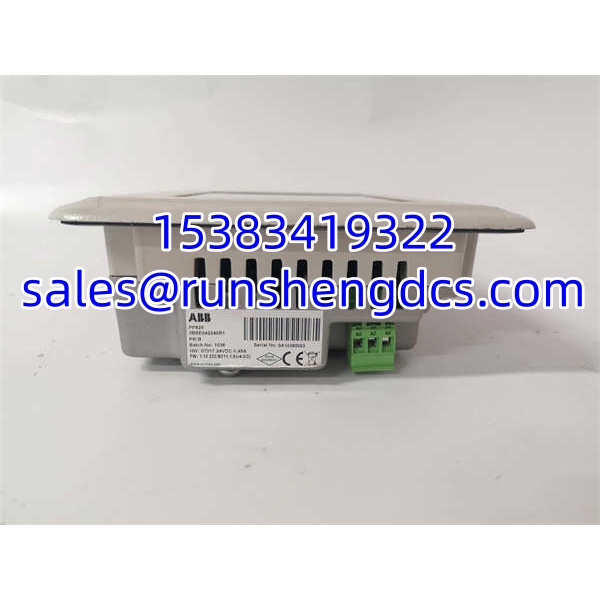
ABB PP825 3BSE042240R1
Application Scenarios
- AC 800M local operator interface — Providing a compact HMI for machine skids, pump panels, or utility packages controlled by an AC 800M controller.
- 800xA auxiliary operator panel — Serving as a local display for valve status, alarm summary, and setpoint access in process areas where a full operator station is not practical.
- Water/wastewater lift stations — Monitoring pump run status, level alarms, and valve positions in outdoor or humid control panels.
- Legacy plant maintenance — Replacing failed Panel 800 V5 displays where OEM-new stock is limited and project continuity is required.
FAQ
Is PP825 3BSE042240R1 the same as PP825A 3BSE042240R3?
Not necessarily. PP825A 3BSE042240R3 is a later revision. Mechanical fit, firmware, and project compatibility should be confirmed before substitution.
Can it be used with AC 800M or 800xA?
Yes. belongs to the Panel 800 family commonly used with AC 800M and 800xA-related installations. Confirm the installed software version and communication setup.
What software is used to configure it?
Panel Builder 800 or related Panel Builder tools are used for Panel 800 configuration and project management.
Does it support Ethernet communication?
Yes. Ethernet connectivity is supported. RS-485 is referenced in some listings but should be verified against the installed hardware before relying on it.
Possibly, but only after confirming material code, firmware version, project compatibility, and mechanical cutout. Do not treat it as an automatic drop-in.
Is this available as OEM-new?
Panel 800 V5 devices are legacy. Most stock circulates as surplus, refurbished, or unused surplus. Specify condition and test status during procurement.




