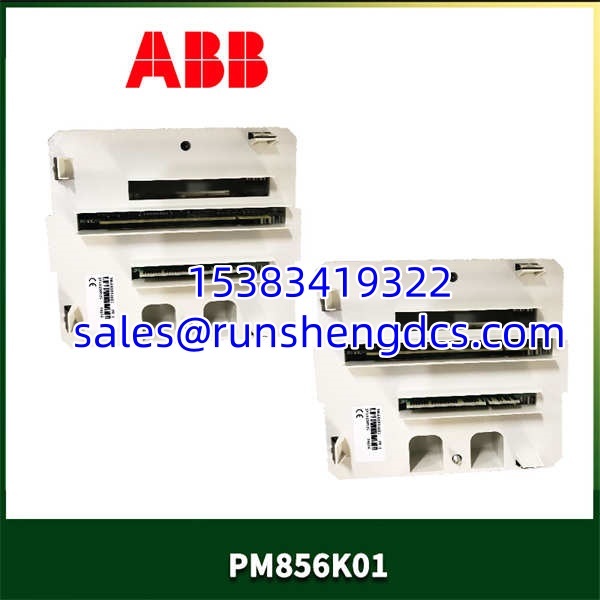

Description
Product Introduction
When a critical process demands a controller that won’t blink, the PM856K01 is the board you install. It sits in the AC 800M lineup as a high-performance processor, designed for applications requiring fast scan times and built-in redundancy.
Compared to the base-level PM510, the PM856K01 pulls ahead with double the RAM and a second Ethernet port for network separation or redundancy. Honestly, that second port is a game-changer for creating a truly isolated control network. It handles complex control strategies in Control Builder M with ease, making it a staple for demanding DCS applications.
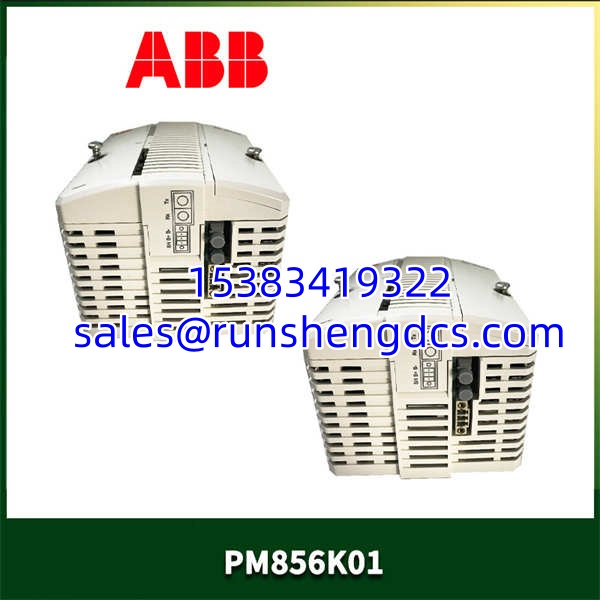
ABB-PM856K01
Key Technical Specifications
| Parameter | Value |
|---|---|
| Processor | Motorola 68060 (32-bit) |
| RAM | 32 MB |
| Flash Memory | 8 MB |
| Ethernet Ports | 2x 10Base-T (CN1, CN2) |
| Serial Ports | 1x RS232 (COM3), 1x RS485/422 (COM4) |
| CEX Bus | Integrated (for S800 I/O) |
| Redundancy | Supported (with TU815R baseplate) |
| Status Indicators | Run, Error, Primary/Secondary, Ethernet Link |
| Power Supply | 5.2 V DC (from baseboard) |
| Current Consumption | approx. 1.8 A |
| Dimensions | 133 x 28 x 210 mm |
| Weight | approx. 0.45 kg |
| Operating Temp | 0 to +60 °C |
Compatibility & Replacement Matrix
- PM856K01 → PM864A : Upgrade — The PM864A is a later, more powerful processor. It is a direct replacement but requires a firmware check to ensure compatibility with the rest of the station.
- PM856K01 → PM851K01 : Downgrade — The PM851 has only 16 MB of RAM. Do not swap a PM856 for a PM851 if your application logic is large.
- PM856K01 → PM856K02 : Direct — The K02 is a hardware revision with minor internal improvements. It is a drop-in replacement for the K01.
- PM856K01 → PM511V08 : Incompatible — The PM511 is a different processor family with a different firmware base and will not work in a project configured for a PM856.
Quality Inspection & SOP Transparency
We don’t just look at the box. When a arrives, we pull it from the anti-static bag and check the serial number against the ABB manufacturing database to ensure it’s not a ghost unit. We look for yellowing on the PCB—a sign of heat stress—and verify the battery holder isn’t corroded.
Then, we slide it into a live AC 800M rack (TP830 baseplate). We watch the boot sequence: the ‘Init’ LED should flash, then the ‘Run’ LED goes solid green. If it stays red, it’s dead on arrival. We connect to both CN1 and CN2 Ethernet ports and ping the default IPs to verify the TCP/IP stacks are alive. Finally, we download a dummy project from Control Builder M to ensure the flash memory is writable. If it passes the download and goes to ‘Online’, it gets a QC Passed sticker.
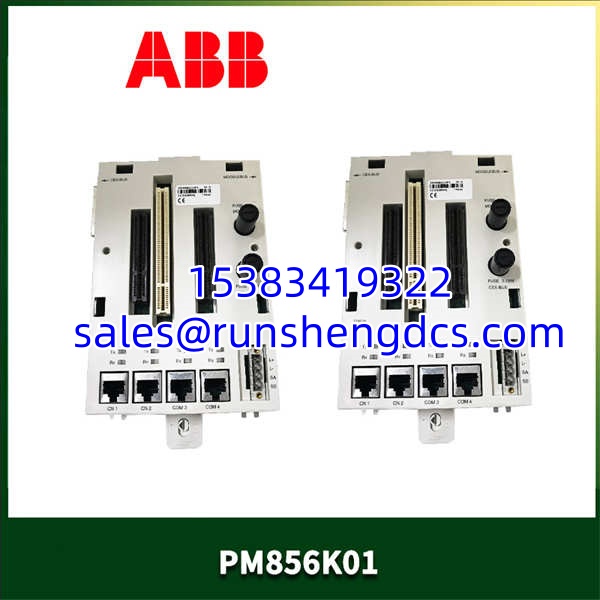
ABB-PM856K01
Common Replacement Pitfalls
- Firmware Version Mismatch — This is the big one. If your system is running AC 800M firmware v5.1 and you install a with v6.0 firmware, the controller might refuse to sync. Always check the firmware version on your existing primary CPU before ordering. You can downgrade firmware, but it’s a headache involving a memory reset.
- Redundancy Baseplate — The is capable of redundancy, but it won’t work in a standard TU515 baseplate. You need a redundant baseplate like the TU815R. Plugging it into a non-redundant baseplate will work, but you lose the redundancy feature.
- Battery Voltage — The uses a battery to keep the SRAM alive during power-off. If the battery is flat (below 3.0V), you will lose your retentive data. We test this with a multimeter across the battery terminals. If it’s low, replace the battery (ABB Part No. 3BSE008508R1) immediately.
- Ethernet Port Configuration — The two Ethernet ports (CN1, CN2) are not always configured the same. In a redundant setup, one is often used for the station bus and the other for a separate client network. Make sure you plug the network cables into the correct ports as per your system design.
- DIP Switch Settings — The has a small DIP switch block for the CEX bus address. If you move the module to a different slot or replace a unit, the switches must match the slot configuration exactly. If they don’t, the I/O modules won’t talk to the CPU. Take a photo of the old module’s switches before you pull it out.
FAQ
Can I just swap this in directly?
Physically, yes. Logically, maybe not. If the firmware versions match, the project will download, and you are good to go. If the firmware is newer on the replacement, you might need to do a “Cold Start” or download the firmware from your engineering station. Always backup your project first.
My system runs AC 800M V5.1 — will this module work?
Yes, but you need to check the hardware revision. The is an older processor. While it supports firmware up to V6.0, the later hardware revisions are more stable with V5.1+. If you buy an old stock unit, it might struggle with the newer stack. We test all our units on a V5.1 bench to be sure.
It comes down to performance and age. The PM864A is a newer, faster processor with more memory.
- Good for standard control loops and smaller DCS applications.
- PM864A: Required for very large applications, advanced control, or high-speed scanning.
Electrically, they are similar, but the PM864A is a direct upgrade.
Does this module support redundancy?
Yes, the is designed for redundancy. You need two modules installed in a redundant baseplate (TU815R) and configured as Primary/Secondary in the hardware tree. This provides a hot-standby configuration for critical processes.
How do I reset the IP address?
There is a small ‘Reset’ button on the faceplate.
- Power down the module.
- Hold the Reset button.
- Power up the module while holding the button.
- Wait for the ‘Init’ LED to flash rapidly.
- Release the button.
The IP address will revert to the default (usually 192.168.0.100), and you can reconfigure it in Control Builder M.