
Description
Product Introduction
Let’s be honest—when a client asks for the PM825, they aren’t looking for a budget PLC. They need a controller that can handle the computational load of a full AC800M system without breaking a sweat during peak cycles. It’s the mid-tier brain of the Modicon family, sitting right where you need deterministic control without the overhead of a full PC-based system.
Technically, this unit is built on the S300/S400 heritage but brings modern memory specs to the table (128 MB RAM). For the system integrator, that means room for large libraries and complex function blocks. It’s a workhorse that’s been in the field for years, proving it can take the heat (and cold) of industrial environments.
Key Technical Specifications
| Parameter | Value |
|---|---|
| Processor Type | Intel Atom (or equivalent industrial variant) |
| RAM | 128 MB |
| Flash Memory | 256 MB |
| Scan Speed | Up to 500 kHz (logic) |
| Real-Time Clock | Yes (Super capacitor backup) |
| Ethernet Ports | 2 x 10/100 Mbps (RJ45) |
| Serial Ports | 1 x RS-232/485 (Multi-purpose) |
| Power Supply | 24 VDC |
| Current Consumption | < 1.5 A (Backplane), < 0.5 A (Auxiliary) |
| Operating Temp | 0 °C to +60 °C |
| Certifications | CE, UL, CSA, ATEX (when applicable) |
Compatibility & Replacement Matrix
- ABB PM802 → ABB PM825: Needs Adaptation — Requires Control Builder Plus v6.0+ and firmware update; code migration usually needed.
- ABB PM820 → ABB PM825: Direct Upgrade — Same footprint, higher clock speed; drop-in replacement.
- ABB PM860 → ABB PM825: Incompatible — Different backplane architecture (S300 vs. M-series).
- ABB PM825 → ABB PM891: Needs Adaptation — Migration path exists, but requires hardware key and software upgrade.
Quality Inspection & SOP Transparency
Incoming Inspection
We start with the paper trail. Every PM825 must have customs documentation showing it didn’t just appear from a grey-market warehouse. We check the serial number against ABB’s public records to verify it hasn’t been flagged for recall. Visually, we inspect the status LED lens—it should be clear polycarbonate, not discolored yellow (a sign of heat aging or repair).
Live Functional Test
We slot the CPU into an AC800M rack with a BM820 backup unit installed. After power-on, we watch the boot sequence: the “RUN” LED should blink green for 5 seconds, then go solid. We connect via Control Builder Plus, download a test application, and force a memory check. A 24-hour load test runs the CPU at 85% utilization while we log the temperature rise using a Fluke Ti450 thermal camera.
Electrical Parameter Test
Using a Megger MIT410, we test the insulation resistance between the power input and the chassis (>10 MΩ at 500 VDC). We also verify the 24 VDC ripple voltage stays under 100 mV peak-to-peak under full load using an oscilloscope.
Firmware Verification
This is critical. The ships with firmware versions ranging from v1.0 to v3.2. We read the exact version and record it. If the customer needs a specific version (e.g., v2.8 for legacy compatibility), we can flash it before shipping—but we always note the change.
Final QC & Packaging
After the test report is signed, the unit is sealed in a pink anti-static bag with a humidity indicator card. The box is packed with edge protectors to survive the shipping route.
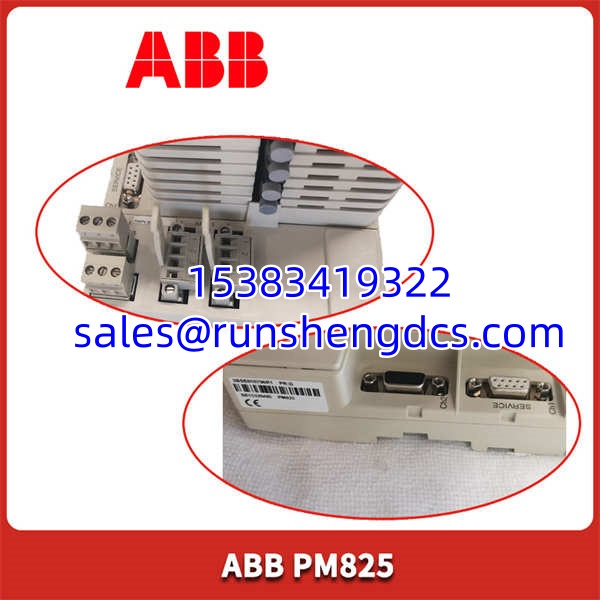
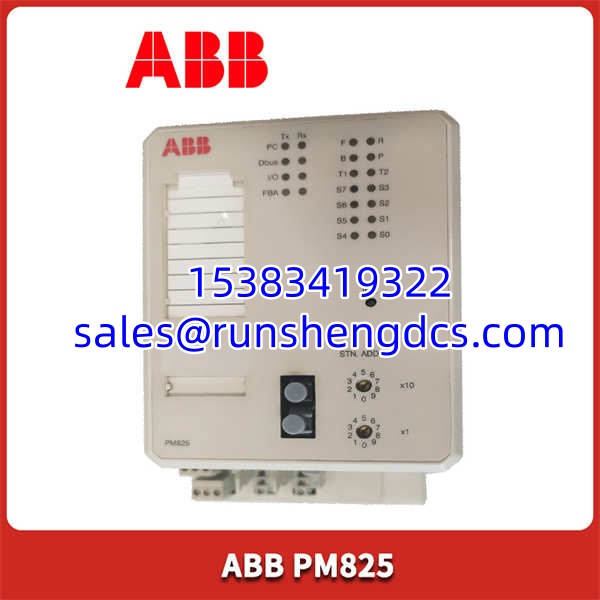
ABB PM825
Common Replacement Pitfalls
Firmware Revision Mismatch
This is the silent killer. The has three distinct firmware generations. If your existing rack runs v1.2 and you drop in a v3.1 unit, the controller will go into “Mismatch” state and stop the process. Always record the firmware version of the unit you are pulling out. Order the exact same version, or be prepared to update the entire controller’s firmware simultaneously.
DIP Switch / Jumper Misconfiguration
While the doesn’t have address switches, it does have a “Service” port and a physical write-protect switch for the real-time clock battery. If the write-protect switch is in the “Off” position during shipping, the super-capacitor might drain. Check the switch position before sealing the cabinet.
Connector / Terminal Incompatibility
The Ethernet connectors on early units (v1.0) were known to have loose strain reliefs. If you are replacing a 10-year-old unit, inspect the RJ45 port for wobble. The newer v2.0+ units fixed this, but the pinout remains the same (T568B standard).
Power Budget Shortfall
The draws about 1.2 A from the backplane. If your rack is loaded with 10+ I/O modules, check the total current draw on the S800 power supply. I’ve seen engineers kill a new CPU because the old power supply was already at 95% capacity—adding the pushed it into overcurrent shutdown.
ESD Damage
Static electricity loves dry air. The CPU’s BGA chips are sensitive. I watched a tech in a plant once touch the heatsink without a strap. The CPU booted fine but started dropping packets after 2 hours. Ground yourself. It takes 10 seconds.
FAQ
A: Not exactly. While the physical size is similar, the backplane communication protocol changed between the S300 and AC800M series. You can migrate the logic, but you usually need to update the hardware keys and recompile the code in a newer version of Control Builder Plus.
Q: What’s the max memory I can use with this CPU?
A: It has 128 MB RAM built-in. You can’t upgrade the internal RAM, but you can add a CompactFlash card (up to 8 GB) for data logging or recipe storage. Just don’t use it for program storage—that’s handled by the internal flash.
Q: My system uses Profibus—will this CPU support it?
A: The has Ethernet and a serial port. For Profibus DP, you need to add a separate communication module (like the CI830) to the backplane. It doesn’t have Profibus built into the CPU chip.
Q: Is this unit factory sealed or tested?
A: We offer both. If it’s factory sealed, it will be in the original ABB box with foam. If it’s tested surplus (more common), it will be in an anti-static bag with our test report and a 12-month warranty sticker.
Q: Can I use this with Control Builder Plus v16?
A: Yes, but with a caveat. Control Builder Plus v16 supports the , but the CPU firmware must be v3.0 or higher. If you have an old v1.0 CPU, you’ll need to upgrade its firmware first using an older version of the software, then move to v16.
Q: What happens if I lose power to the CPU?
A: The real-time clock has a super-capacitor backup that lasts about 30 days. The program stays in non-volatile flash memory, so it won’t vanish. However, if you have unsaved data in RAM (like batch counts), you’ll lose that unless you have a battery backup module installed.
Q: Do you have the manual for this?
A: I can’t send the OEM manual due to copyright, but I can summarize the wiring diagram and pinout for you. The critical pins are the 24 VDC power input and the Ethernet TX/RX lines.