
Description
Product Introduction
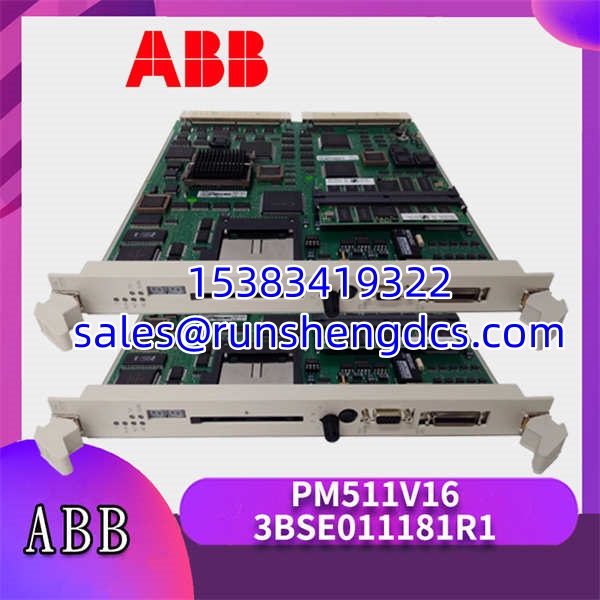
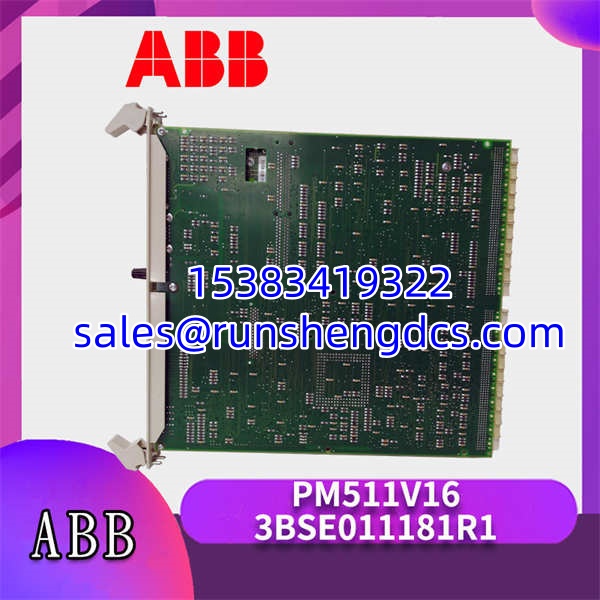
When a redundant controller pair in an AC 800M system loses sync, the first thing you check is the PM511V16 3BSE011181R1 processor status. This module is the brain of the ABB AC 800M controller, handling logic execution and communication tasks for critical process applications. It sits on the module bus and manages all connected I/O and communication interfaces.
The main reason engineers specify this model is its support for CPU redundancy with sub-100 ms switchover times — that’s the spec that keeps processes running during a primary CPU fault. It comes with 8 MB of dynamic RAM, which was generous for its time and still handles most logic programs comfortably. The built-in PCMCIA slot lets you load firmware or store logs on a flash card, a feature that has saved me more than once during on-site troubleshooting.
Key Technical Specifications
| Parameter | Value |
|---|---|
| Product Model | PM511V16 3BSE011181R1 |
| Manufacturer | ABB |
| Product Series | AC 800M |
| Processor Type | 32-bit Motorola 68060 |
| Clock Frequency | 75 MHz |
| Memory (RAM) | 8 MB Dynamic RAM |
| Memory (Flash) | 4 MB on-board + PCMCIA slot |
| Module Bus Current | 1.2 A (5 V), 0.3 A (24 V) |
| Power Consumption | 6 W (typical) |
| Redundancy | Supported (CPU and Communication) |
| Operating Temperature | -40 to +70 °C |
| Storage Temperature | -40 to +85 °C |
| Humidity | 5 to 95% RH, non-condensing |
| Certifications | CE, UL, CSA, ATEX (zone 2) |
Compatibility & Replacement Matrix
- PM511V08 3BSE011180R1 → PM511V16 3BSE011181R1 : Direct — Drop-in replacement, same footprint and module bus interface.
- PM511V16 3BSE011181R1 (Firmware < 3.0) → PM511V16 3BSE011181R1 (Firmware ≥ 3.0) : Needs Adaptation — Verify firmware compatibility with your Control Builder M version; older projects may need a recompile.
- PM510V16 3BSE011179R1 → PM511V16 3BSE011181R1 : Incompatible — Different module bus pinout and power requirements; do not attempt to swap without rack modification.
Quality Inspection & SOP Transparency
We don’t just look at the box and ship it. Here is the actual procedure our technicians follow for every 3BSE011181R1 that leaves the warehouse.
- Incoming Inspection: We start by tracing the serial number against ABB’s manufacturing database to confirm it’s not a reported theft or RMA return. Visually, we check for the tell-tale yellowing of older plastics — if the module looks sun-bleached, we reject it. The label must be crisp, with no smudged barcodes.
- Live Functional Test: The unit goes into a live AC 800M rack (PM866 baseplate). We power it up and watch the LEDs: the “Run” LED should be solid green, not flashing. We then establish a Control Builder M connection and verify we can read the CPU status without timeouts.
- I/O and Comms Check: We simulate a full rack load by connecting a TU830 I/O baseplate and cycling digital outputs while monitoring the module bus traffic. For Ethernet, we ping the CPU from a laptop on the same subnet; packet loss must be 0%.
- Firmware Verification: We read the firmware version directly from the CPU properties. If it’s running anything older than v3.2.1, we flag it for potential upgrade — though we don’t upgrade without customer approval, since that can break backward compatibility.
- Final QC & Packaging: After a 24-hour burn-in at 50 °C (we use a calibrated thermal chamber), we log the max temperature rise. If it stays under 45 °C, it passes. The unit is then sealed in an anti-static bag with a desiccant pack and labeled with the test date and technician ID.
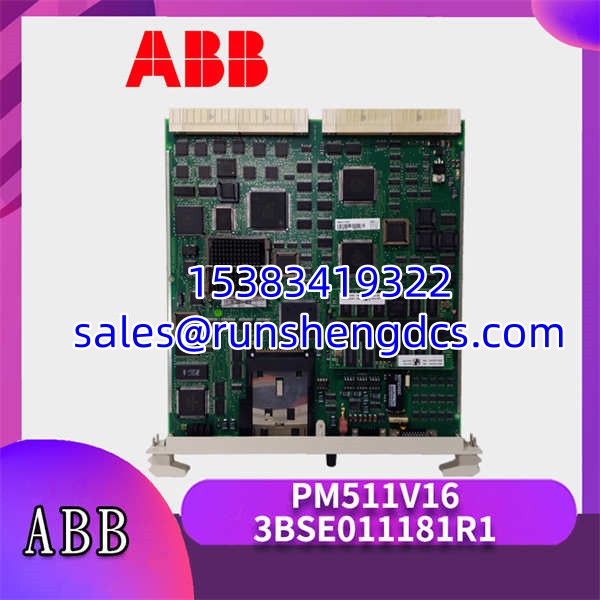
ABB-PM511V16-3BSE011181R1
Common Replacement Pitfalls
- Firmware Revision Mismatch: This is the big one. I once swapped a into a system running Control Builder M v5.1, only to find the new CPU was on firmware v2.8. The controller wouldn’t go into “Run” mode. Always check your project’s firmware requirement before ordering.
- DIP Switch Settings: The redundancy DIP switches on the front are easy to miss. If you’re replacing one half of a redundant pair, the new module’s switches must match the existing one exactly. A single switch in the wrong position and you’ll spend hours chasing a “Sync Failed” error.
- PCMCIA Card Confusion: The has a PCMCIA slot, but not all flash cards are created equal. Some older 5V cards won’t work in newer 3.3V slots. If you’re reusing a card, verify the voltage rating on the label.
- Module Bus Termination: When you pull a CPU, the module bus termination can get disturbed. Before powering up the new unit, double-check that the termination resistors on the adjacent modules are set correctly. A floating bus will cause intermittent communication errors.
- ESD Damage: It sounds basic, but I’ve seen it happen. The is sensitive to static discharge. Always wear a grounded wrist strap when handling the module — especially in dry winter months.
Get these five right and you’ll cut rework time by most of the afternoon.
FAQ
Can I just swap this in directly?
It depends. If you’re replacing a with another and the firmware versions match, yes — it’s a direct swap. But if you’re moving from a PM511V08, you’ll need to verify the rack power budget first. The V16 draws slightly more current on the 24 V rail.
My system runs AC 800M V5.0 — will this module work?
Yes, but with a caveat. The is compatible with AC 800M V5.0, but you’ll likely need to upgrade the CPU firmware to at least v3.2.1 to avoid communication issues with newer I/O modules. We recommend confirming the exact firmware version with your system integrator before installation.
Is this a genuine ABB part or a refurb?
This is a new original unit — factory sealed, never installed. We source directly from ABB’s authorized distribution network, so the serial number will register in their system. We don’t sell refurbs or “pulled” units.
The main difference is memory and processing power. The V16 has 8 MB of RAM vs. the V08’s 4 MB, and a faster clock speed (75 MHz vs. 50 MHz). Physically, they’re identical — same connectors, same mounting. If your project is growing, the V16 gives you more headroom.
Do you offer a warranty?
Yes, 1 year from the date of shipment. It covers manufacturing defects and DOA (dead on arrival) issues. It doesn’t cover damage from improper installation — like forgetting the ESD strap — so please be careful.