
Description
Key Technical Specifications
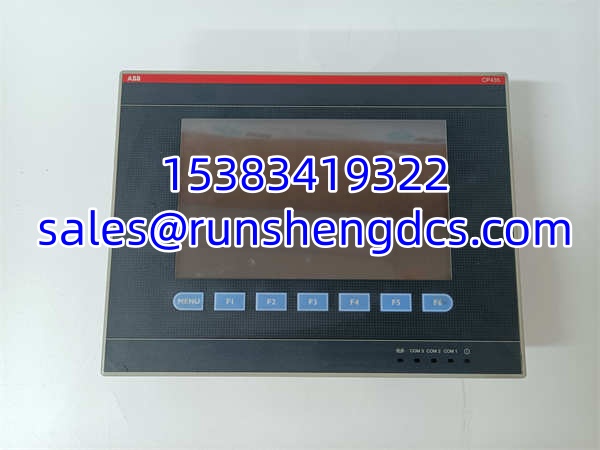
- Display Type: 7-inch TFT True Color LCD
- Resolution: 800 x 480 pixels (16:9 Widescreen)
- Color Depth: 64K Colors
- Touch Type: Resistive Touchscreen + 7 Physical Keys
- Communication: RS232 / RS485 Serial Ports
- Supported Protocols: Modbus RTU, ABB AC500, Siemens S7 (via gateway)
- Memory: 512 KB RAM / 8 MB ROM
- Supply Voltage: 24 V DC (±10%)
- Protection Rating: IP65 (Front Panel), IP20 (Rear)
- Operating Temp: 0°C to +50°C
- Dimensions: 231mm (W) x 176mm (H) x 47mm (D)
- Weight: ~0.86 kg
Product Introduction
Legacy HMI replacements are rarely plug-and-play, especially when physical keypads are involved. The ABB CP435T (1SBP260193R1001) combines a 7-inch resistive touchscreen with 7 dedicated function keys, a design choice that matters when operators are wearing gloves or need tactile feedback for emergency stops. It’s not just a screen; it’s the primary interface for your CP400 system, handling everything from recipe management to alarm logging. If you’re replacing a failed unit, the 1SBP260193R1001 suffix is critical—don’t assume all CP435T units are identical.
The CP435T runs on a 24VDC supply and communicates via standard RS232/RS485, making it compatible with ABB AC500 PLCs and third-party Modbus devices. With 8MB of ROM, it has enough space for moderate-sized projects, but don’t expect to run complex data logging or video streaming on it. The IP65 front panel handles washdown environments, but the rear terminals are IP20, so keep them dry. Bottom line: it’s a workhorse for mid-2000s automation, but verify your project file version before swapping.
QA/QC Transparency SOP
- Intake & Origin Verification: Confirm 1SBP260193R1001 on the rear label. Inspect for screen burn-in, cracked bezel, or loose function keys. Check for moisture ingress behind the front panel seal.
- Live Functional Testing: Apply 24VDC. Verify boot sequence and backlight uniformity. Test all 7 physical keys and touchscreen corners for dead zones. Connect to test PLC; confirm Modbus read/write.
- Electrical Parameter Tests: Measure 24VDC input current draw (idle vs. max backlight). Verify RS485 termination resistor presence (if applicable). Check ground continuity between mounting points and chassis.
- Firmware/Config Verification: Connect via ABB CP Builder. Read firmware version and project checksum. Backup current config. Verify no “Project Mismatch” errors on boot.
- Final QC & Anti-Static Packaging: Clean screen with approved solvent (no ammonia). Apply protective film. Bag in ESD-safe packaging with desiccant. Attach QC tag with “Screen Test Pass” and firmware version.
Field Engineer Gotchas
- Firmware/Project Mismatch: CP435T won’t boot if project firmware > panel firmware. Fix: Check version in CP Builder before download. War Story: Plant swapped in a “new” 1SBP260193R1001 with older firmware; panel bricked on download. Had to RMA for firmware flash. Always match versions.
- Resistive Screen Calibration: After replacement, touch points may drift. Fix: Run calibration tool in CP Builder or system menu. Blunt: Don’t assume it’s calibrated out of the box. A 2mm drift on a 7″ screen = wrong button press. Calibrate every time.
- RS485 Termination: CP435T doesn’t auto-terminate. Fix: Install 120Ω resistor on last node. Warning: Missing termination = intermittent comms at high baud rates. Seen it cause “ghost” alarms at 100m cable length. Always terminate.
- Backlight Failure: 7″ TFT backlights degrade after 30k-50k hours. Fix: Check for dimming or flickering. Reality: If one corner is dark, the inverter is dying. Don’t wait for total failure; plan replacement during next shutdown.
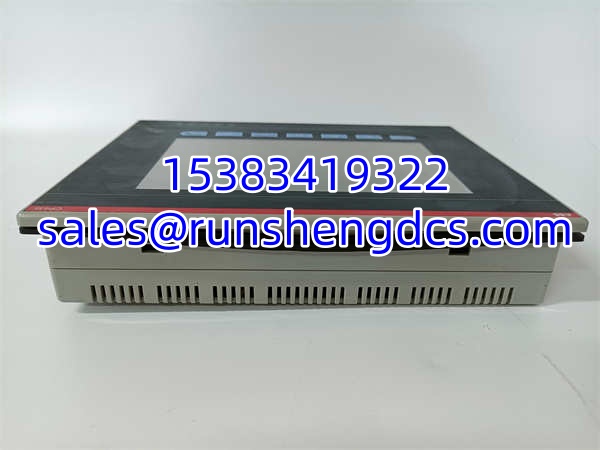
ABB CP435T 1SBP260193R1001
Application Scenarios
- Water Treatment Plants: Wet environments demand IP65 front panels. CP435T 1SBP260193R1001 handles pump control and level monitoring in washdown areas. Resistive touch works with wet gloves; physical keys provide backup when screen is obscured.
- Packaging Lines: High-speed changeovers require quick recipe selection. uses function keys for one-touch recipe load, reducing operator error. 800×480 resolution displays full line status without scrolling.
- Marine Engine Rooms: Vibration and salt air kill standard HMIs. 1SBP260193R1001’s conformal-coated PCB and sealed front panel survive engine room conditions. RS485 daisy-chain reduces cabling in tight spaces.
FAQ
- Mechanically yes, electrically maybe. CP450T has different key layout and may require project modification. Stick to 1SBP260193R1001 for exact replacement.
- No. Native ports are RS232/RS485 only. Use a serial-to-Ethernet converter or upgrade to CP450T-ETH for native Ethernet. Don’t expect native TCP/IP.
- Hold the “Menu” key during boot or access System > Calibration in runtime. Always recalibrate after replacement. Factory calibration ≠ field alignment.
- What’s the max project size for 1SBP260193R1001? 8MB ROM, but usable space is ~6MB after OS. Typical project: 500-2000 tags. Check CP Builder “Memory Usage” before download. Overfilling = boot failure.
- No. draws power from the 24VDC bus; removal may cause voltage dip. Power down the HMI first. PLC will keep running, but HMI will need reboot.
- ABB’s “CP Builder” (not Automation Builder) is required. Legacy versions (v2.x) are needed for 1SBP260193R1001. Newer Automation Builder won’t open old projects. Check ABB legacy downloads.
- Failing backlight inverter or loose ribbon cable. Fix: Reseat internal ribbon first. If flicker persists, replace unit. Don’t open the panel; voids IP rating and risks ESD damage.