
Description
Key Technical Specifications
| Parameter | Specification |
|---|---|
| Model Number | 560CMU05 |
| Brand | ABB |
| Product Type | Communication Unit Module (CMU) |
| Host Platform | ABB RTU560 |
| Supported Protocols | Modbus, Profibus (verify specific variant with OEM) |
| Host Rack | 560SFR02 (19-inch, 3U) |
| Bus Connection | Via 560BCU05 (Bus Connection Unit) |
| Max CMUs per BCU05 | 8 (560CMU05 or 560CMU02R2) |
| Max Racks per System | 7 (via RTU560s serial peripheral bus) |
| Rack Slot Allocation | Slots 1–17 available for I/O boards and/or CMU modules |
| Board Connector | F-type edge connector (DIN 41612), rows 2–20 for system bus |
| Signal Connection | Sub-connector rows 22–32, snap-lock press-wire clamps |
| Monitoring | Rack monitors 24 VDC and 5 VDC board supply; status relay contacts |
Product Introduction
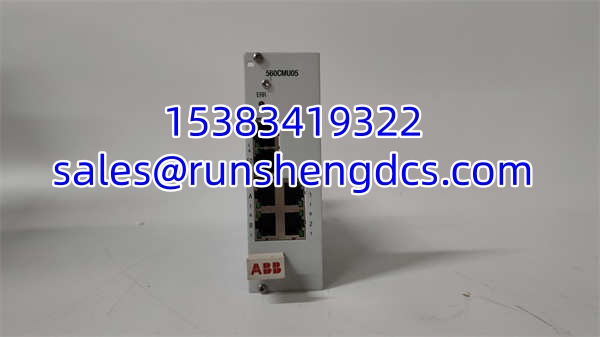
You are standing in front of an open 560SFR02 rack, and the existing communication unit just stopped responding on the Profibus segment. The SCADA server is throwing timeout alarms, field devices are orphaned, and the plant supervisor is asking when the data will come back. The 560CMU05 is the communication unit that sits inside the RTU560 chassis and bridges the internal system bus to external protocols — Modbus, Profibus, or whatever the site configuration demands.
This module does not operate standalone. It requires the 560BCU05 bus connection unit to interface with the RTU560 system bus, and it mounts in the 560SFR02 rack alongside I/O boards. A single BCU05 can manage up to 8 communication units, and the rack itself supports up to 17 mixed I/O/CMU slots. The board connects through a DIN 41612 F-type edge connector for the system bus and a sub-connector block for process signals. For a remote terminal unit handling grid monitoring or distributed process data, the 560CMU05 is the workhorse that keeps the SCADA link alive.
QA/QC Transparency SOP
- Intake & Origin Verification
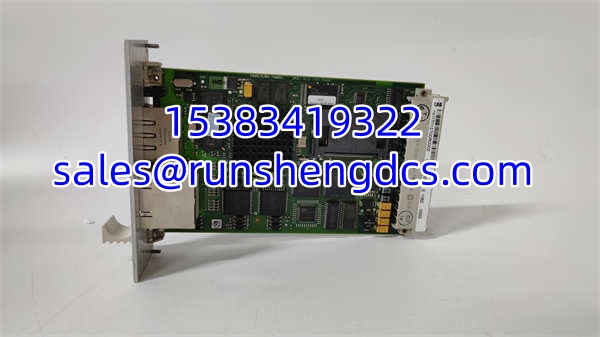
Photograph the module label. Capture the model designation 560CMU05, any revision or date codes, and the ABB part marking. Confirm the board is free of aftermarket modifications. Cross-reference the physical module against the RTU560 hardware configuration document to verify it matches the target rack slot allocation. - Visual & Mechanical Inspection
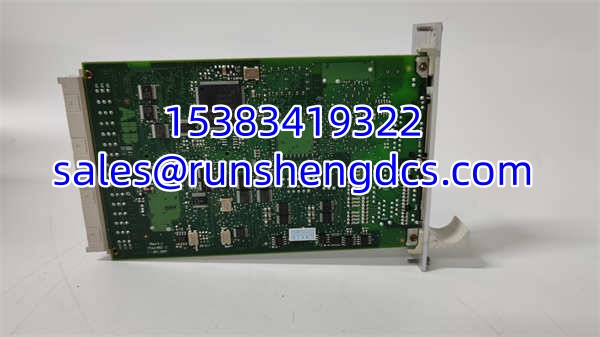
Inspect the DIN 41612 edge connector for bent, corroded, or missing pins. Check the sub-connector rows 22–32 for damaged snap-lock press-wire clamps. Examine the PCB for cracked solder joints, burnt traces, or signs of moisture ingress. Verify the board slides cleanly into a 560SFR02 slot without binding. - Electrical Parameter Tests
Measure continuity across the system bus edge connector rows 2–20 with a calibrated multimeter. Verify 24 VDC and 5 VDC power rail continuity at the board input. Check isolation between the process signal sub-connector and the system bus side. Confirm no short circuits between adjacent pins. - Functional Verification
Install the module in a powered 560SFR02 test rack with a 560BCU05 installed. Confirm the rack monitoring circuit reads valid supply voltages. Connect a known Modbus or Profibus test device to the process signal terminals. Verify bidirectional data exchange — poll registers, confirm cyclic data updates, and check for communication error counters. Log pass/fail results per protocol. - Final QC & Anti-Static Packaging
Label the module with QC pass status, test date, protocols verified, and firmware or revision level if readable. Pack in an anti-static shielding bag with foam protection on the edge connector and sub-connector. Include a note that the module must be configured in the RTU560 engineering tool before commissioning.
Field Engineer Gotchas
- Missing the 560BCU05 Requirement
The 560CMU05 cannot talk to the RTU560 system bus on its own. It needs the 560BCU05 bus connection unit as an intermediary. Even if your application only uses one communication unit, the BCU05 is mandatory. I have seen procurement orders ship the CMU without the BCU, and the field team spent two days wondering why the module would not initialize. Order them together. - Slot Allocation Conflicts
The 560SFR02 rack has 17 slots (slots 1–17) shared between I/O boards and CMU modules. If you already have 17 I/O boards installed, there is no room for a CMU. Count your existing board population before ordering. Slot 18 is only available if you are running a single power supply (no redundant PSU). Slot 19 is reserved exclusively for the second PSU in redundant configurations. - Protocol Mismatch on Replacement
The 560CMU05 supports Modbus and Profibus, but the specific protocol variant and firmware configuration must match the site engineering project. Drop in a module configured for a different protocol or baud rate, and your field devices will go silent. Pull the configuration backup from the existing project before swapping hardware. - Sub-Connector Wiring Errors
The process signals connect through sub-connector rows 22–32 using snap-lock press-wire clamps. These are not screw terminals. If your field wiring uses ferrules or bare wire that does not match the clamp specification, you will get intermittent connections that show up as random communication drops. Use the correct wire gauge and termination method specified in the hardware manual. - ESD During Board Handling
The DIN 41612 edge connector exposes sensitive bus transceivers. A static discharge during insertion can kill the bus interface without visible damage. Wear a grounded wrist strap when handling the board.
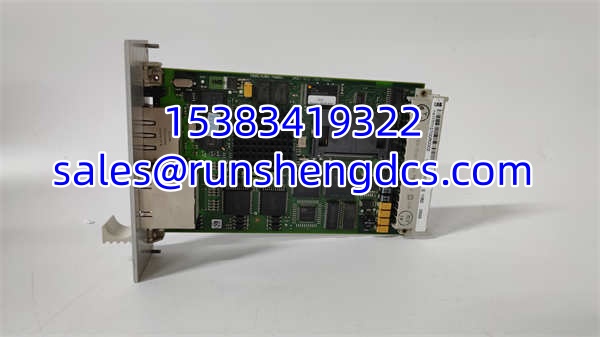
ABB 560CMU05
Application Scenarios
- Substation remote monitoring — The collects protection relay data, breaker status, and metering values from a remote substation. The 560CMU05 provides the Modbus or Profibus link to upstream SCADA systems, translating internal RTU data into the protocol the control center expects.
- Distributed process data acquisition — A water distribution network uses multiple racks at pump stations. Each rack houses I/O boards reading flow, pressure, and level signals, while the 560CMU05 handles communication back to the central monitoring system over Modbus TCP or serial.
- Grid automation communication gateway — In a power grid automation deployment, the aggregates data from intelligent electronic devices. The 560CMU05 modules provide the protocol bridge between field-level Profibus devices and the station-level SCADA network.
FAQ
Does the 560CMU05 work without the 560BCU05?
No. The 560BCU05 bus connection unit is required. The CMU connects to the system bus through the BCU. Without it, the module has no bus interface and will not communicate with the RTU processor or other rack modules.
How many 560CMU05 modules can I install in one rack?
Up to 8 communication units per 560BCU05. The 560SFR02 rack has 17 slots shared between I/O boards and CMU modules, so the actual number depends on how many I/O boards you already have installed.
Can I mix 560CMU05 and 560CMU02R2 in the same rack?
Yes. The 560BCU05 supports up to 8 communication units total, and both the 560CMU05 and 560CMU02R2 count toward that limit. Verify protocol compatibility with your project configuration before mixing variants.
Is the 560CMU05 the same as CMCU-05?
No. The CMCU-05 is a pressure transmitter from a different manufacturer (RunesKee). The ABB 560CMU05 is a communication unit module for the platform. Do not confuse them during procurement.
What protocols does this module support?
Modbus and Profibus are listed as supported protocols. The specific variant (Modbus RTU, Modbus TCP, Profibus DP, etc.) and configuration parameters depend on the firmware and project engineering. Confirm the exact protocol support with the ABB hardware manual for your firmware version.
Is this module still in production?
Lifecycle status should be confirmed directly with ABB. Surplus units are available through spare parts channels. For new installations, verify whether ABB recommends a current replacement part number.
What should I check before buying a surplus 560CMU05?
Get a clear photo of the module label showing the model number and any revision codes. Confirm the edge connector pins are intact. Ask whether the seller has bench-tested the module in a live 560SFR02 rack. Verify the module matches the protocol and firmware requirements of your existing project.