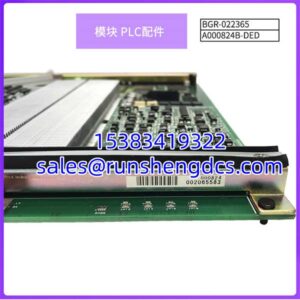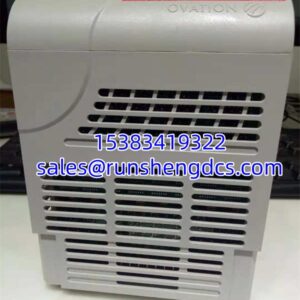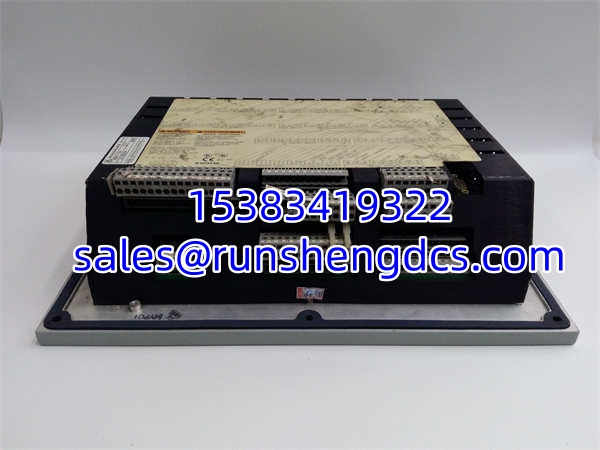

Description
Key Technical Specifications
- Product Model: 9907-164
- Manufacturer: WOODWARD
- Operating Voltage: +24 Vdc, 1 A
- Discrete Inputs: 16 Total (4 Dedicated, 12 Programmable)
- Analog Inputs: 6 Programmable (4-20 mA)
- Analog Outputs: 0-10V DC (Drives Actuators/Valves)
- Communication: RS-232 / RS-422, Modbus Protocol
- Display: 2-Line x 24-Character Operator Panel
- Ingress Protection: IP 56 (IEC 60529)
- Operating Temp: -10°C to 60°C (-4°F to 140°F)
- Standard Features: Critical Speed Avoidance, Valve Limiters, Auto Start Sequence
- Dimensions: 14″ W x 11″ H x 4″ D
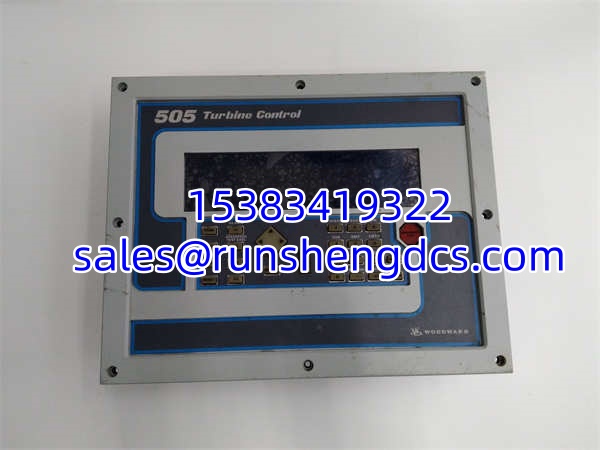
WOODWARD 9907-164
Product Introduction
Turbine operators know the absolute worst nightmare is hitting a critical speed zone during a startup. The WOODWARD 9907-164 was built specifically to solve this. As a core microprocessor controller in the 505 and 505E family, it takes raw frequency signals from speed probes and uses advanced PID algorithms to drive steam inlet valves. It doesn’t just hold a setpoint; it actively manages auto-start sequences, limits valve travel, and forces the turbine to quickly blow through dangerous resonance zones.
Field engineers trust this specific module because of its raw, programmable I/O density. With 16 discrete inputs and 6 analog inputs, you can wire up practically every safety interlock and pressure transmitter directly to the card. It features a built-in 2-line by 24-character display, meaning you can configure parameters right at the panel without dragging a laptop into a noisy turbine hall. Just be warned: the front panel buttons can get stiff with age and oil mist, so treat them with care.
Quality SOP & Tech Pitfalls (The Reality Check)
The Lab Report (SOP):
We don’t just wipe these down and ship them. Every WOODWARD 9907-164 undergoes a strict validation protocol. First, we perform a visual counterfeit and physical damage check. Next, we apply +24 Vdc power and run a live test to verify the 2-line display illuminates correctly and the 30-key keypad registers inputs. We use a multimeter to check the 0-10V analog output accuracy and verify the RS-232 port responds to Modbus polling. Finally, we log the firmware and seal it in anti-static packaging.
The Engineer’s Warning (Pitfalls):
Never assume a used 9907-164 is plug-and-play. I once saw a maintenance tech swap in a replacement, only to find the turbine tripping on overspeed because the previous owner had hardwired the emergency stop logic to a different discrete input terminal. Always map out the existing wiring before pulling the old card. Also, these boards are highly sensitive to power spikes. If your 24V DC supply is dirty or shares a ground with heavy motor starters, the microprocessor can lock up. Always use a clean, isolated power supply.
Installation & Configuration Guide
- Pre-Installation: ⚠️ CRITICAL SAFETY STEP. Ensure the turbine is completely shut down and locked out. Verify the +24 Vdc supply is OFF. Take high-resolution photos of the terminal block wiring and the front panel configuration menu.
- Removal: Label every wire meticulously. Disconnect the RS-232 communication cable. Release the mounting hardware and carefully slide the module out of the chassis to avoid bending the backplane pins.
- Installation: REPLICATE ALL JUMPER AND TERMINAL SETTINGS. This prevents 90% of startup headaches. Slide the new WOODWARD 9907-164 into the chassis and secure it. Re-terminate the 4-20mA and discrete wires exactly as shown in your photos.
- Power-On & Testing: Restore the +24 Vdc power. Watch the display boot up. Navigate the menu-driven software to verify the parameter configuration matches your old settings. Manually trigger a discrete input to confirm the LED indicator lights up before attempting a live turbine start.
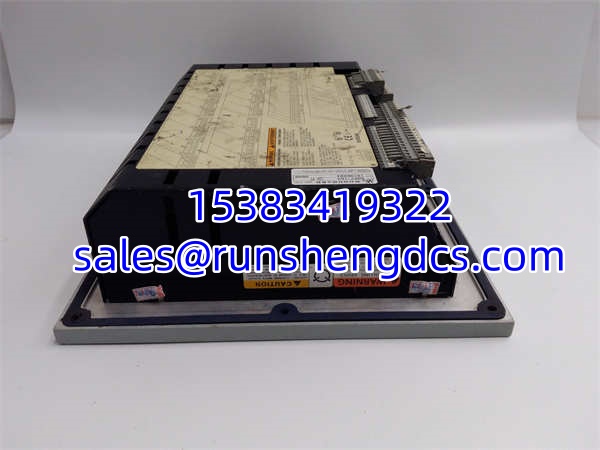
WOODWARD 9907-164
Compatible Replacement Models
| Replacement Model | Compatibility Tier | Notes |
|---|---|---|
| WOODWARD 9907-164 | ✅ Drop-in Replacement | Must match exact firmware/hardware revision. Cheapest option, but verify I/O mapping matches your current setup. |
| WOODWARD 9907-165 / 167 | ⚠️ Software Compatible | Later revisions in the 505E series. Hardware is nearly identical, but requires parameter verification and potential logic tweaks. |
| WOODWARD 505E (New Chassis) | ❌ Hardware Mod Required | Complete system upgrade. Requires new backplane, rewiring, and full commissioning. Only do this if the 9907-164 is completely unobtainable. |
Frequently Asked Questions (FAQ)
Can I reconfigure this module for a different turbine?
Yes. The 9907-164 is fully programmable via the front panel menu. You can change the PID gains, set new critical speed avoidance zones, and redefine what the 12 programmable discrete inputs actually do. Just make sure you have the correct configuration manual for your specific turbine.
What happens if I lose 24V power while the turbine is running?
You will lose control. This is a digital controller, not a mechanical governor. If power drops, the analog outputs will fail, and the steam valves will default to their spring-return safe position (usually closed). Always ensure your 24V supply is backed up by a UPS.
Are the 4-20mA inputs programmable?
Yes. All 6 analog inputs can be configured in the software to read anything from exhaust pressure to lube oil temperature. You can even set up串级 (cascade) control loops directly inside the 505 to regulate pressure by adjusting the speed setpoint.
Does it support Ethernet?
No. The 9907-164 uses RS-232 and RS-422 with Modbus protocol. If you need to integrate it into a modern DCS over Ethernet, you will need a serial-to-Ethernet gateway or a protocol converter.
How do I clear an overspeed trip?
Once the turbine is safely stopped and the mechanical overspeed bolts are reset, you can clear the electronic trip via the front panel menu. The module has a “Trip Reset” function, but it will not allow you to reset if the speed probe still detects rotation. Safety first.