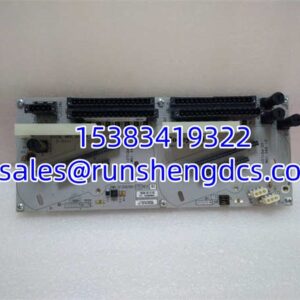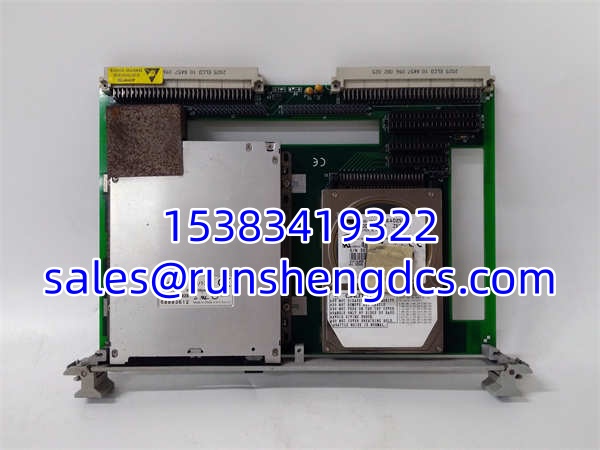

Description
Key Technical Specifications
| Parameter | Value |
|---|---|
| Model | VMIVME-7452 |
| Brand | VMIC / GE Fanuc |
| Product Type | Passive VMEbus Floppy/Hard Drive Module |
| Form Factor | 6U VMEbus, single-slot Eurocard |
| Physical Dimensions | 160 × 233.25 × 20.32 mm |
| Floppy Drive | 3.5″ 1.44 MB |
| Hard Drive | IDE interface, ~14 ms average access time, ~6.67 ms average latency |
| Optional Flash Drive | Burst read: 6.0 MB/s; Burst write: 4.0 MB/s |
| User Connectors | 34-pin floppy, 40-pin IDE |
| Power Requirements | +5V, 2.5A max (spinup), <1.0A typical |
| Operating Temperature | 5°C to 50°C |
| Storage Temperature | -25°C to 60°C |
| Humidity | 20% to 80%, non-condensing (max wet bulb 29°C) |
Product Introduction
In a VME-based real-time control system, the single-board computer needs somewhere to store its operating system, application software, and data logs. The VMIVME-7452 solves that problem by providing a VMEbus-compatible carrier for standard floppy, IDE hard drive, and optional flash storage — all in a single 6U slot.
The key word here is passive. This board does not contain a disk controller, processor, or firmware. It is essentially a mechanical and electrical adapter: it routes the floppy and IDE signals from the VMEbus P1/P2 connectors to the drives mounted on the board. The actual disk controller lives on the SBC (single-board computer) that this module interfaces with. VMIC designed the 7452 to work with their line of VMEbus PC/AT-compatible SBCs, which have the floppy and IDE controllers built in.
For facilities running legacy VMIC/GE Fanuc VME systems — common in defense, aerospace simulation, industrial process control, and power generation — the VMIVME-7452 is often the only VME-compatible mass storage option that fits the existing chassis without requiring a complete system redesign.
QA/QC Transparency SOP
For surplus or pulled VMIVME-7452 modules, here’s a practical inspection and test sequence:
- Intake & Origin Verification. Photograph the board, drive labels, and connector faces. Confirm the board silkscreen reads “.” Record the floppy drive model, hard drive model/capacity, and whether a flash drive option is populated.
- Mechanical Inspection. Check the VME edge connector for bent or corroded pins. Verify the floppy drive bezel and eject mechanism operate smoothly. Confirm the hard drive is securely mounted with no play. Inspect the IDE ribbon cable and floppy ribbon cable for damage or improper seating.
- Electrical Continuity. Using a multimeter, verify continuity on the 34-pin floppy connector and 40-pin IDE connector traces back to the VME P1/P2 edge connector. Check for shorts between adjacent pins. Verify the +5V power distribution traces from the VME connector to the drive power headers.
- Live Functional Test. Install the module in a known-good VME chassis with a compatible VMIC SBC. Confirm the SBC BIOS or OS detects the floppy drive and hard drive. Perform a read/write test on the floppy. Run a surface scan or benchmark on the hard drive. If a flash drive is present, verify read/write performance.
- Final QC & Packaging. Remove any test media. Package with anti-static shielding and foam protection on the VME edge connector. Include a test report documenting drive detection, read/write verification, and physical condition.
Field Engineer Gotchas
- This Is Not a Standalone Controller. The has no disk controller of its own. It will not function without a compatible SBC that provides the floppy and IDE controller logic. If you plug this into a VME chassis with no compatible SBC, you get nothing — no drives, no lights, no activity. Always verify your SBC model is on the compatibility list before assuming this board will work.
- Compatible SBC List Matters. The 7452 was designed for specific VMIC SBCs: VMIVME-7591, 7592, 7695, 7697, 7697A, 7698, 7740, 7750, 7751, 7765. If your SBC isn’t on this list, the IDE/floppy signal routing may not match, and the drives won’t be recognized. Don’t assume “VMEbus compatible” means universal compatibility.
- Spinup Current Surge. The hard drive draws up to 2.5A at +5V during spinup. If your VME chassis power supply is already heavily loaded, the spinup transient can cause a voltage droop that resets other boards on the backplane. Check your chassis power budget before installing.
- Floppy Drive Obsolescence. The 3.5″ 1.44 MB floppy drive is long obsolete. Replacement drives are increasingly difficult to source. If your system’s boot or recovery process depends on the floppy, consider whether the optional flash drive or a modern storage migration is a better long-term strategy.
- IDE Drive Age. Any original hard drive in a surplus 7452 is likely 15–25+ years old. Even if it spins up and reads, the mechanical components are well past their design life. For production systems, plan to replace the IDE drive with a modern IDE-to-CF adapter or SSD equivalent before deployment.
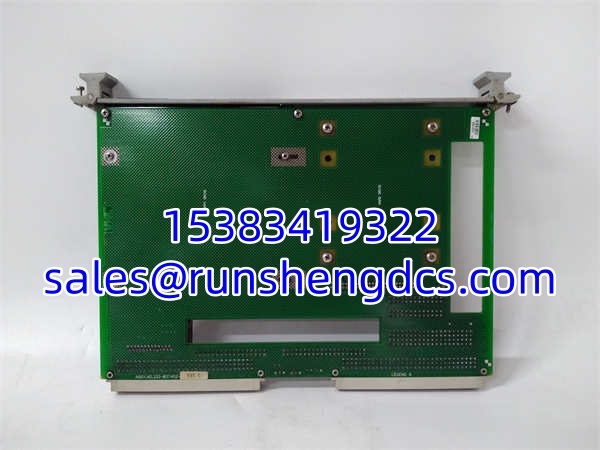
VMIC VMIVME-7452
Application Scenarios
- Legacy VME System Boot Storage. VME-based real-time systems in defense and aerospace often boot from a hard drive or floppy housed in a . The module provides the physical storage medium that the SBC’s BIOS and OS load from during system startup.
- Data Logging in Test Systems. Automated test systems built on VMIC VME platforms use the hard drive in the 7452 to store test results, waveform captures, and system logs. The passive design means the SBC’s software controls all data management.
- System Recovery and Maintenance. The floppy drive provides a bootable recovery medium for field service technicians who need to reload firmware, restore configurations, or run diagnostics without network access.
Anonymized Case: A defense contractor’s hardware-in-the-loop simulation system was built on a VMIC VME chassis with a VMIVME-7750 SBC and a storage module. After 18 years of continuous operation, the original IDE hard drive began developing bad sectors. Rather than redesigning the storage architecture, the maintenance team sourced a surplus , swapped in a modern IDE-to-compact flash adapter with a pre-imaged CF card, and had the simulation system back online within a single maintenance window — no software changes required.
FAQ
No. It is a passive carrier board. The floppy and IDE controllers are located on the compatible SBC that this module interfaces with. The 7452 simply routes the signals and provides power distribution to the drives.
Q: What SBCs are compatible with this module?
VMIC’s documented compatible SBCs include: VMIVME-7591, VMIVME-7592, VMIVME-7695, VMIVME-7697, VMIVME-7697A, VMIVME-7698, VMIVME-7740, VMIVME-7750, VMIVME-7751, and VMIVME-7765. If your SBC is not on this list, compatibility is not guaranteed.
Q: Can I use any IDE hard drive in this module?
The module provides a standard 40-pin IDE connector, so in principle any IDE drive that fits the physical mounting can be connected. However, the SBC’s BIOS and IDE controller must support the drive’s capacity and transfer mode. Very large modern IDE drives may exceed what the legacy SBC controller can address.
Q: Is the flash drive option standard or optional?
Optional. Not all units ship with the flash drive populated. Check the specific unit’s configuration before assuming flash storage is available.
Q: What’s the power consumption?
+5V at up to 2.5A during hard drive spinup, dropping to under 1.0A during normal operation. The flash drive option adds minimal additional current (tens of mA range).
Q: Is this module still manufactured?
No. The is a legacy product from the VMIC/GE Fanuc VME product line. New production has ceased. Replacement units are available through surplus and secondary market channels.
Q: Can I replace the floppy drive with something modern?
The floppy connector is a standard 34-pin interface. USB floppy adapters won’t work — the SBC’s controller expects a direct floppy interface connection. If floppy functionality is no longer needed, you can leave the connector unpopulated and rely on the hard drive or flash drive for storage.