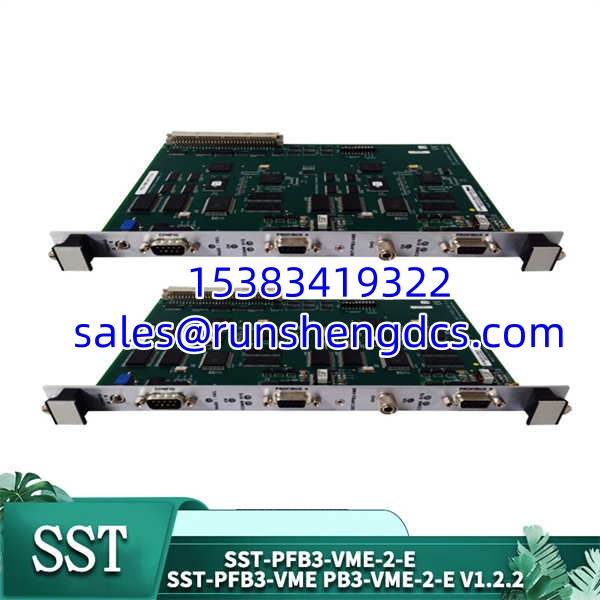
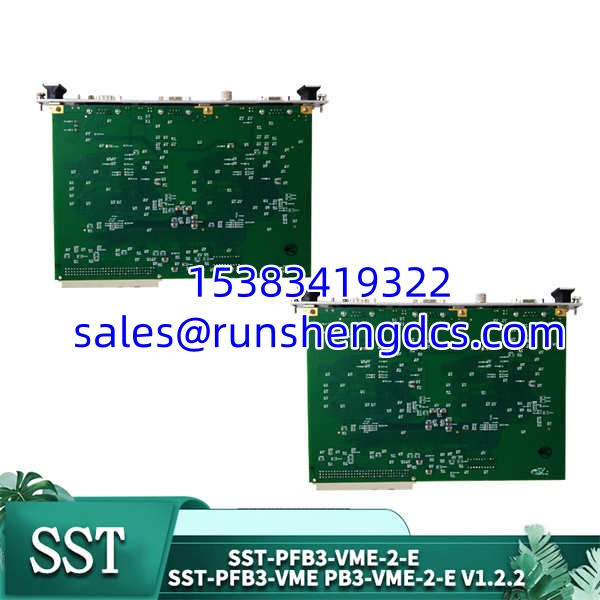

Description
Key Technical Specifications
| Parameter | Specification |
|---|---|
| Protocol | PROFIBUS DP-V0/V1, FDL (Layer 2) |
| Channel Count | 2 (Independent DP Channels) |
| Max Baud Rate | 12 Mbps (9.6K to 12M standard rates) |
| Processor | ColdFIRE 5272 Industrial CPU |
| On-board RAM | 256KB Dual-Port Shared RAM |
| Flash Memory | 512KB (Stores firmware & GSD files) |
| Form Factor | 6U VMEbus (2.0/3.0 compatible) |
| Address Window | 256K x 16-bit (Configurable via DIP) |
| Electrical Isolation | 4000V Lightning / 600W Surge Protection |
| Configuration Port | 9-pin Serial (RS232) |
Product Introduction
Integrating modern distributed I/O into a legacy VME control system usually means dealing with bus contention and CPU bottlenecks. This module solves that by using a dedicated ColdFIRE 5272 processor to handle all PROFIBUS protocol parsing independently. It maps data directly to the host VME CPU via a 256KB dual-port shared RAM window, keeping the host CPU free for actual control logic instead of babysitting serial communications.
With two independent DP channels, you can split your network topology or run redundant fieldbus segments from a single 6U slot. It supports up to 12Mbps, which is plenty for typical VME-era I/O, and handles both Master and Slave roles simultaneously. Bottom line — it’s a solid drop-in for brownfield VME racks, but treat it as finite surplus inventory. If you’re designing a new system today, look at modern EtherCAT or PROFINET gateways instead.
QA/QC Transparency SOP
- Intake & Origin Verification: We verify serial numbers and date codes against SST/Molex manufacturing records to identify production runs. Visual inspection checks the 9-pin serial port and DP connectors for bent pins or rework.
- Live Functional Testing: Module is racked in a verified VME test chassis. We configure both channels as DP Masters and poll simulated slaves at 12Mbps to confirm zero CRC errors and <1ms cycle time.
- Electrical Parameter Tests: Fluke 87V multimeter checks the 5V VME rail draw. Insulation resistance is meggered at 500V DC across the DP interface to verify the 4000V isolation barrier hasn’t degraded from shelf storage.
- Firmware/Config Verification: Bootloader and firmware versions are read via the 9-pin serial port. We compare against known-good golden images for the SST-PFB3-VME-2-E revision to prevent silent incompatibilities.
- Final QC & Anti-Static Packaging: Units are bagged in 3M static-shielding bags with desiccant. External labels include test date, firmware rev, and inspector ID. No “refurbished” stickers hiding connector wear.
Field Engineer Gotchas
- Firmware Rev Mismatch: Don’t assume all “-2-E” boards run identical firmware. I’ve seen systems fail to initialize because the new module had a firmware rev that changed the dual-port RAM mapping. Fix: Flash to exact match using the SST-PB3-CNF console before racking. War story: Spent a weekend debugging “bad VME backplane” that was just a firmware rev conflict.
- DIP Switch Address Conflicts: The VME short address (A16) and I/O base are set via DIP switches. Risk: Two cards on the same backplane with overlapping address windows cause catastrophic bus faults. Fix: Photograph DIP settings before pulling the old card. Verify against the system documentation, not the PLC tag database (which is often wrong).
- Channel A/B Port Confusion: The “-2” has two physical DP ports. Risk: Plugging Channel A’s cable into Channel B’s port. The card won’t fault, but your I/O won’t poll. Fix: Label cables at both ends. The front panel LEDs (COMM Green) only light up on the active channel.
- ESD Sensitivity on Serial Port: The 9-pin config port lacks robust ESD protection. Risk: Static zap from an ungrounded laptop kills the UART silently; the card powers up but won’t accept config commands. Fix: Wrist strap mandatory. Ground the VME chassis before connecting the serial cable.
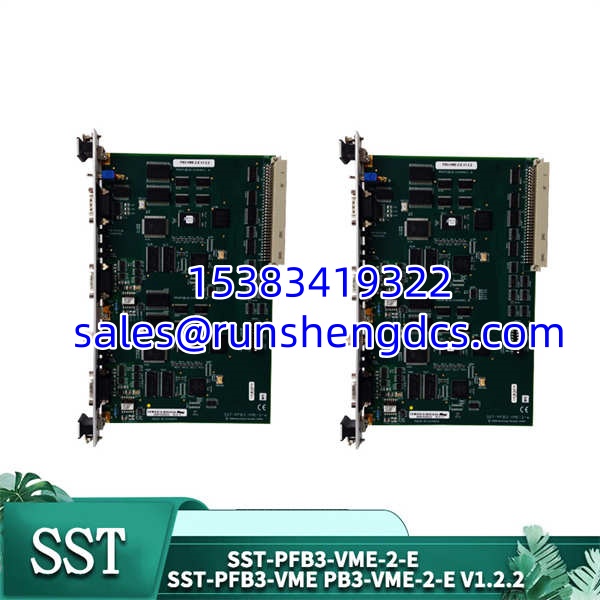
SST-PFB3-VME-2 PB3-VME-2-E SST-PFB3-VME-2-E
Application Scenarios
- Legacy Aerospace Test Stands: VME-based test equipment needing to integrate modern PROFIBUS pressure transducers without replacing the host CPU.
- Defense Radar Systems: Harsh EMI environments where the 4000V isolation and ColdFIRE processor provide reliable fieldbus communication.
- Medical Imaging Equipment: OEM systems built on VMEbus that require deterministic PROFIBUS DP-V1 cyclic data for gantry positioning.
FAQ
Q: Can I use this in a VME64x backplane?
A: Yes. The SST-PFB3-VME-2-E is backward compatible with VMEbus 2.0 and forward compatible with VME64x. It operates in 32-bit mode on VME64x but falls back to 16-bit (D16) on older backplanes. Verify your backplane spec before ordering.
Q: Does this support hot-swapping?
A: No. VMEbus does not support hot-swap for communication cards. Removing this module will cause a hard bus fault and likely crash the host VME controller. Always perform a controlled shutdown.
Q: My system has a PB3-VME-1 (single channel). Can I drop in this -2?
A: Mechanically, yes. Functionally, you must update the host software to recognize the second channel and the different memory map. The -2 uses a different register layout than the -1. Test in a lab rack first.
Q: What configuration tool do I need?
A: The SST-PB3-CNF-X Configuration Console (X = U for USB, P for Parallel). Alternatively, FDT/DTM-compatible tools work without the SST console. You cannot configure this module via the VME bus alone; the 9-pin serial port is mandatory for initial setup.
Q: Is the 12Mbps rate guaranteed over long cable runs?
A: No. 12Mbps is the silicon limit. Real-world max baud depends on cable length, spur count, and termination. For runs >200m, drop to 1.5Mbps or 500Kbps. Verify with the PROFIBUS installation guidelines, not just the datasheet.
Q: Why is the price higher than a PCI Profibus card?
A: You’re paying for VMEbus compatibility and obsolescence insurance. PCI cards won’t fit your 30-year-old VME rack. This module keeps your existing VME investment alive. The TCO includes avoided backplane replacement costs, not just hardware.