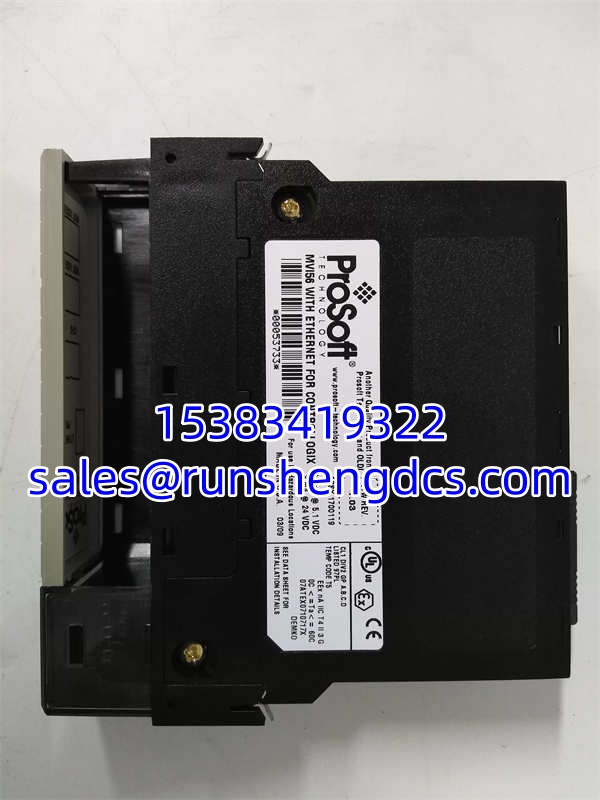
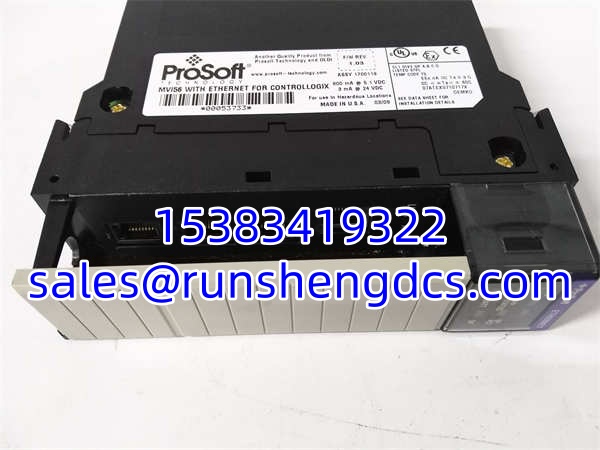

Description
Key Technical Specifications
- Product Model: MVI56E-MNETC
- Manufacturer: ProSoft Technology
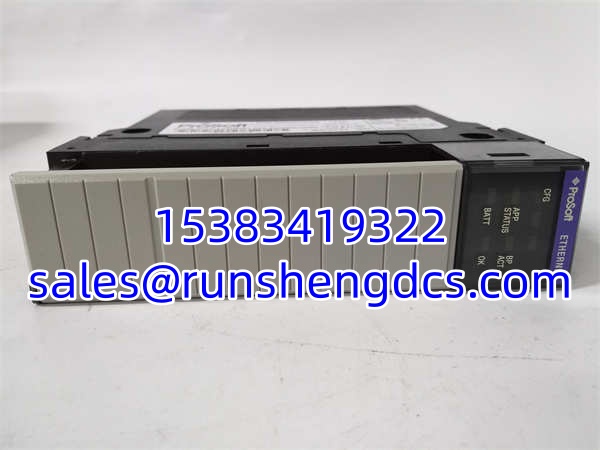
- Product Type: Modbus TCP/IP Enhanced Network Interface Module
- Host Platform: Rockwell Automation ControlLogix 1756 Chassis
- Client Connections: Up to 30 simultaneous Modbus TCP clients
- Server Connections: Up to 20 simultaneous Modbus TCP servers
- Data Mapping: 10,000 x 16-bit user-defined registers
- Physical Interface: Single 10/100Base-T RJ45 Ethernet Port
- Configuration Tool: ProSoft Configuration Builder (PCB)
- Power Consumption: 5VDC @ 800mA (4W) from backplane
- Operating Temperature: 0°C to 60°C (IP20 Enclosure)
Product Introduction
Integrating third-party devices into a Rockwell ControlLogix system using native AOIs can quickly drain PLC memory and bog down scan times. The ProSoft MVI56E-MNETC was engineered to solve this exact bottleneck. It acts as an independent protocol bridge, handling all Modbus TCP polling and server responses on its own dedicated processor. This frees up the host PLC to focus purely on real-time control logic rather than acting as a glorified network switch.
Engineers rely on the MVI56E-MNETC when they need to scale their network without scaling up their hardware. Capable of managing 30 client connections and 20 server connections simultaneously, it can easily aggregate data from dozens of VFDs, power meters, and remote RTUs, while simultaneously serving that data to multiple SCADA or MES systems. Bottom line: it’s a dedicated workhorse that keeps your Modbus traffic completely off your PLC’s backplane, ensuring deterministic control performance.
QA/QC Transparency SOP
We don’t just wipe the dust off and ship it. Every MVI56E-MNETC goes through a strict bench protocol before it gets packed.
- Intake & Origin Verification: We verify the PCB revision and component date codes against ProSoft production records to ensure it’s not a pulled scrap part.
- Live Functional Testing: The module is seated in a live ControlLogix test rack. We configure PCB to poll multiple Modbus servers and verify data updates in the PLC tags within expected cycle times.
- Electrical Parameter Tests: Using a Fluke 117, we check backplane current draw to ensure it stays within the 800mA spec and verify the RJ45 port passes a cable continuity test.
- Firmware/Config Verification: We connect via the module’s Ethernet port to verify the web server is accessible and read the firmware version to confirm it matches the MVI56E-MNETC signature.
- Final QC & Anti-Static Packaging: The RJ45 port is inspected for bent pins, then the board is sealed in a static-shield bag with desiccant to prevent moisture ingress during storage.
Field Engineer Gotchas
- MVI56 vs. MVI56E Confusion: The is the “Enhanced” series. Risk: Buying a cheaper, older MVI56-MNETC (without the ‘E’) will cause compatibility issues with newer Logix 5000 firmware (v32+). Fix: Always verify the silkscreen and ordering number. I’ve seen techs waste a whole shift trying to get a legacy module recognized by a modern L85E controller.
- PCB Configuration Mismatch: The module relies entirely on ProSoft Configuration Builder (PCB), not Studio 5000. Risk: Techs configure the IP address in Studio 5000 and wonder why the module won’t communicate. Fix: You must use PCB to set the IP, subnet, and Modbus polling maps. The PLC only reads/writes to the mapped registers; the module handles the TCP handshake.
- Firmware Upgrade Pitfalls: Upgrading the firmware requires a specific USB-to-serial cable and authorization. Risk: Using a generic USB cable or skipping the authorization step can brick the module. Fix: Always back up the current configuration via the web server before attempting a firmware flash. I’ve seen two modules bricked because someone assumed a standard phone USB cable would work for the config port.
Application Scenarios
- Energy Management Systems: Aggregating data from 30+ power meters across a manufacturing floor. The polls all meters in parallel and maps the data into a contiguous register block, allowing the PLC to forward the data to an MES system via a single server connection.
- Water/Wastewater SCADA Integration: Serving as a data concentrator for remote pump stations. The module acts as a Modbus server for the central SCADA system while simultaneously acting as a client to poll local VFDs and flow meters, bridging the gap between field devices and enterprise software.
- Legacy System Migrations: Replacing failing native AOI configurations in aging ControlLogix systems. By swapping in an , engineers can eliminate hundreds of AOI tags, instantly recovering PLC memory and reducing scan time by 20-30%.
Case Study: An automotive plant was experiencing random PLC scan overruns because they were using 25 native Modbus TCP AOIs to poll robots. The PLC was spending 40% of its scan time just waiting for network responses. Replacing the AOIs with an moved all network processing to the external module. Scan times dropped from 40ms to 8ms, eliminating the overruns and improving robot synchronization. Lesson: Don’t make your PLC do a router’s job.
FAQ
Functionally, they are identical. The is the standard commercial part number, while MNET is sometimes used in internal documentation or older catalogs. Always verify the physical label matches your PCB configuration file.
Can I configure this module using Studio 5000?
No. The requires ProSoft Configuration Builder (PCB) for all network and Modbus mapping. Studio 5000 is only used to map the module’s shared memory (I/O tags) to your PLC logic.
Does this module support Modbus RTU over TCP?
No. The is strictly Modbus TCP/IP. For Modbus RTU (serial), you need the -MCM module. Do not confuse the two; the physical connectors and internal processors are completely different.
Is this module hot-swappable?
Yes, the ControlLogix backplane supports hot-swapping the . However, pulling it will immediately drop all 50 Modbus connections. Only hot-swap if your process can tolerate a momentary loss of field data.
Why is my module showing a “Comm Fail” in Studio 5000?
Check the module’s web server diagnostic page. The most common cause is an IP address mismatch between the PCB configuration and the actual network. The does not support DHCP by default; it must be statically assigned in PCB.
Can this act as a Modbus server for multiple SCADA systems?
Yes. The supports up to 20 simultaneous server connections. You can have multiple SCADA, MES, and HMI systems polling the same register block without any performance degradation.
Is this module obsolete?
The is still actively supported by ProSoft, but newer variants like the -MNETCXT (for extreme temperatures) are available. For standard control room environments, this model remains the industry standard for ControlLogix Modbus TCP integration.