
Description
Key Technical Specifications
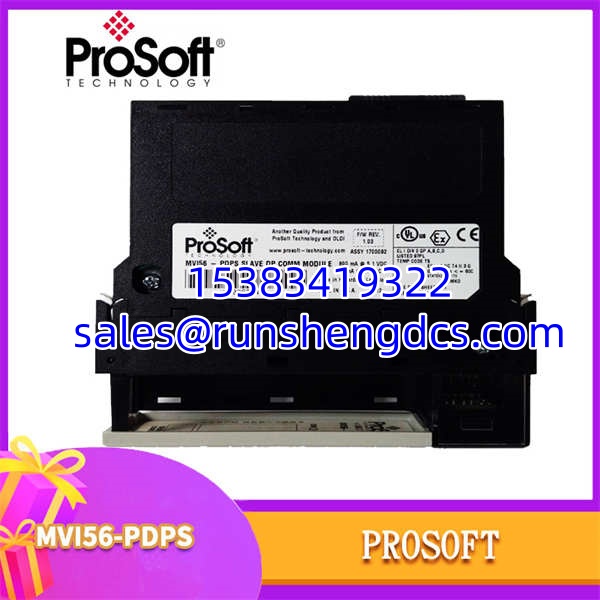
- Product Model: MVI56-PDPS
- Manufacturer: ProSoft Technology
- Product Type: PROFIBUS DP Slave Communication Module
- Host Platform: Allen-Bradley ControlLogix (1756 Backplane)
- PROFIBUS Role: DP-V0 Slave (IEC 61158)
- Data Capacity: Max 122 Words Input / 122 Words Output (200 Words Total)
- Baud Rate: 9.6 kbps to 12 Mbps (Auto-baud supported)
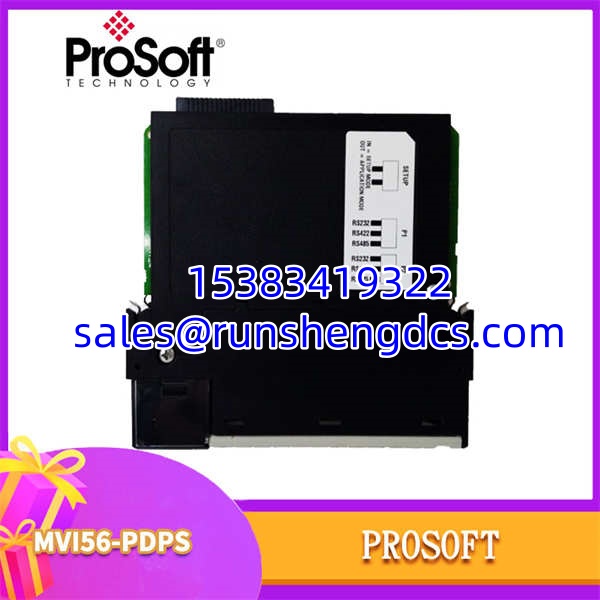
- Physical Interface: DB-9F Connector (PROFIBUS Standard)
- Backplane Access: Recognized as I/O Module; Ladder Logic for data transfer
- Configuration: ProSoft Configuration Builder (PC Serial Port)
- Power: 10-24V DC, 1100mA Max
- Environment: -40°C to 85°C
Product Introduction
Integrating legacy field devices into a modern ControlLogix system usually means dealing with protocol translation headaches. The ProSoft MVI56-PDPS solves this by acting as a transparent PROFIBUS DP-V0 slave directly on the 1756 backplane. It doesn’t just pass data; it appears to the PLC as a standard I/O module, allowing you to map up to 122 words of input and 122 words of output directly into the controller’s memory image using ladder logic.
This module is a workhorse for plants with mixed architectures. Whether you’re connecting remote I/O racks, VFDs, or analyzer skids via PROFIBUS, the MVI56-PDPS handles the cyclic data exchange without eating up your PLC’s scan time for message instructions. It supports auto-baud detection and freeze/sync modes, making it flexible for different field device requirements. Just be aware: this is a DP-V0 slave. If you need acyclic parameter access or alarm handling, you need the DP-V1 Master version (MVI56-PDPMV1), not this card.
QA/QC Transparency SOP
We don’t ship “untested pulls.” Every ProSoft MVI56-PDPS undergoes a strict validation process:
- Intake & Origin Verification: We check the PCB for physical damage, verify the ProSoft silkscreen, and inspect the DB-9 connector for bent pins or solder cracks.
- Live Functional Testing: The module is installed in a 1756 test chassis. We configure it via the serial port and verify it responds to a PROFIBUS master on a live test network.
- Backplane I/O Test: We force data in the PLC and verify it appears on the PROFIBUS bus, and vice versa. This confirms the backplane communication logic is intact.
- Electrical Parameter Tests: We measure the 24V DC draw and check for shorts on the backplane connector pins using a Fluke multimeter.
- Final QC & Anti-Static Packaging: Only modules passing all tests are sealed with a test report.
Field Engineer Gotchas
- Word Count Limits: The MVI56-PDPS has a hard limit of 200 total words (Input + Output). I’ve seen engineers try to map 150 words IN and 100 words OUT, then wonder why the module faults. Do the math before you configure.
- Ladder Logic Dependency: This isn’t a “set and forget” gateway. Data transfer between the backplane and the PROFIBUS port is handled by ladder logic instructions. If your rung is skipped, disabled, or has a timing issue, the field devices will stop updating. Check your logic first.
- Firmware vs. Logix Version: The series is older. If you’re running Logix 5000 v32 or newer, verify the module firmware is compatible. Newer firmware sometimes drops support for legacy hardware, forcing an upgrade to the E series.
- Termination Resistors: The DB-9 connector on the does not have built-in termination. You must use a properly terminated cable or an external terminator at the end of the line. Missing termination = intermittent comms at high baud rates.
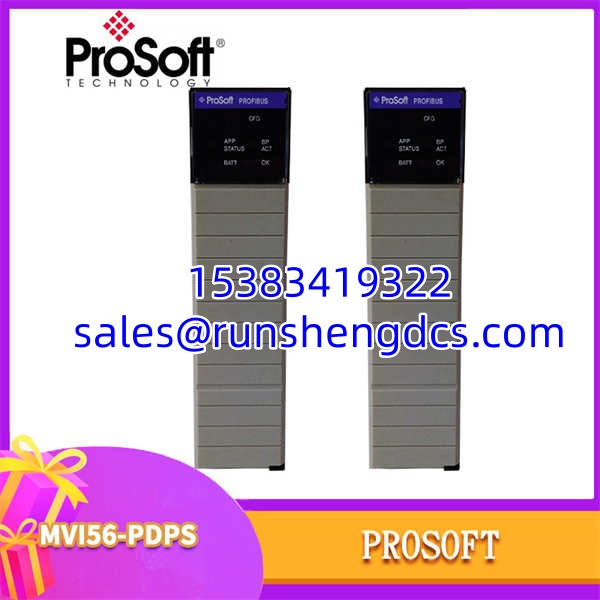
ProSoft MVI56-PDPS
Application Scenarios
- Retrofitting Legacy VFDs: When upgrading a PLC but keeping existing PROFIBUS drives, the ProSoft acts as the bridge. It maps drive status and control words directly into the new ControlLogix tags, avoiding the need to rewire drives to Ethernet.
- Distributed Remote I/O: For remote skids that only speak PROFIBUS, this module allows the ControlLogix to treat the remote I/O as local tags. The handles the cyclic polling, so the PLC doesn’t need complex MSG instructions.
- Analyzer Integration: Process analyzers often use PROFIBUS for data reporting. The captures this data and maps it to the DCS, ensuring lab results are available in real-time for control loops.
Real-World Case Study: A water treatment plant upgraded their PLC but kept a 15-year-old chemical dosing skid on PROFIBUS. They installed the ProSoft , but the skid kept dropping offline. The issue wasn’t the module; it was the ladder logic. The previous integrator had put the I/O transfer rung inside a conditional branch that only scanned when a tank was filling. When the tank was full, the comms stopped, and the dosing pump failed. Moving the transfer rung to the main program fixed it instantly.
FAQ
- Is this a Master or Slave?
It is a Slave (DP-V0). If you need to control other PROFIBUS devices, you need the -PDPMV1 (Master). Don’t mix them up. - Can I use this with CompactLogix?
No. The is a full-size 1756 ControlLogix module. For CompactLogix, you need the MVI69 or MVI56E compact form factor modules. - Does it support DP-V1?
No. This is strictly DP-V0. No acyclic data, no alarm handling. If you need V1, look for the PDPMV1 or PDPSV1 variants. - How do I configure it?
You need the ProSoft Configuration Builder software and a serial cable (usually included). You configure the node address, baud rate, and I/O mapping on the PC, then download to the module. - Is the MVI56E-PDPS compatible?
The E series is the newer, enhanced version. It fits the same slot but has an Ethernet port for diagnostics and supports newer Logix firmware. If you’re buying new, get the MVI56E. If you’re replacing an existing -PDPS, the E-series is usually a drop-in upgrade (verify config). - Why is my module flashing red?
Check the PROFIBUS bus. Red usually means “No Master” or “Bus Fault.” Verify your termination, baud rate match, and that the master is actually polling this node address. Also, check your ladder logic—did the transfer rung stop scanning?