
Description
Key Technical Specifications
- Product Model: MVI56-PDPMV1
- Manufacturer: ProSoft Technology
- Protocol: Profibus DPV0 / DPV1 (Class 1 & 2)
- Max Slaves: 125
- Data Capacity: 1536 Bytes Input / 1536 Bytes Output
- Backplane: 1756 ControlLogix (Single Slot)
- Physical Interface: DB-9F, Optically Isolated RS-485
- Non-Cyclic Comms: DPV1 Class 2 (Read/Write/Alarm)
- Config Software: ProSoft Configuration Builder (PCB)
- Power Draw: ~800mA @ 5VDC (Verify PSU headroom)
- LED Indicators: Ready, Run, Error, Token, Module Status
Product Introduction
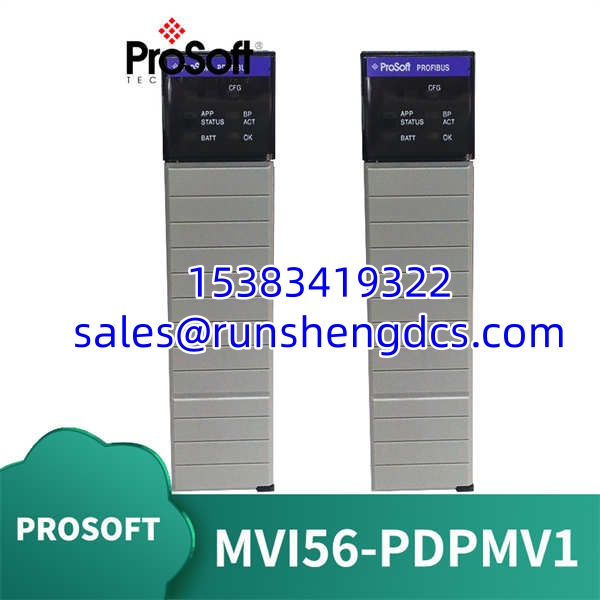
Profibus integration on ControlLogix usually means choosing between native adapters and third-party modules. The PROSOFT MVI56-PDPMV1 is the third-party answer for plants that need more than 32 slaves or non-cyclic parameter access. It sits in the 1756 rack, talks to the CPU via backplane ladder logic, and handles the Profibus token passing independently.
This isn’t a simple I/O scanner. The MVI56-PDPMV1 supports DPV1 Class 2 services, meaning you can read/write parameters and handle alarms without stealing cyclic I/O bandwidth. It maps up to 1536 bytes in each direction, which covers most medium-to-large Profibus networks. The catch? You’re trading native simplicity for configuration complexity. You’ll need ProSoft Configuration Builder (PCB), not just Studio 5000. If your team only knows Ladder Logic, expect a learning curve.
QA/QC Transparency SOP
- Intake & Origin Verification: We verify the MVI56-PDPMV1 serial number against ProSoft’s build records. Firmware revision is critical — V3.x and V4.x have different PCB config file formats. Mismatched firmware = config import failure.
- Live Functional Testing: Installed in a 1756 chassis with a test CPU. We load a known-good PCB config and verify Profibus token passing, cyclic I/O exchange, and DPV1 non-cyclic read/write. A module that can’t acquire the token is rejected.
- Electrical Parameter Tests: Backplane current draw measured at 5VDC. We’ve seen units with failing DC-DC converters that pull 1.2A instead of 800mA, starving adjacent modules. Opto-isolation on the DB-9 port is verified with a megger.
- Firmware/Config Verification: Firmware version read via PCB. The MVI56-PDPMV1 config file must match the firmware major version. We test-load a sample config to confirm no version mismatch errors.
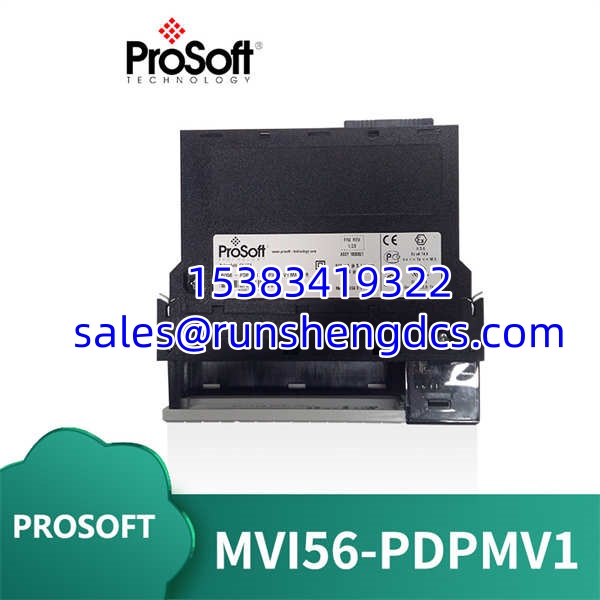
- Final QC & Anti-Static Packaging: DB-9 connector pins inspected for bending. Backplane connectors cleaned. Packed in anti-static bag with rigid foam. These modules are sensitive to ESD during handling.
Field Engineer Gotchas
- PCB vs. Studio 5000 Confusion: The MVI56-PDPMV1 is NOT configured in Studio 5000. You must use ProSoft Configuration Builder (PCB). Studio 5000 only handles the ladder logic for data transfer. Solution: Get PCB licensed. I’ve seen techs spend 4 hours trying to find Profibus config in Studio 5000. It doesn’t exist there.
- Backplane Power Budget: This module pulls ~800mA @ 5VDC. If your 1756 power supply is already at 80% load, adding an will cause brownouts. Solution: Calculate total backplane current BEFORE installation. Upgrade the PSU if needed. Physics doesn’t negotiate.
- GSD File Hell: Every Profibus slave needs a GSD file imported into PCB. Missing or wrong GSD = module won’t configure. Solution: Collect ALL GSD files BEFORE starting config. I’ve seen projects stall for days because someone couldn’t find the GSD for a 15-year-old valve positioner.
- Token Passing Delays: With 125 slaves, token rotation can exceed 100ms if baud rate is too low. Solution: Run 1.5Mbps minimum for >50 slaves. Test token time in PCB diagnostics. If your cyclic update is slow, it’s not the module — it’s your network design.
- Ladder Logic Data Mapping: The doesn’t auto-map to tags. You write COP instructions in ladder to move data between module buffers and controller tags. Solution: Use the example ladder from ProSoft. Don’t reinvent the wheel. Wrong buffer addresses = silent data corruption.
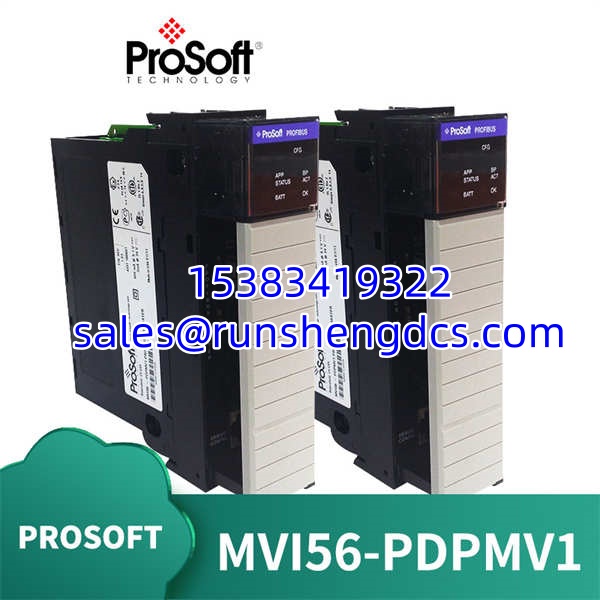
PROSOFT MVI56-PDPMV1
Application Scenarios
- Legacy Profibus Network Expansion: Plant has 80+ Profibus slaves from various vendors. Native Rockwell adapter caps at 32. The handles the full network in a single slot.
- Non-Cyclic Parameter Access: Need to read/write drive parameters or alarm logs without disrupting cyclic I/O? DPV1 Class 2 on the does this natively.
- Multi-Vendor Integration: Mixing Siemens, ABB, and Festo slaves? The is vendor-agnostic. As long as you have the GSD, it works.
Case Study: A water treatment facility had 95 Profibus slaves across 3 remote racks. Native ControlLogix adapters couldn’t handle the count. They installed modules in each rack. Total config time: 2 days (including GSD collection). Network scan time: 45ms at 1.5Mbps. Zero cyclic I/O drops. The alternative was 3 additional native adapters + 3 extra rack slots. Cost savings: ~$8k.
FAQ
Does this replace the MVI56-PDPM?
No. The is the DPV1-capable version. The older MVI56-PDPM is DPV0 only. If you need non-cyclic comms, you MUST use the V1 variant. Check your slave requirements.
Can I use this with CompactLogix?
No. The is 1756 ControlLogix only. CompactLogix uses the MVI56E-PDPMV1 (Ethernet-based). Different backplane, different module.
What’s the max baud rate?
12Mbps, but practical limit is 1.5Mbps for >50 slaves. Cable length and termination matter more than the module’s capability. Don’t chase max baud rate — chase reliable token passing.
Do I need a separate license for PCB?
Yes. ProSoft Configuration Builder requires a license. Some distributors bundle it with the . Verify before purchase. Unlicensed PCB = read-only mode.
Is hot-swapping supported?
No. Power down the 1756 chassis before replacing the . Hot-swapping can corrupt the backplane token ring. Plan a shutdown window.
Can I monitor Profibus diagnostics from Studio 5000?
Only via ladder logic data transfer. Real-time diagnostics (slave status, bus errors) are in PCB. You can map diagnostic words to tags, but it’s not native Studio 5000 integration.
What if my slave isn’t in the GSD library?
Import the manufacturer’s GSD file into PCB. If it’s a custom or obsolete device, you may need to use a generic Profibus GSD and manually configure parameters. This is advanced — get ProSoft support involved.
It’s a legacy product. ProSoft still supports it, but new orders may have lead times. Surplus stock is available, but verify firmware revision matches your existing config. Don’t mix revisions without testing.