
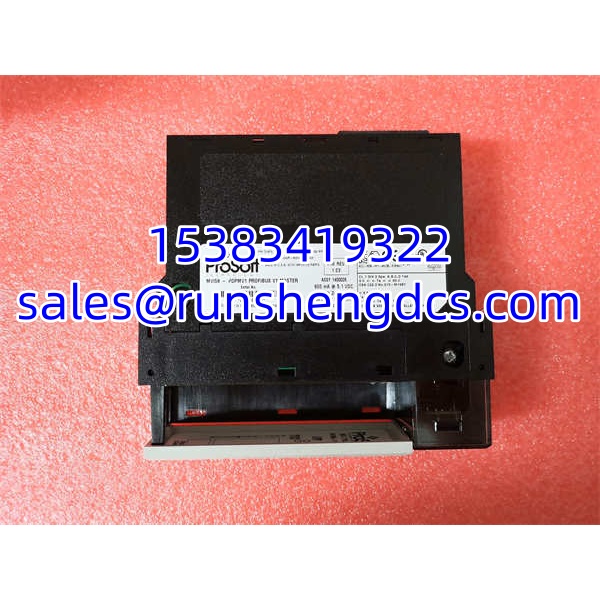

Description
Key Technical Specifications
| Parameter | Specification |
|---|---|
| Manufacturer | ProSoft Technology |
| Model | MVI56-PDPMV1 |
| Platform | Rockwell Automation ControlLogix 1756 |
| Protocol | PROFIBUS DP-V0 / DP-V1 master |
| PROFIBUS Port | 1× optically isolated RS-485 |
| Max Slaves | Up to 125 PROFIBUS slaves |
| Cyclic Data | Up to 1,536 input bytes and 1,536 output bytes |
| Acyclic Services | DPV1 Class 1 and Class 2 parameter/diagnostic services |
| Backplane Interface | Single-slot 1756 module; appears as I/O to the processor |
| Configuration | ProSoft Configuration Builder; GSD file import; FDT/DTM comDTM |
| Integration | AOI/AOP for RSLogix 5000 / Studio 5000; CIPconnect via Ethernet |
| Baud Rate | Standard PROFIBUS rates up to 12 Mbps |
| Diagnostics | Extended DPV1 diagnostics; LED status indicators |
| Operating Temperature | Typically 0 to 60 °C; verify nameplate revision |
| Power Load | Approximately 800 mA at 5.1 VDC, 3 mA at 24 VDC |
Product Introduction
The ProSoft MVI56-PDPMV1 is a PROFIBUS DP-V1 master module designed for the Rockwell Automation ControlLogix 1756 platform. It allows a ControlLogix processor to communicate with PROFIBUS DP-V0 and DP-V1 slave devices without requiring a separate PROFIBUS PLC or external gateway. The module occupies one 1756 slot and is mapped into the controller as an I/O module, so cyclic process data can be exchanged through standard ladder logic or AOI-based data transfer.
What makes this module practical in brownfield plants is its DPV1 support. Beyond cyclic I/O, it can read and write acyclic parameters, retrieve extended diagnostics, and manage device-level configuration data through Class 1 and Class 2 services. For systems integrating drives, analyzers, valve positioners, or legacy PROFIBUS instruments into a ControlLogix architecture, the MVI56-PDPMV1 remains a well-established integration path.
It supports CIPconnect, meaning configuration and diagnostics can be routed over EtherNet/IP when the chassis has an Ethernet communication module. The included ProSoft Configuration Builder software and FDT/DTM support simplify GSD import, slave mapping, bus parameter calculation, and online diagnostics.
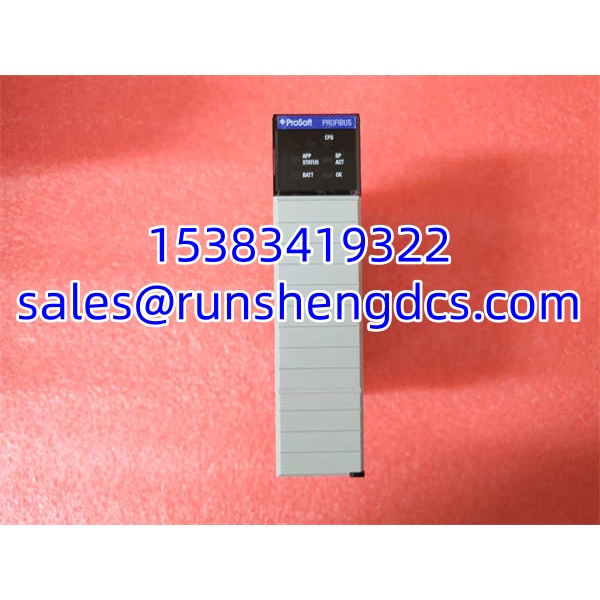
QA/QC Transparency SOP
- Model & Firmware Verification — Confirm full part number MVI56-PDPMV1, firmware revision, and serial number. Check for physical damage, bent pins, or corroded PROFIBUS connectors.
- Battery & Memory Check — Verify the configuration backup battery and SRAM retention. A weak battery can cause loss of module configuration after power-down.
- Bench Power-Up — Install in a compatible 1756 chassis. Verify module LEDs, backplane recognition, and firmware boot status.
- Configuration Load Test — Load a known-good PCB configuration with at least one slave GSD. Confirm module accepts the configuration and reports no internal faults.
- PROFIBUS Loop Test — Connect to a PROFIBUS test bench or live segment with known slaves. Verify cyclic data exchange, slave status, and DPV1 acyclic reads.
- Final Documentation — Record firmware version, configuration checksum, LED status, and test results. Ship with configuration cleared or backed up per customer requirement.
Field Engineer Gotchas
- ControlLogix Only — The MVI56-PDPMV1 fits 1756 ControlLogix chassis. It is not a CompactLogix module. For CompactLogix, use MVI69-PDPMV1 or PS69-DPM.
- GSD Files Are Mandatory — Each PROFIBUS slave requires a correct GSD file. A mismatched GSD can cause cyclic data length errors or commissioning failures.
- DPV1 vs DPV0 — If the application needs acyclic parameter reads, confirm that both the module firmware and the slave device support DPV1 Class 1/2 services.
- Baud Rate & Termination — PROFIBUS networks require correct baud rate, address uniqueness, and proper termination at both ends. Missing termination is a common cause of intermittent faults.
- Cyclic Data Mapping — Input and output byte counts must match the GSD configuration. Changing slave modules without updating the PCB configuration will break data mapping.
- CIPconnect Requires Ethernet — CIPconnect diagnostics depend on an EtherNet/IP path through a 1756-ENBT/EN2T or equivalent module. Without it, configuration must be done via the local CFG serial port.
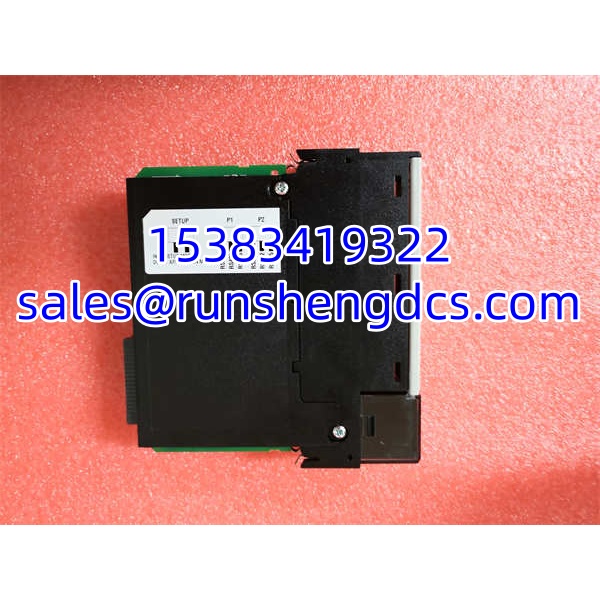
ProSoft MVI56-PDPMV1
Application Scenarios
- Drive integration into ControlLogix — A ControlLogix controller uses the MVI56-PDPMV1 to read speed, torque, and fault codes from PROFIBUS-enabled AC drives while sending speed references and start/stop commands.
- Process analyzer interface — Gas or liquid analyzers with PROFIBUS DP interfaces send measurement values and diagnostics into ControlLogix for batch control and alarm handling.
- Legacy PROFIBUS migration — Plants replacing older PROFIBUS PLCs with ControlLogix can keep existing field devices by using the as the new PROFIBUS master.
FAQ
A: No. It is a PROFIBUS DP-V1 master. For slave functionality on ControlLogix, ProSoft offers the MVI56-PDPS.
Q: How many slaves can it support?
A: Up to 125 PROFIBUS slave devices, subject to baud rate, cable length, and segment topology limits.
Q: Can it be configured over Ethernet?
A: Yes, when CIPconnect is available through an EtherNet/IP module in the ControlLogix chassis. Otherwise, use the local RS-232 CFG port.
A: Yes. It supports Class 1 and Class 2 acyclic services for parameter access and extended diagnostics.
Q: Can I use it in CompactLogix?
A: No. For CompactLogix, use MVI69-PDPMV1 or PS69-DPM.
Q: Where do I get the configuration software?
A: ProSoft Configuration Builder and related DTMs are available from ProSoft Technology. GSD files must be obtained from the respective slave device manufacturers.




