
Description
Key Technical Specifications
- Communication Protocol: Modbus TCP/IP (Master/Slave)
- Ethernet Interface: 10/100Base-T RJ45, auto-cross detection
- Client Connections: Up to 100 client connection commands
- Data Mapping: 16-bit register CIP-connect-enabled network configuration
- I/O Data Image: Minimized input/output data image for efficient transfer
- Backplane Compatibility: Single-slot 1756 ControlLogix backplane
- Configuration Tool: ProSoft Configuration Builder (PCB) — Windows GUI
- Network Discovery: ProSoft Discovery Service (PDS) for IP assignment
- CIPconnect: Supported via 1756-ENxT and/or 1756-CNB modules for remote config and diagnostics
- Rack Configuration: Remote rack type — module communicates with ControlLogix processor over EtherNet/IP or ControlNet process/control network
- Operating Temperature: 0°C to 60°C (standard MVI56 series)
- Firmware Compatibility: Legacy MVI56 — not compatible with Logix 5000 v32+ firmware
Product Introduction
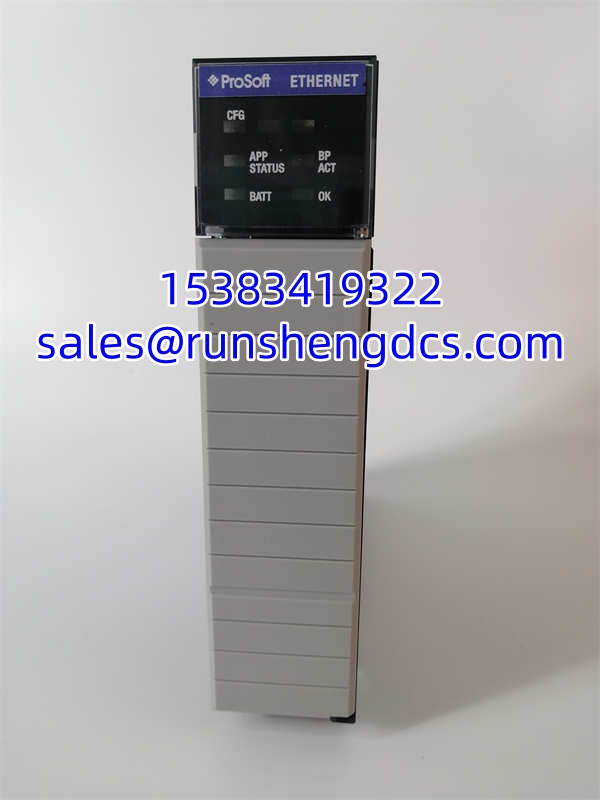
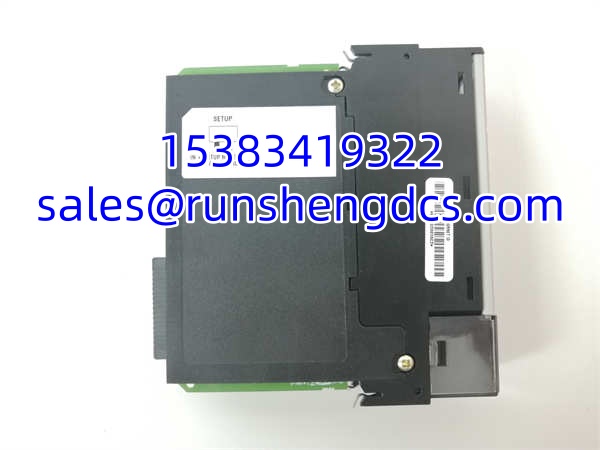
A ControlLogix processor sitting in the main rack needs to talk to a Modicon PAC, a bank of variable frequency drives, or a scatter of field instruments — all running Modbus TCP/IP. The MVI56-MNETR is the bridge that makes that conversation happen. It drops into a single ControlLogix chassis slot, plugs an RJ45 cable into the Ethernet port, and starts polling or serving Modbus registers across the network. The “R” suffix means remote rack — this module was designed for installations where the communication hardware lives in a separate enclosure from the processor, connected over EtherNet/IP or ControlNet.
Here is the problem: ProSoft killed this module. The MVI56E-MNETR replaced it with a built-in web server, Add-On Instructions (AOI) for tighter RSLogix 5000 integration, CIPconnect remote diagnostics, and firmware that actually works with Logix 5000 v32 and above. If your system is still running an original MVI56-MNETR, you are on borrowed time — spare units exist only through surplus channels, and every month that passes shrinks that pool. The MVI56E series is backward-compatible with existing ladder logic and module configuration files, so the upgrade path does not require rewriting your entire program.
Troubleshooting Quick Reference
| Fault | Likely Cause | Probability | Quick Check | Fix |
|---|---|---|---|---|
| Module not recognized in chassis | Backplane seating or slot failure | 75% | Reseat module; check chassis power LED; try adjacent slot | Power-cycle chassis; inspect backplane connector pins for corrosion |
| No Ethernet link LED | Cable fault or switch port issue | 80% | Swap Ethernet cable; test port with laptop | Replace cable; verify switch port is active and not VLAN-blocked |
| Modbus timeouts to all slaves | IP misconfiguration or subnet mismatch | 70% | Use PDS utility to verify module IP; ping from config PC | Correct IP/subnet/gateway in PCB configuration |
| Intermittent communication drops | Network congestion or switch buffering | 50% | Check switch port error counters; monitor with Wireshark | Isolate module on dedicated VLAN; reduce poll rate |
| Module recognized but no data transfer | Ladder logic command table error | 60% | Check command table in RSLogix 5000; verify enable bits | Validate command structure matches PCB configuration |
| Firmware mismatch after Logix upgrade | Logix 5000 v32+ incompatibility | 90% | Check controller firmware version; check module status codes | Replace MVI56-MNETR with MVI56E-MNETR — no firmware fix exists for legacy hardware |
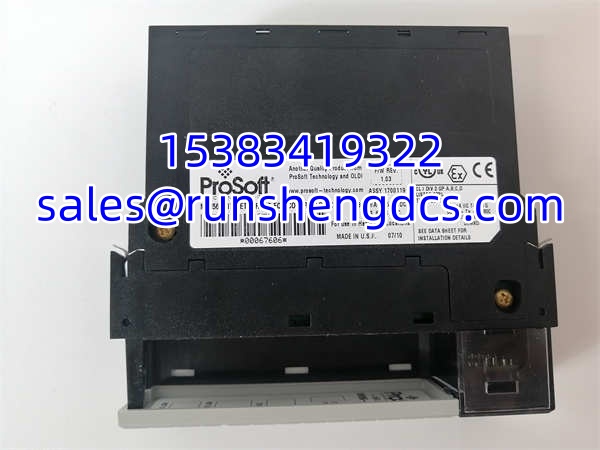
PROSOFT MVI56-MNETR
Application Scenarios & Pain Points
Water treatment plant SCADA integration:
A municipal water facility uses ControlLogix as the primary controller but needs to poll Modbus TCP/IP flow meters and chemical dosing skids from a third-party vendor. The MVI56-MNETR handles the polling — but when the module fails, the SCADA system loses visibility into every instrument on that Modbus segment. No partial failure. Total blackout until replacement.
Oil and gas pipeline metering stations:
Remote pipeline stations run ControlLogix with ProSoft communication modules bridging to custody transfer flow computers. The -MNETR sits in a remote rack at the station while the processor lives in a sheltered control building. When the original module dies after 12 years of service, finding an exact-match surplus unit becomes a multi-week scramble.
Automotive assembly line protocol conversion:
An integrator used -MNETR modules to let a ControlLogix system exchange production count data with legacy Modbus TCP/IP PLCs from a previous automation generation. The pain point — when the plant upgraded the ControlLogix firmware to v32+, the legacy modules stopped communicating entirely. The firmware incompatibility was not documented in the original installation manual.